6. Measurement example
53
6.4 Long-term measurement of HVAC with databus
cntroller
6.4.1 Requirements
· PC and logger are connected to each other.
· The HVAC probe is connected.
· The PC is switched on, software has been started.
· The bus has been initialised.
6.4.2 Programming
1
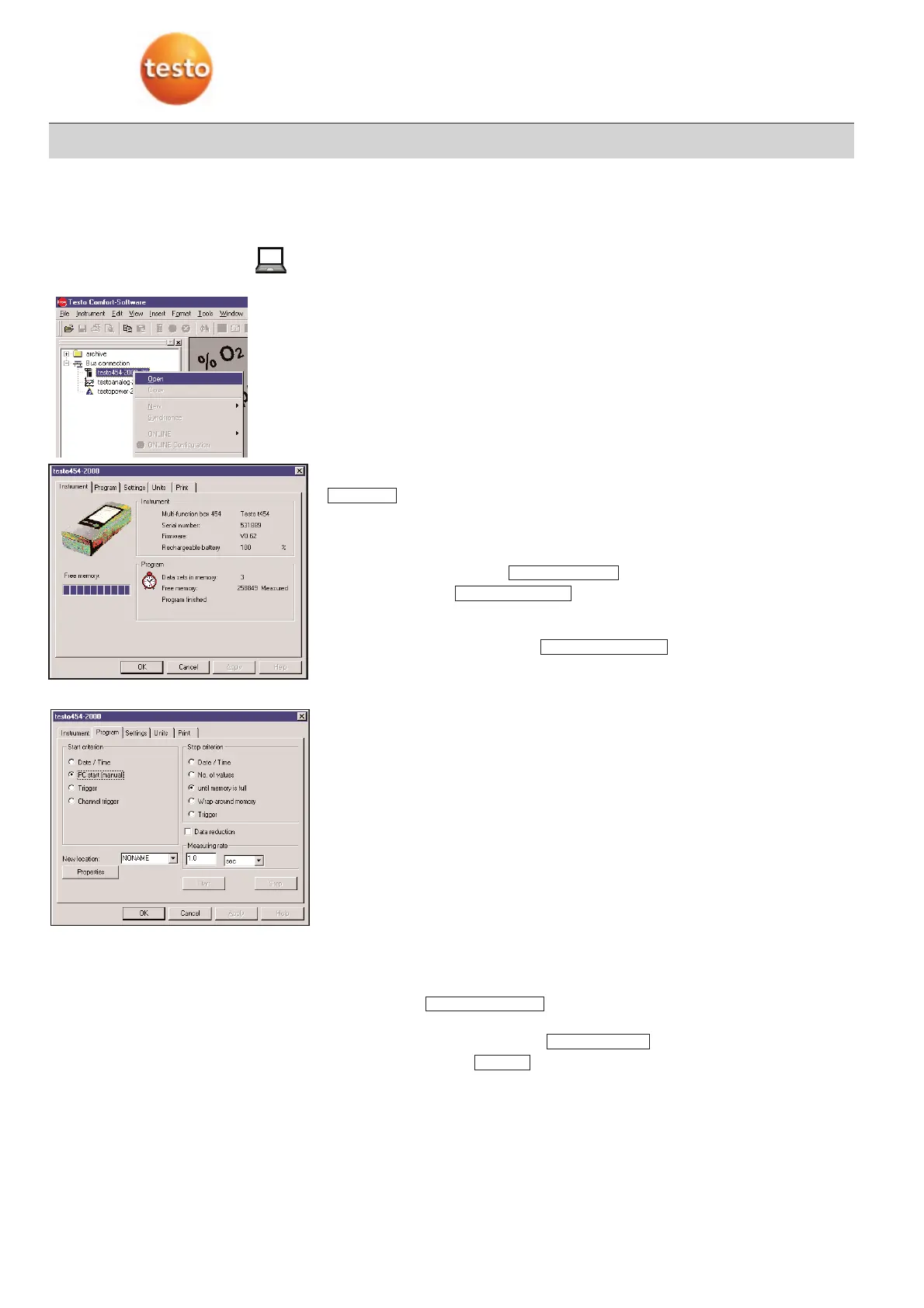
Select Instrument menu -> Device control.
-
Device control menu with Instrument register appears.
:
Information on the logger, such as serial number, software version and rechargeable
battery capacity, number of protocols in the memory and the amount of free space avai-
lable.
2
Select second register card .
3
Insert name in box .
The data is then easier to allocate.
· Additional text on the location, giving a more detailed description of the
measurement, can be entered at .
4
Enter stop and start criteria.
Starting criteria:
· Date/Time
· PC start, manual
By activating the start button in this menu.
·
Trigger
· Channel trigger:
Program starts once a specific limit is reached or exited.
Stopping criteria:
· Date/Time
· No. of values
· Until memory is full
· Wrap-around memory:
Once the last storage space has been taken, the first is written over once again
and the memory starts filling up again.
· Trigger
5
Enter measuring cycle
Determines in which intervals a new reading is accepted. The smallest possible mea-
suring cycle depends on the number and type of probes connected.
·
In the case of data is only saved if there are significant changes,
similar data is substituted by a representative value.
6
Save the measuring program with .
7
End the program with
-
The protocol appears under the selected location.
Stop
Apply
Data rreduction
Properties
New llocation
Program
Instrument



 To Next Page