5. Setting up measurement system
45
5.1 Setting up CU and logger
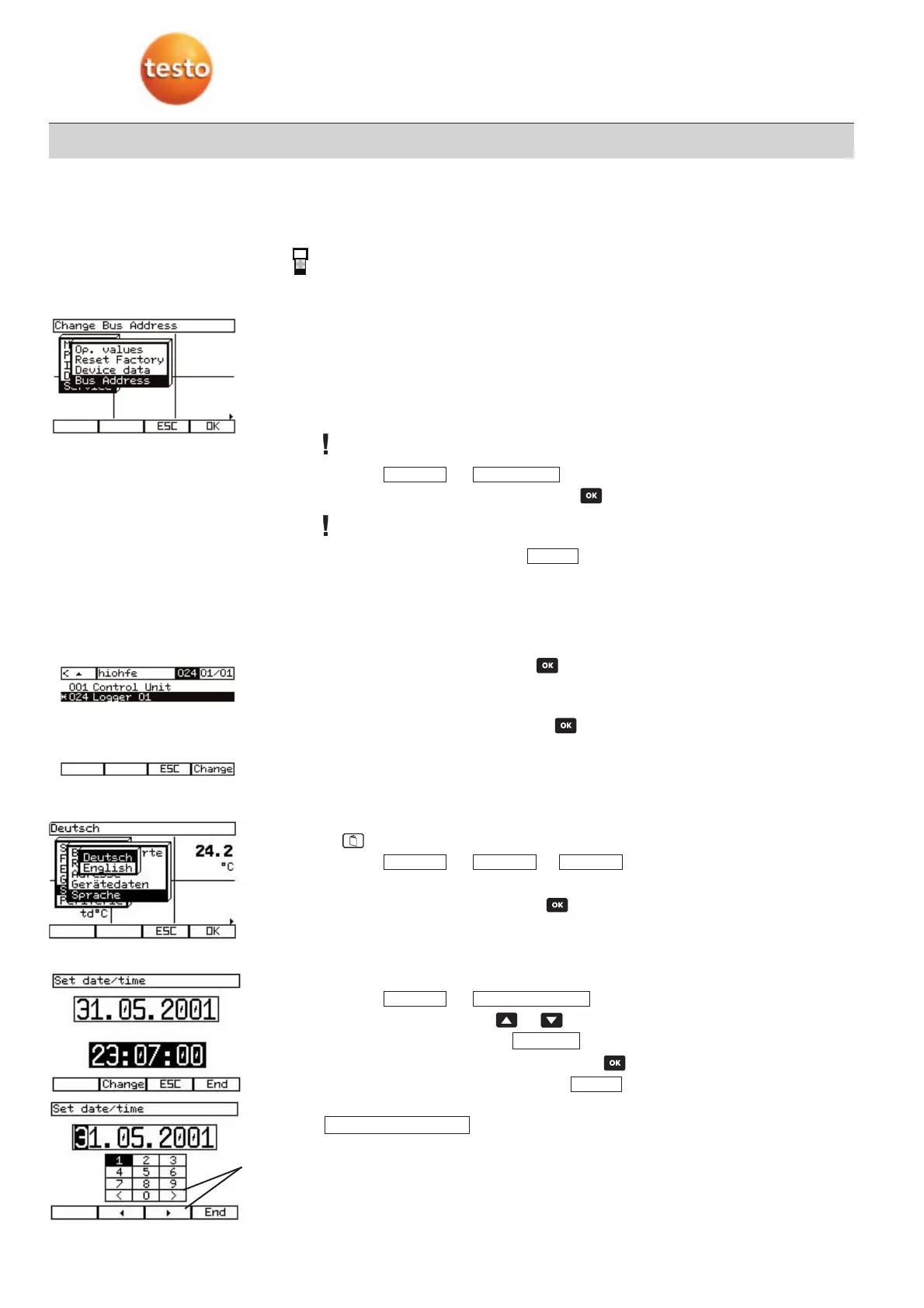
5.1.1 Setting up bus address
·
Bus connection is set up for
one
logger.
·
Measurement menu is activated.
Every instrument has a default bus address which makes it easy to identify. The bus
address consists of a two-digit number which is assigned as follows:
·
Control Unit Always 01 ex factory
·
Logger 20 to 29 ex factory
All bus ID addresses have to be different.
If the bus address is the same, it has to be changed.
1
Select –> .
2
Select digit and the value takes effect if is pressed.
If high numbers are selected, it can take a while for the logger to be recognised when
first switched on.
3
The bus address applies once is activated.
5.1.2 Selecting instruments
·
Measurement menu is activated.
1
Open system configuration with .
-
The system configuration with the Control Unit and all connected components is
shown (logger, analyser box, analog output box, powerbox).
2
Select instrument and confirm with .
-
The reading display of the selected instrument appears.
5.1.3 Setting the language
·
Control Unit is selected.
·
Measurement menu is activated.
1
Open main menu.
2
Select –> or .
-
The selected language setting is displayed.
3
Select language and confirm with .
5.1.4 Setting the date/time
·
Control Unit is selected.
·
Measurement menu is activated.
1
Select –> .
2
Select date or time using or .
3
Activate setting mode using .
4
Select digit and the value takes effect once is activated.
5
The date/time comes into effect once is activated.
If a measuring program is activated, the date and time entries are locked. The message
appears.
Meas. pprogram aactive
End
Edit
Change ddateDevice
Lang.SpracheService
Finish
Bus aaddressService
5. Setting up measurement system
Select digits
in the date
line



 To Next Page