4. Initial operation
44
4.7 System check: databus controller and logger
4.7.1 Setting up connection
·
Logger is switched off.
1
Set up bus connection
2
Connect measurement probe.
3
Switch on instruments:
With supply via powerbox:
Switch on powerbox via button.
With supply via mains unit:
Insert mains unit in socket.
4
Start Testo software.
-
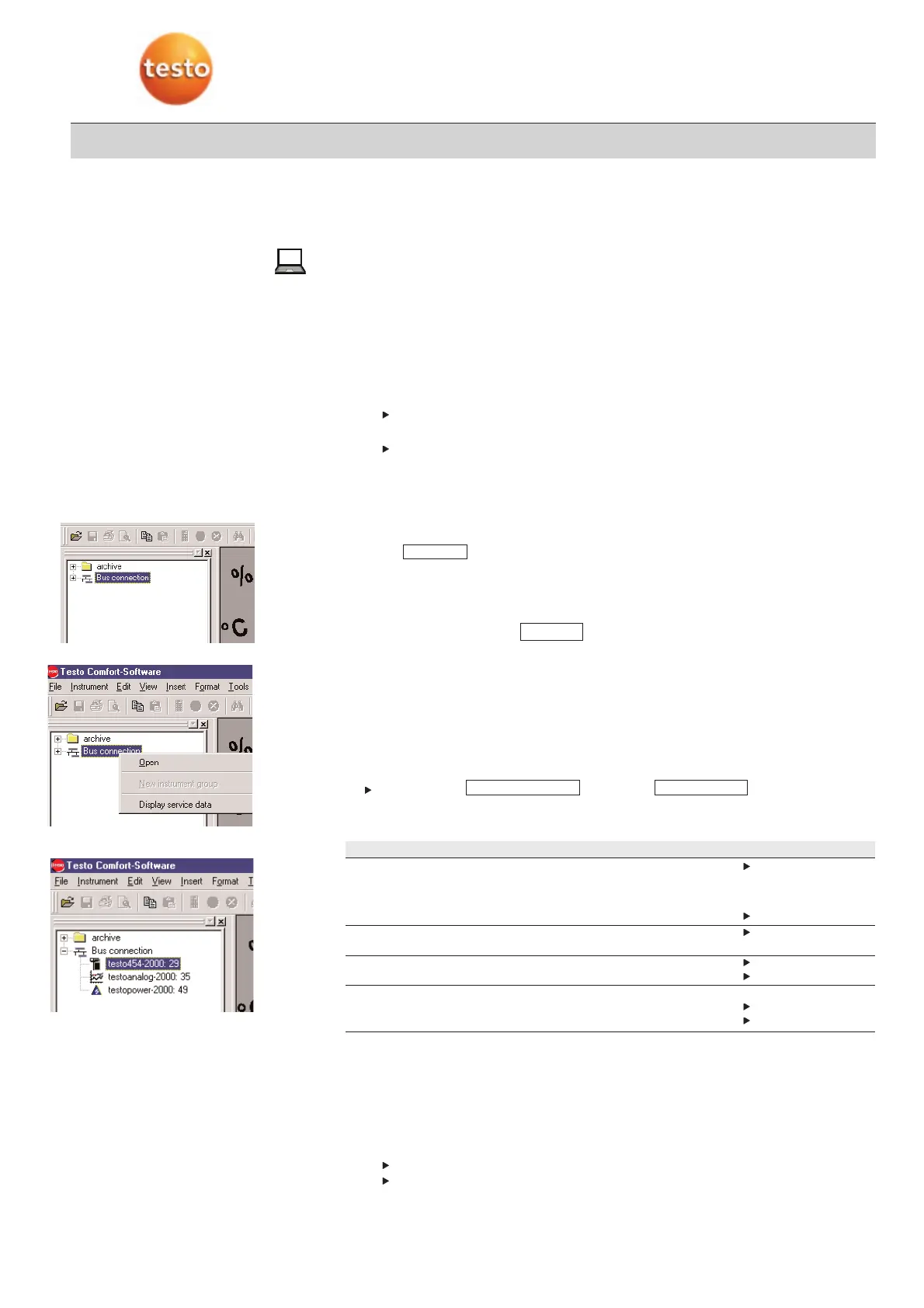
The bus icon for the installed databus controller appears left in the archive area.
·
Comsoft is opened and the bus symbol for the databus controller is shown.
1
Open the context menu by placing the right mouse button on the bus icon.
2
Go to .
-
A search is made of the Testo databus for connected subscribers, these are listed
under the “Bus connection” icon.
3
Select instrument and open context menu.
4
Activate instrument using .
Once Comsoft is started, the following has to happen:
·
Status LED on logger lights up green.
if power is supplied by powerbox:
·
Status LED on powerbox also lights up green.
·
All bus subscribers are recognised and listed in the archive area once the bus
connection has been activated.
·
Probes are also recognised:
Instrument -> ->Register
-
All probe sockets with probes connected are listed.
Troubleshooting:
Defect Cause Remedy
LED on logger does not light up. No voltage in logger. Check if instruments are
properly connected to each other.
· Databus cable/ power cable
· Contact bars
· Rechargeable battery pack is spent. Recharge battery.
Instruments are not recognised. · Instruments are connected incorrectly. Check bus connection
(Terminal plug).
Probes are not recognised. · Probes are not correctly inserted. Insert probe correctly.
· Probe is defective. Change probe.
Bus symbol for databus controller
does not appear · is not installed Install card
· USB connection is not correctly plugged in. Insert card correctly.
4.7.2 Switching off databus controller and logger
1
Close instruments via context menu.
2
Disconnect databus connection via context menu.
3
Close Comsoft.
4
Switch off instruments:
With powerbox: Switch off powerbox.
With mains plug: Pull mains plug.
EinstellungenGerätesteuerung
Open
Open



 To Next Page