3. Product description
38
3.3 Databus controller and Comsoft
3.3.1 Application options
·
Instrument control of the respective connected and selected instruments.
·
Show system data and carry out settings (units, ...).
·
Online measurement with the connected and selected measurement box.
·
Upload, print and file various instrument memories.
·
Data management in hierarchical tree structure
·
Multi-instrument bus operation, with the option of mixed online display of selected
channels from a variety of connected measurement boxes.
·
Use and analyse comprehensive system alarm and trigger signals.
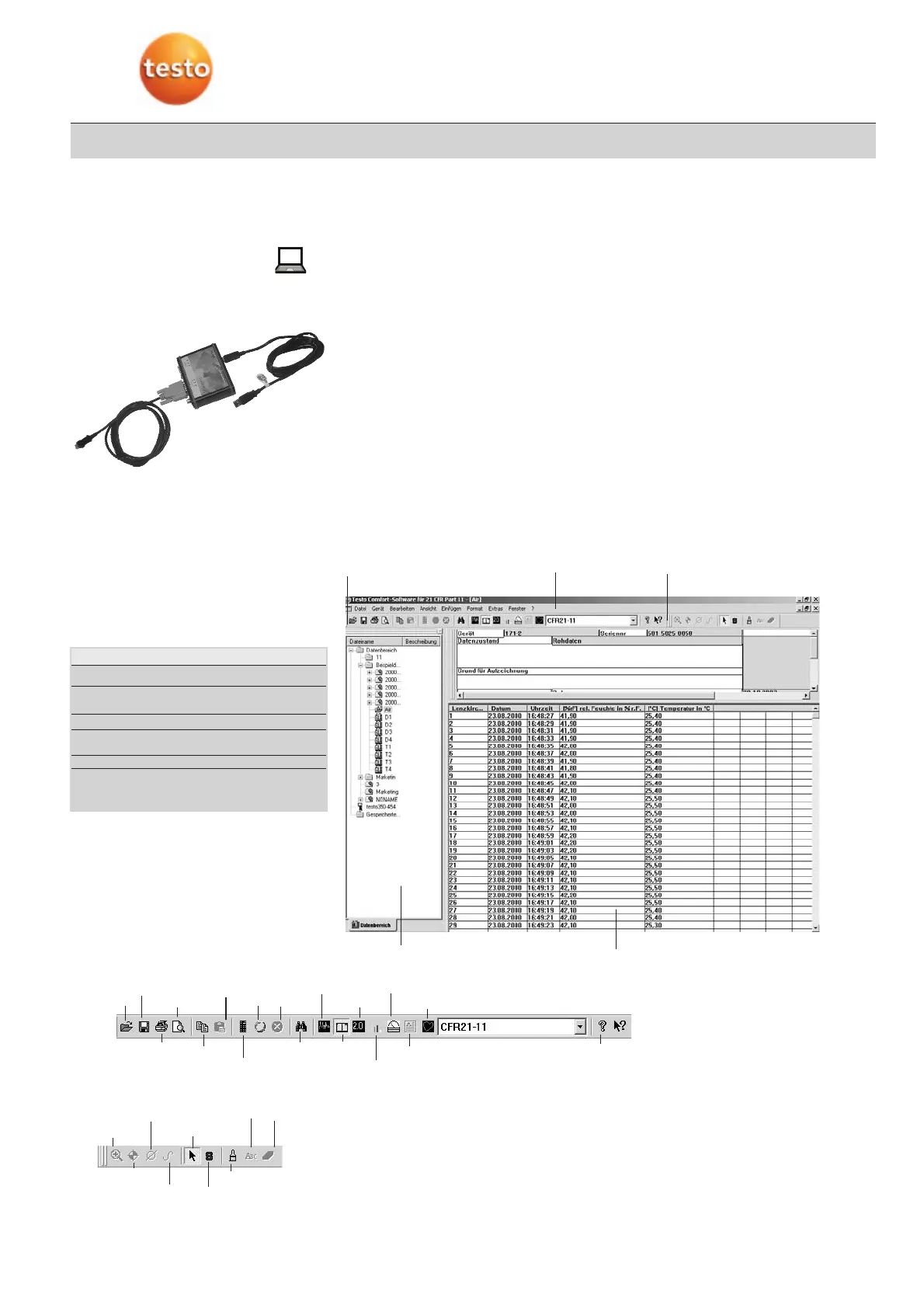
3.3.2 Comsoft user interface
The software interface is defined according to the Microsoft® Office standard. Icons and
menu items are selected along the lines of the standard. If you are already working with
Office programs (Word®, Excel®, PowerPoint® ...) you will very quickly become familiar
with the interface.
Mouse functions
Mouse action Menu function
Click left on menu item: Opens sub-menu or
carries out function
Click left on symbol button: Carries out function
Click left on name
in archive: Selects
Double click, left: Selects and opens/executes
Click right: Opens (if available)
context menu
Menu bar
Icon bar
Archive area
Work area
Toolbar
Magnify
Crosshair
Highlight range
Select
Compensation
curve
Display sta-
tus infor-
mation
Edit pattern/style
Text
Enter Delete
TToooollbbaarr
Open file
Save
Print
Page view
Copy
Online
Start Stop
Search in archi-
ve
Diagram
Table
Digit box
Histogram
Analog instrument
Form
Parametric graph
IIccoonn bbaarr
Help
Device control
Insert



 To Next Page