5. Setting up measurement system
47
5.1.6 Renaming system components
- Measurement menu is activated.
1
Open system configuration with .
2
Select required components.
3
Open setting mode with .
4
Change name of the component in the input dialogue box.
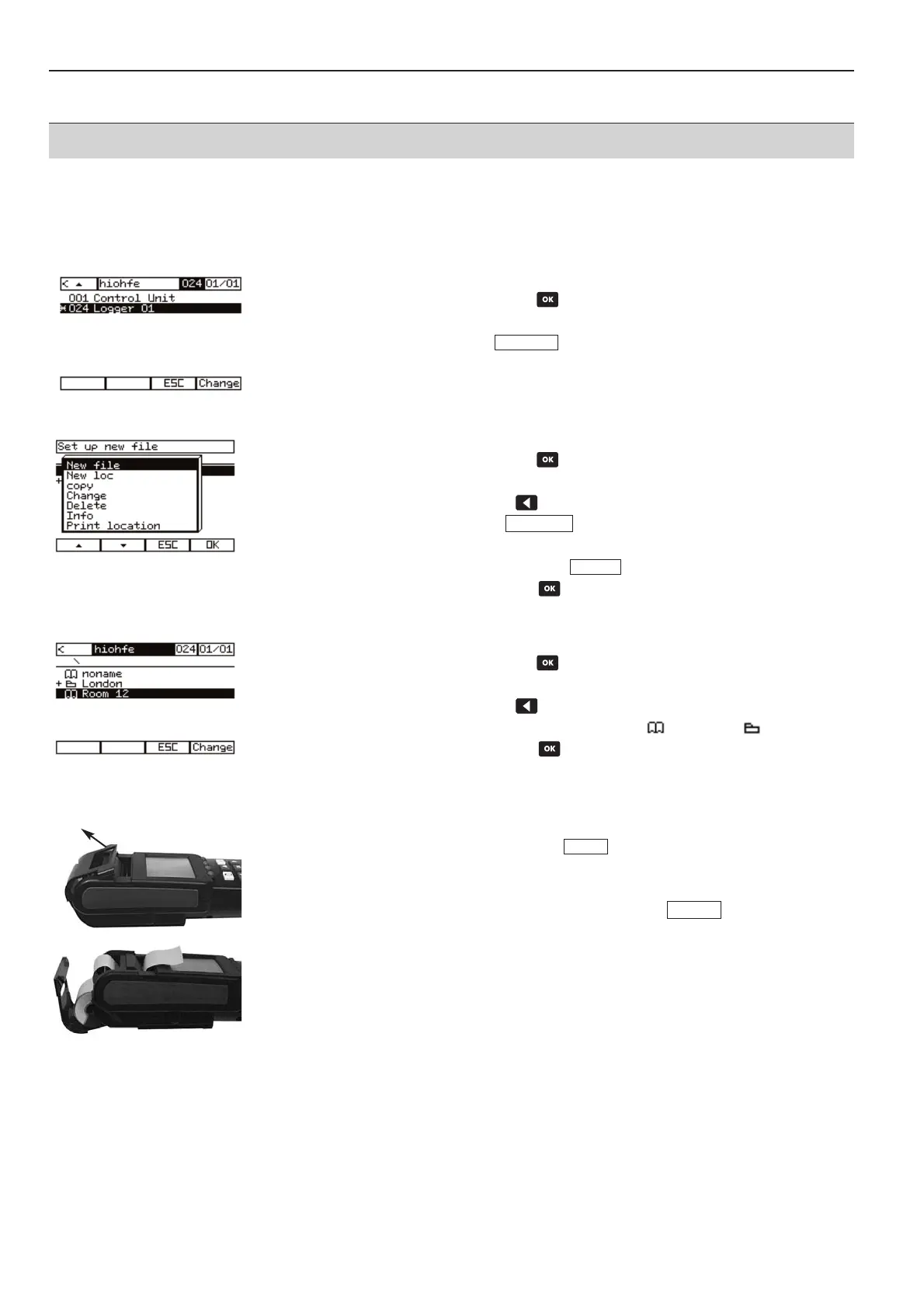
5.1.7 Setting up new location
·
Measurement menu is activated.
1
Open system configuration with .
-
System configuration is shown.
2
Open location selection with .
3
Activate setting mode with .
4
Select new location.
5
Enter location name and confirm with .
6
Select location and confirm with .
5.1.8 Selecting location
·
Measurement menu of required instrument is activated.
1
Open system configuration with .
-
System configuration is shown.
2
Open location selection with .
-
You will receive an overview of the stored locations and folders .
3
Select location and confirm with .
-
The new location appears in the system bar.
5.1.9 Setting up printer
1
Assign function button with line feed .
2
Tilt the printer cover upward
.
3
Place paper in the back slot and push it in .
4
The paper is drawn in by pressing the function button . The paper can be
pushed in gently by hand if necessary.
5
Place paper roll in lid.
6
Close instrument cover.
7
Pull paper through the front slot.
LF DDr
LF DDr
End
Edit
Edit



 To Next Page