3 Description of the instrument
10
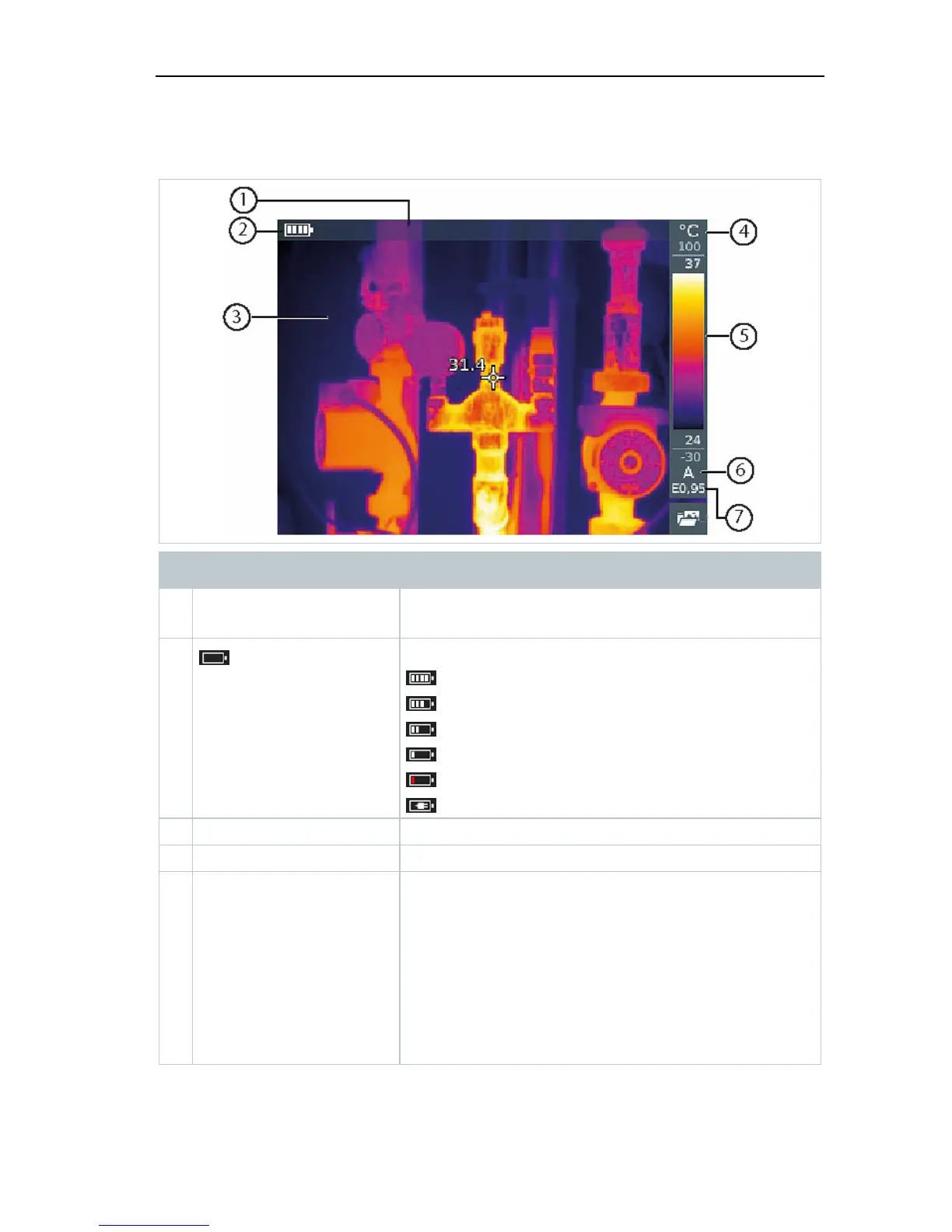
3.1 Displays overview
Element Function
1 Status bar In the status bar, values are displayed
depending on the setting.
2
Battery capacity / charge status:
: Battery operation, capacity 75-100%
: Battery operation, capacity 50-75%
: Battery operation, capacity 25-50%
: Battery operation, capacity 10-25%
: Battery operation, capacity 0-10%
: Mains operation, battery is charging
3 Image display IR image or real image display
4 °C or °F Unit set for reading and scale displays
5 Scale - Temperature unit
- Grey characters: measuring range
- White characters: temperature margin of the
image displayed, showing the
minimum/maximum reading (with automatic
scale adjustment) or the selected
minimum/maximum display value (with
manual scale adjustment)



 To Next Page