4 Operation
13
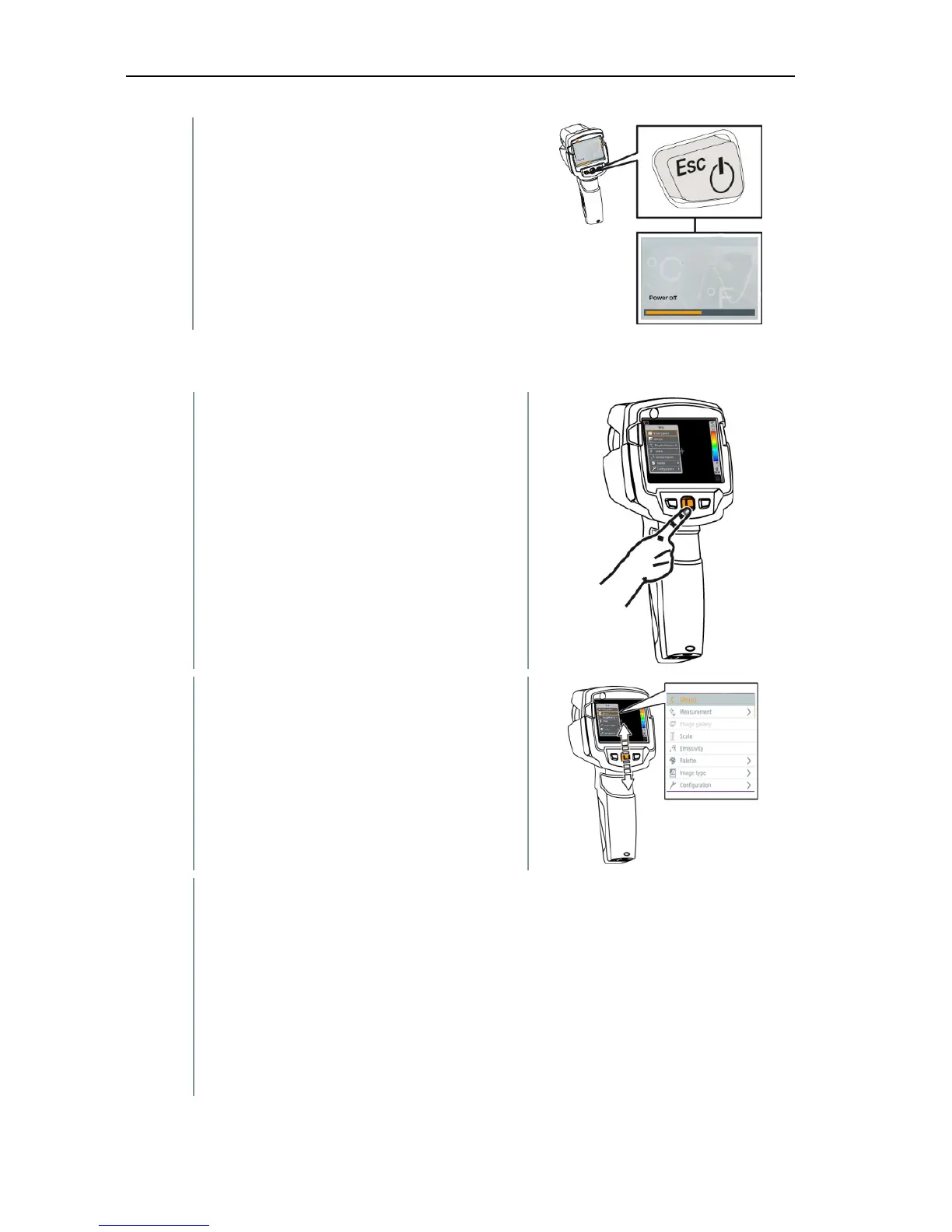
The camera is switched off.
4.3 Getting to know the menu
1 - Press OK to open the menu.
2 - Move the joystick down/up to
highlight a function (orange border).
3 - Press OK to select the function.
3.1 - Move the joystick to the right to open the submenu (marked with >).
- Return to the main menu:
o Move the joystick to the left or
o Move the joystick to the menu bar and press OK.



 To Next Page