106
Installation and Maintenance
Service Manual
Step Procedure
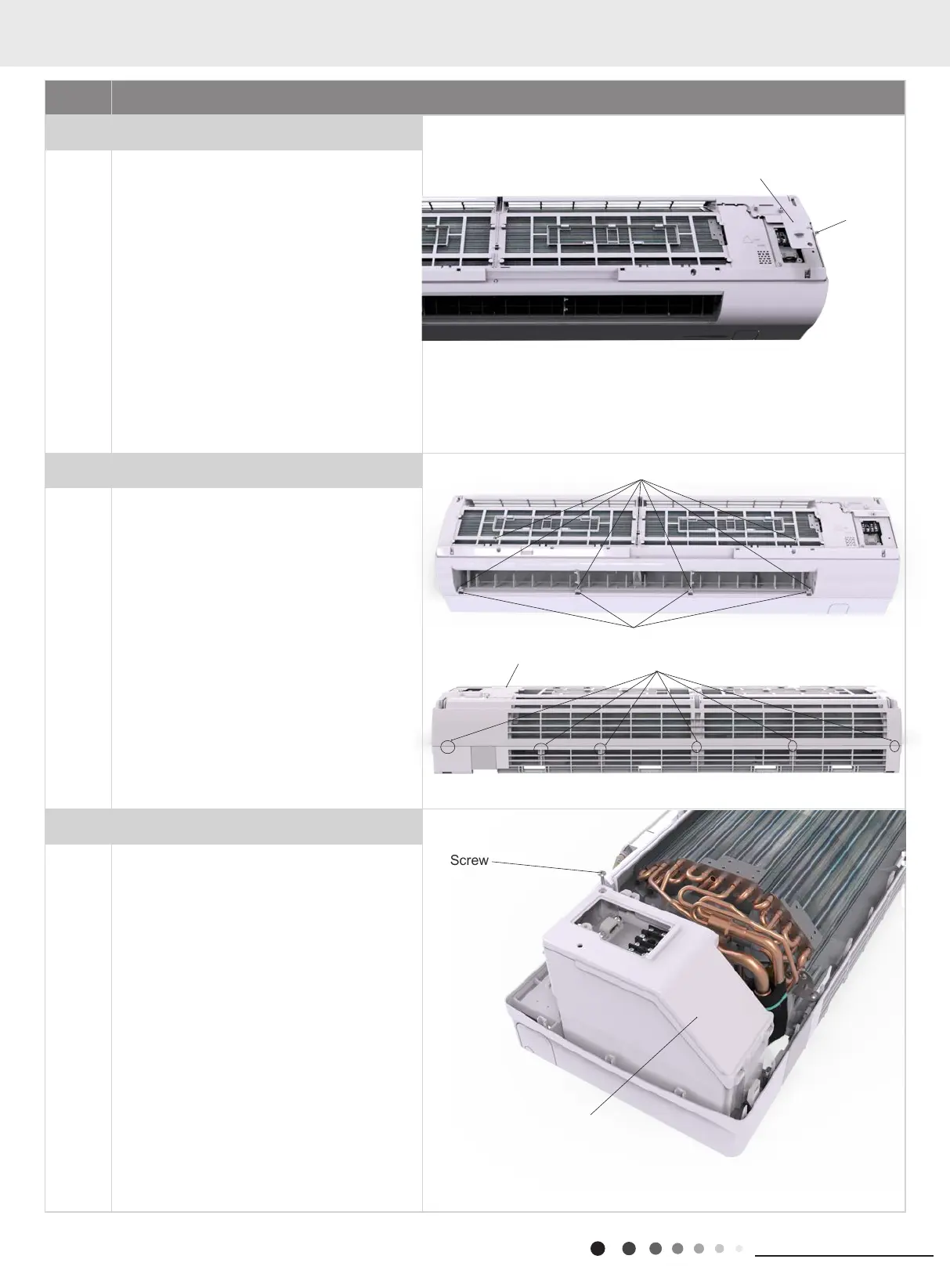
3.Remove electric box cover 2
Remove the screws on the electric box cover 2
to remove the electric box cover 2.
4.Remove front case sub-assy
a
b
c
Open the screw caps on front case.
Remove the screws xing front case.
Loosen the clasps of front case. Lift the front
case sub-assy upwards to remove it.
5.Remove electric box cover
Remove the screw fixing electric box cover to
remove the electric box cover.
Screws
Screw
Screw caps
Clasp
Front case sub-assy
Electric box cover 2
Screw
Electric Box Cover
11. Removal Procedure



 To Next Page