108
Installation and Maintenance
Service Manual
Step Procedure
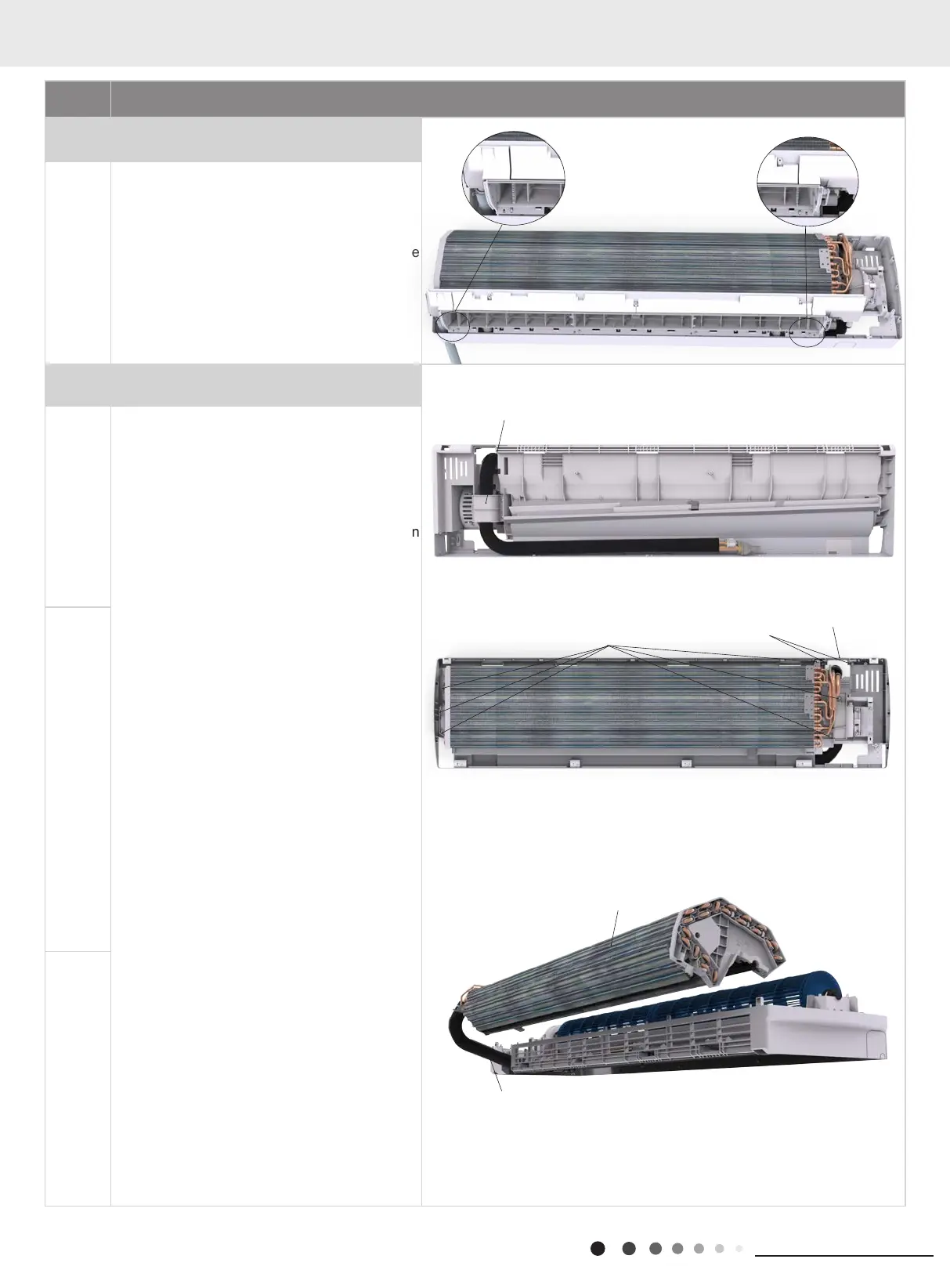
7.Remove water tray sub-assy
Pull the water tray upwards, and then remove the
water tray.
8.Remove evaporator assy
a
Remove two screws on pipe clamp, and then
remove the pipe clamp.
Remove two screws on cover plate, and then
remove the cover plate.
Remove the screws xing left and right
evaporator support, then slightly adjust the
pipeline.
Extract the evaporator up.
b
c
Screws
Connection pipe clamp
Cover Plate
Evaporator assy
Connection pipe
Screws
11. Removal Procedure



 To Next Page