Manual 0-2844 5-5 CUSTOMER/OPERATOR SERVICE
I. AC POWER indicator ON; Fan operating;
No gas flow
1. Gas not connected or pressure too low
a. Check source for proper supply pressure.
2. Gas supply pressure too high
a. Maximum 125 psi (8.6 bar) inlet pressure
3. Shield Cup not properly installed.
a. Check to see that Control Circuit (PIP) pins are
installed. Refer to the torch manual for details.
4. Faulty components in unit
a. Return for repair or have qualified technician
repair per Service Manual.
J. Torch cuts but not adequately
1. Current set too low
a. Increase current setting.
2. Torch is being moved too fast across workpiece
a. Reduce cutting speed (refer to Torch Instruction
Manual.
3. Excessive oil or moisture in torch
a. Hold torch 1/8 inch (3 mm) from clean surface
while purging and observe oil or moisture
buildup (do not activate torch).
K. Cutting output drops during operation (CE CutMas-
ter 75 and 100 only)
1. Torch tip touches work; Tip Saver circuit active. Cir-
cuitry in the Power Supply automatically reduces out-
put current to 40 amps if the torch tip touches the work.
a. Lift torch tip off work or install optional stand-
off guide.
5.05 Power Supply Basic Parts
Replacement
WARNING
Disconnect primary power to the system before dis-
assembling the torch, leads, or power supply.
This section describes procedures for basic parts replace-
ment. For more detailed parts replacement procedures,
refer to the Power Supply Service Manual.
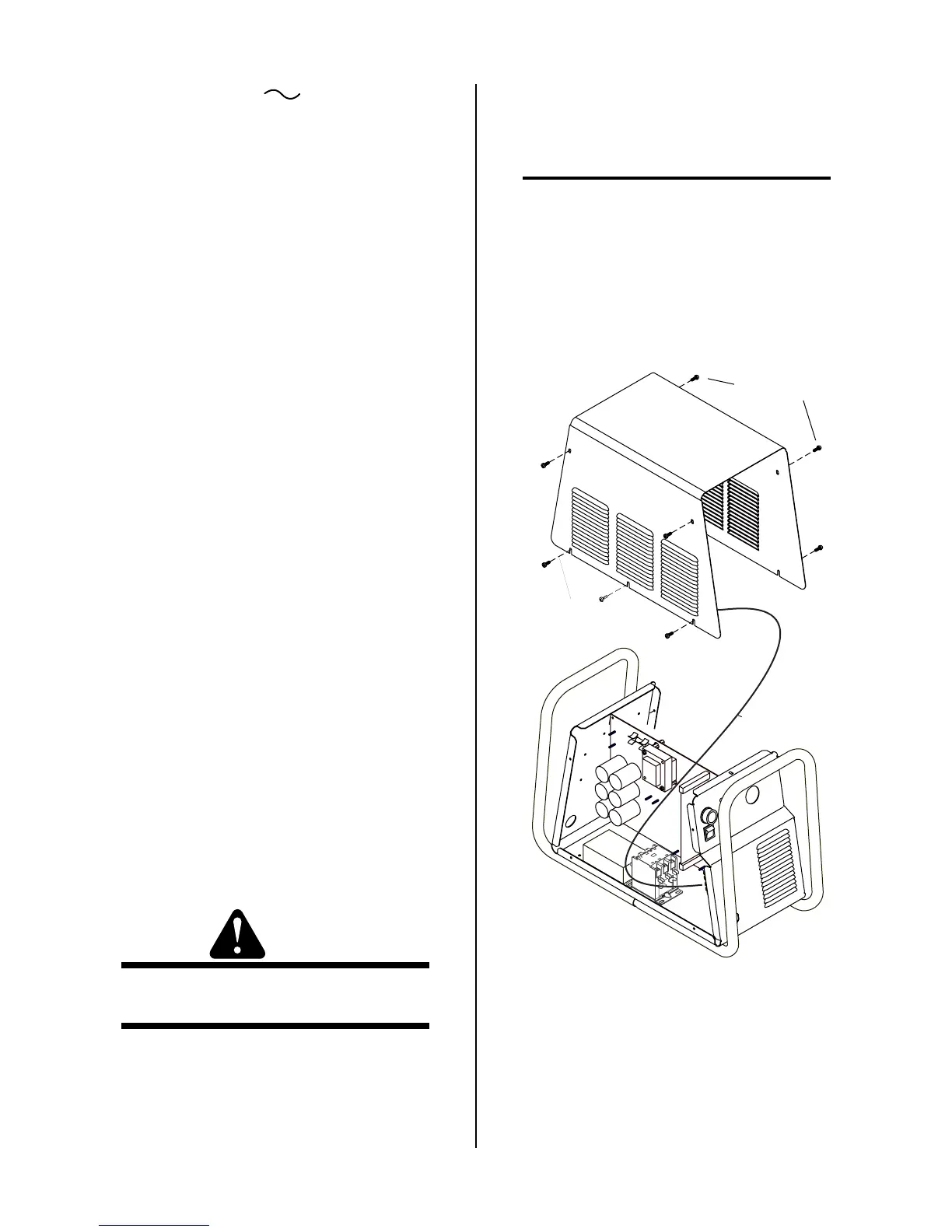
A. Cover Removal
1. Remove the upper screws which secure the cover
to the main assembly.
NOTE
There is a ground wire connection to the inside of
the unit. There is no need to disconnect the ground
wire, unless there is a need for more room to work.
2. Loosen, but do not remove, the lower screws, then
carefully pull the Cover up and away from the unit
to gain access to the inside of the unit.
Upper Screws
Lower Screws
(2 or 3 per side)
A-02962
Ground wire
Cover Removal



 To Next Page