Remote Control Panel Features (Rev. 04/03)
25
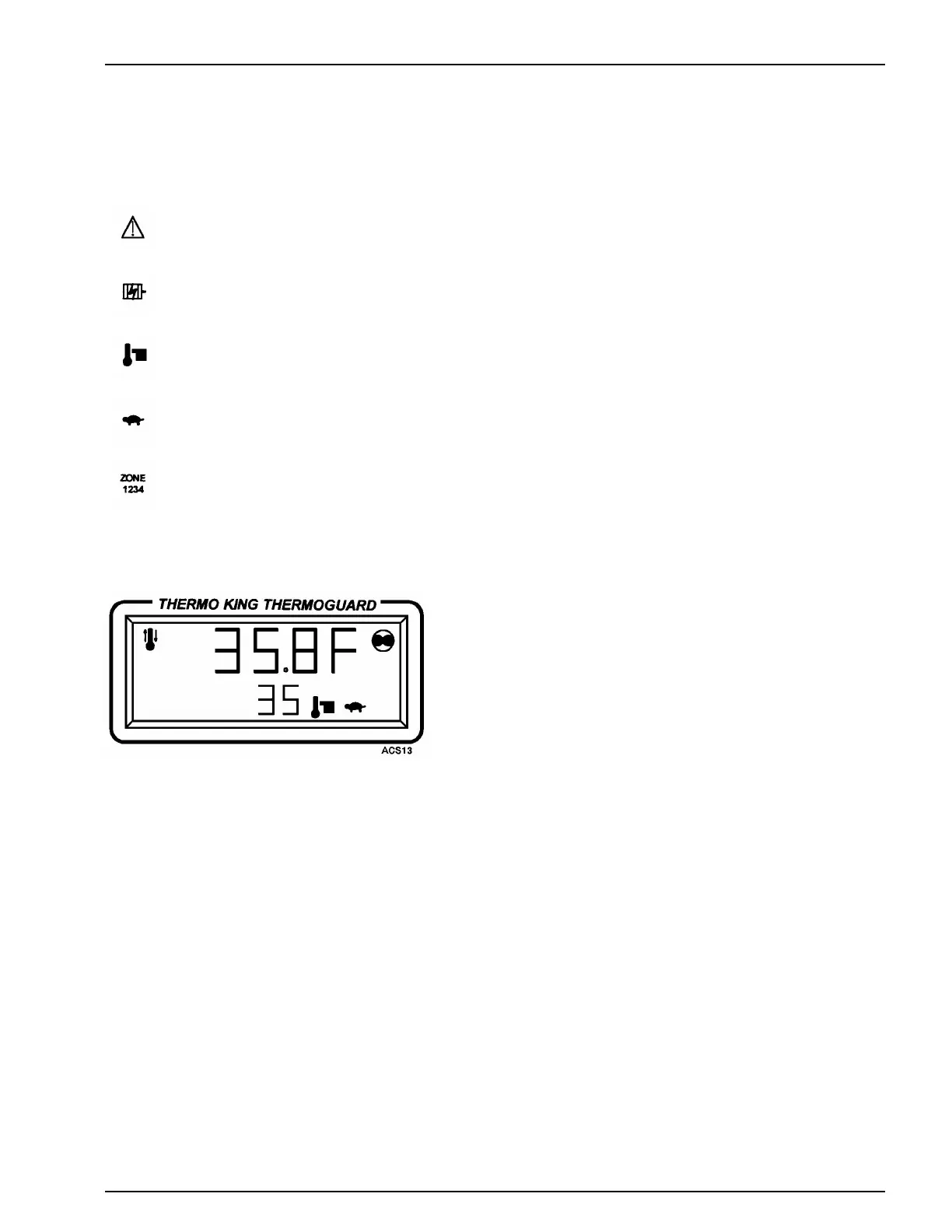
ALARM ICON. Appears when an alarm condition has been detected by the microprocessor.
ELECTRIC ICON. Appears when AC power is connected and the phases are correct.
SETPOINT ICON. Appears when the setpoint is being shown in the lower display.
WHISPER ICON. Appears when Whisper mode has been selected.
These icons appear during a remote control panel test but are not used on truck units.
READING A TYPICAL DISPLAY
This display shows the following information:
1. The unit is ON and is cooling.
2. CYCLE SENTRY mode and Whisper mode have been selected.
3. The Box temperature is 35.8 degrees Fahrenheit and the setpoint is
35 degrees Fahrenheit.



 To Next Page