Remote Control Panel Features (Rev. 04/03)
26
THE STANDARD DISPLAY
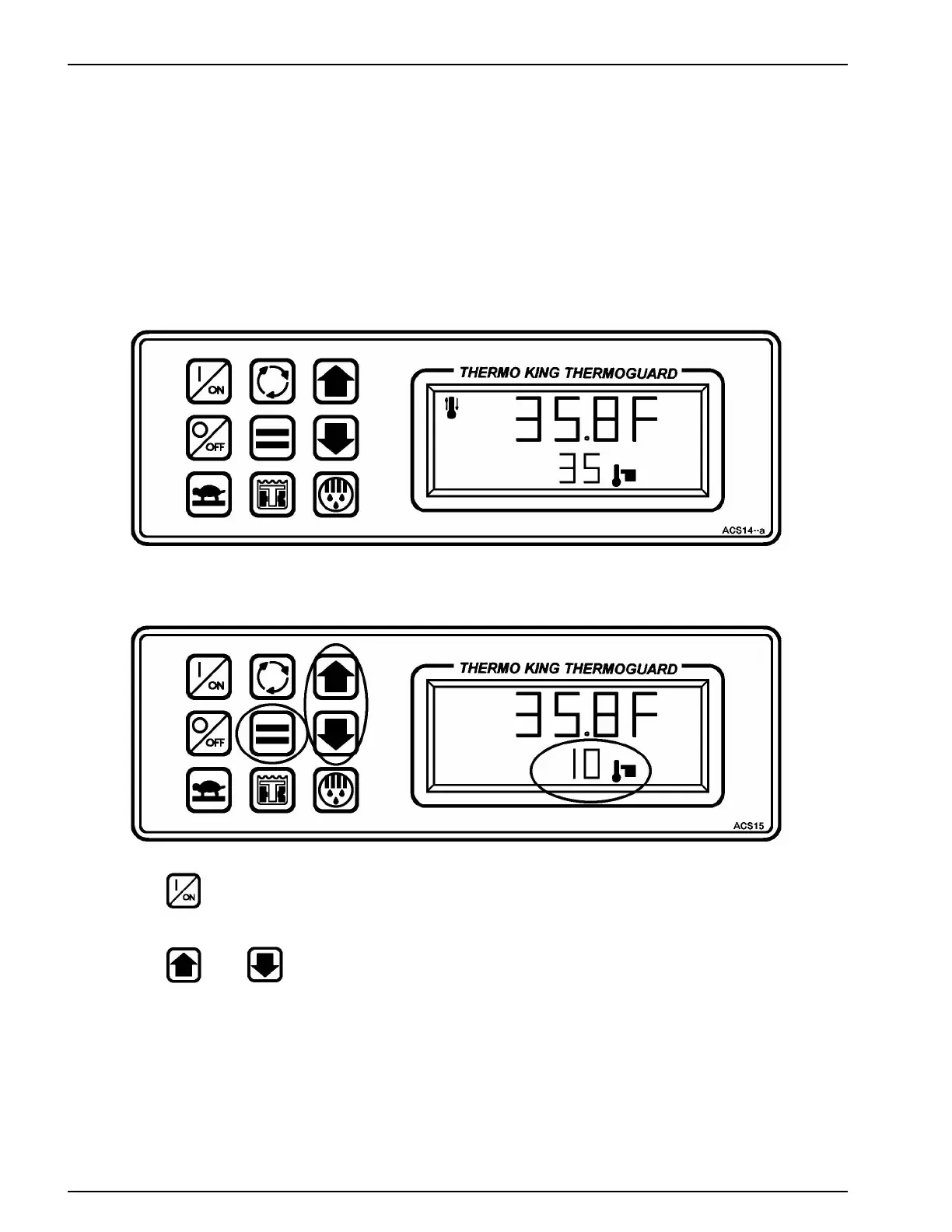
The Standard Display appears when the unit is turned ON and no other functions have been selected. The box temperature
appears in the upper display and the setpoint appears in the lower display. This display shows a box temperature of 35.8 F and
a setpoint of 35 F. The Standard Display is the starting point used to reach all other prompts and displays. To return to this dis-
play from any other prompts or display, wait 10 seconds and it will return automatically.
CHANGING THE SETPOINT
1. Press the ON key to turn the unit ON.
2. Press the or Arrow keys to select the desired setpoint.



 To Next Page