Remote Control Panel Features (Rev. 04/03)
31
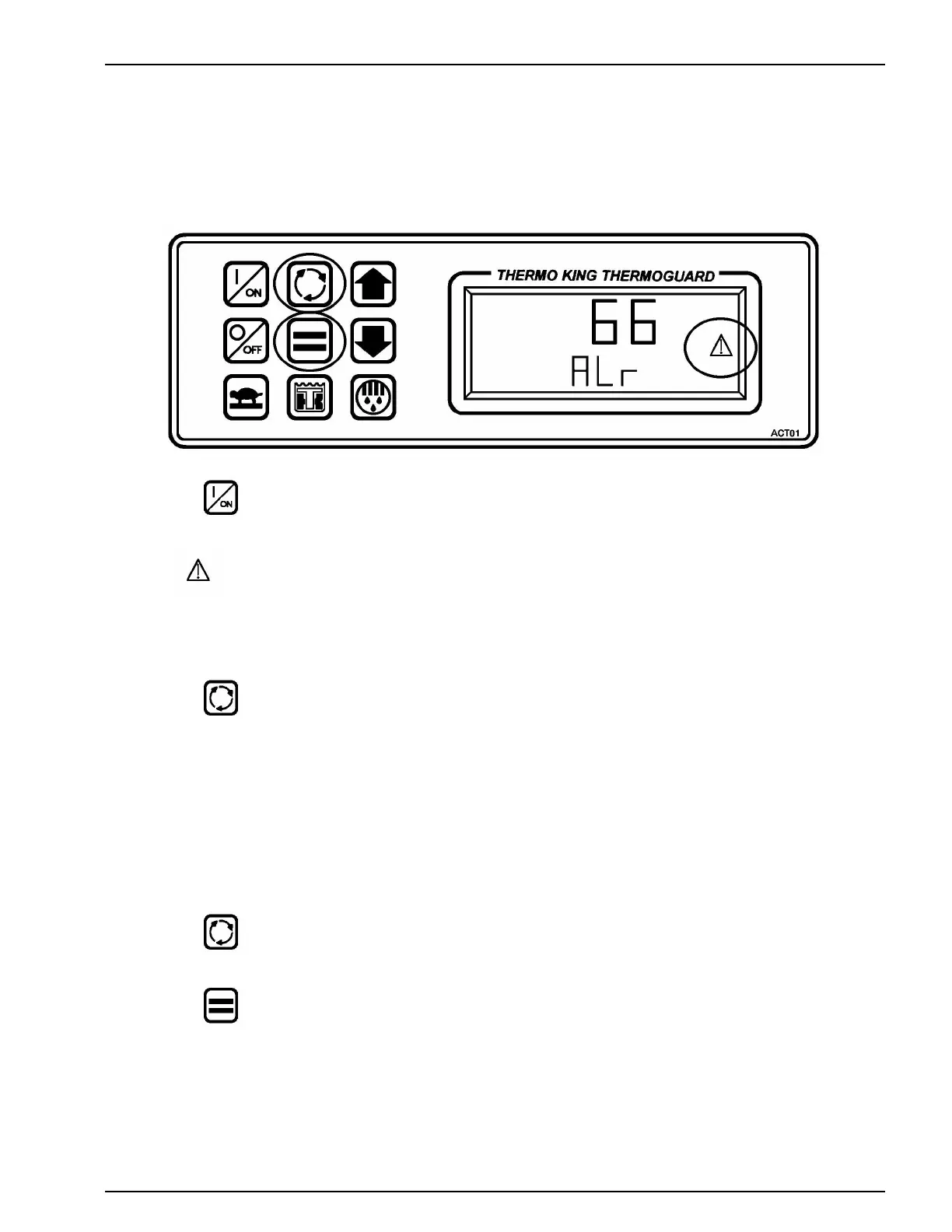
VIEWING and CLEARING ALARM CODES
1. Press the ON key to turn the unit ON.
2. If the Alarm icon is present, one or more alarms have been detected.
To View Alarm Codes
1. Press the Select key to show the Alarm display screen.
If more than one alarm code exists, each will be displayed for several seconds.
The alarm code shown here is alarm code 66 — Low Engine Oil Level.
To Clear Alarm Codes
1. Correct the cause of the alarm code.
2. Press the Select key to display the alarm code.
3. Press the Enter key to clear the alarm code.
If more than one alarm code is present, the Enter key must be pressed to clear each alarm code individually.



 To Next Page