2
Evolution One Series Spectrophotometers
Installing and Removing Accessories
Thermo Scientific Evolution One Series Spectrophotometer User Guide 19
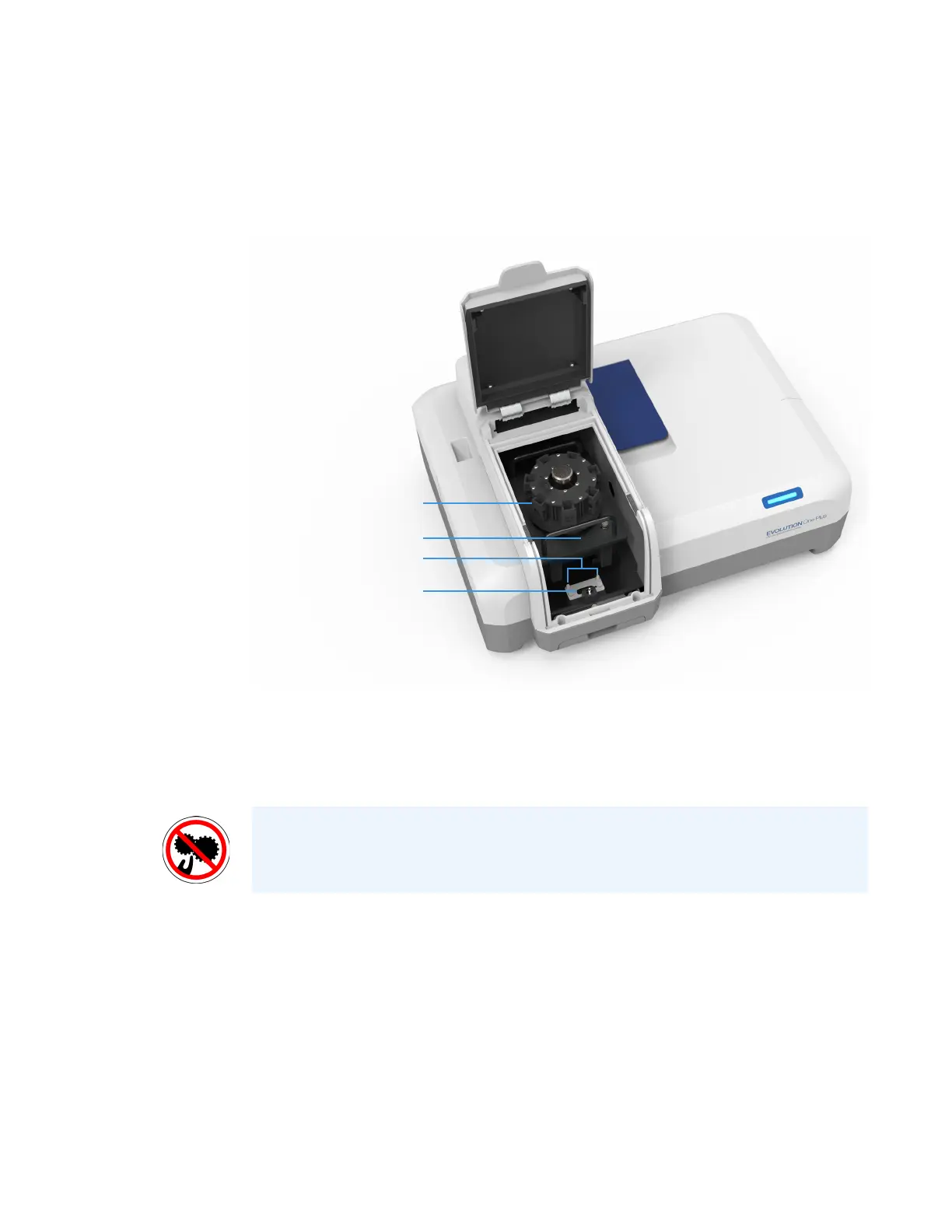
4. Insert the accessory.
a. Grasp the accessory by the handles and lower it into the sample compartment
aligning the connector under the baseplate with the connector in the sample
compartment floor. Use the alignment pins on either side of the connector as guides.
b. Line up the two holes at the back of the accessory with pins A and B in the sample
compartment.
c. Press down on the front of the accessory to secure the connection. The software
displays a prompt to initialize the accessory.
5. Replace the sample compartment front panel. See Sample Compartment Front Panel.
6. Close the sample compartment door. See Opening and Closing the Sample and Reference
Compartment Doors.
7. Click OK to initialize the accessory.
Initialization reads information about the accessory and, for cell changers, moves it to
position 1.
For operating instructions and installation details, see the user guide for the accessory.
Smart Accessory connector
Alignment pins
Connector (under baseplate)
Smart Accessory
CAUTION Avoid pinch hazard. Keep hands and objects clear of the accessory
during initialization.












 To Next Page