2
Evolution One Series Spectrophotometers
Installing and Removing Accessories
18 Evolution One Series Spectrophotometer User Guide Thermo Scientific
Related Topics
Installing a Liquid Thermostatted Accessory
Installing a Smart Accessory
Installing a Reference Cell Holder
Installing a Smart Accessory
Smart Accessories include cell changers and sample holders that feature auto recognition,
smart alignment and serial number reporting. Smart Accessories ensure software methods are
properly configured.
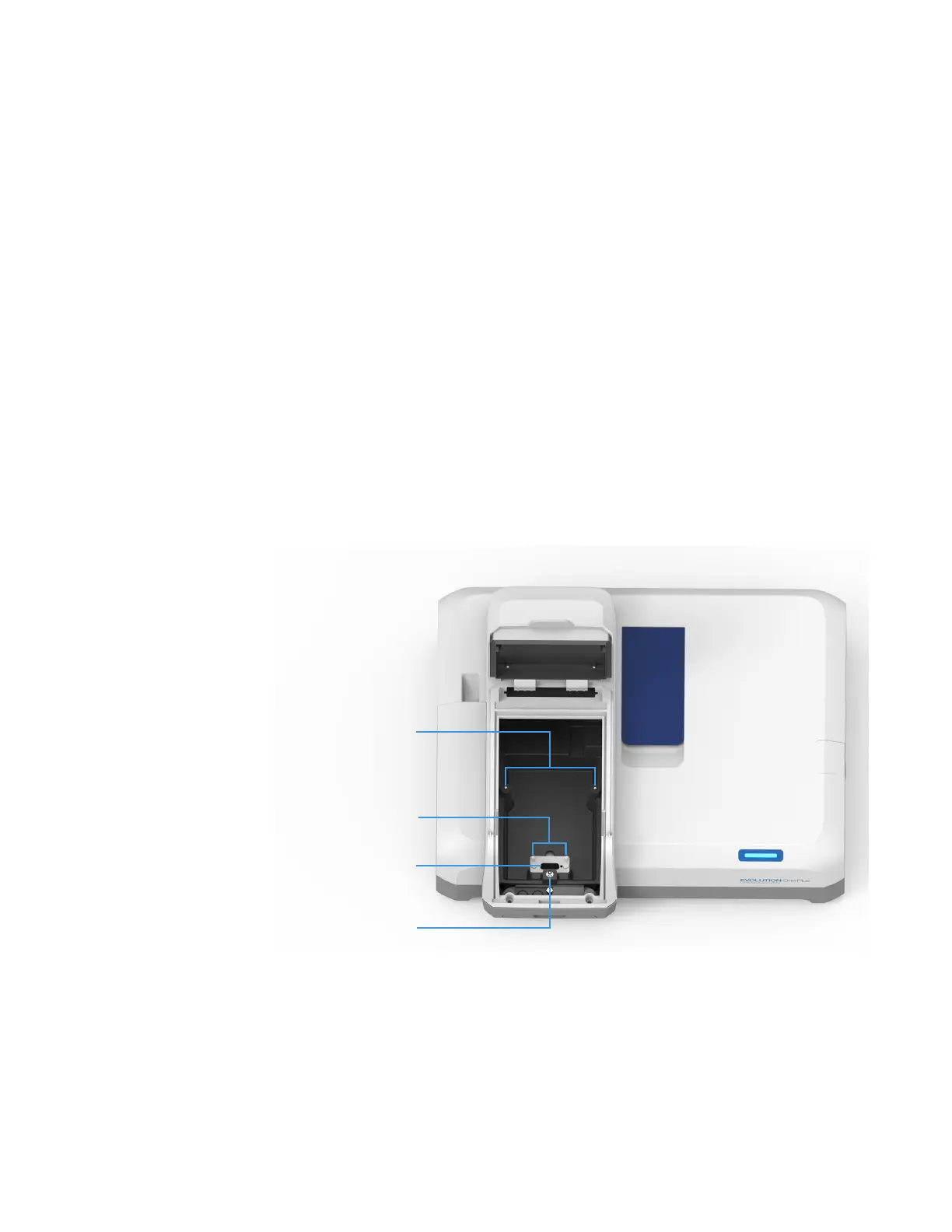
These accessories install in the sample compartment. A connector under the accessory
baseplate provides data communication and power.
It is not necessary to power off the instrument while installing or removing a Smart Accessory.
Sample compartment top view
To install a Smart Accessory
1. Open the sample compartment door. See Opening and Closing the Sample and
Reference Compartment Doors.
2. Remove the sample compartment front panel. See Sample Compartment Front Panel.
3. Remove any cell holder or accessory. See To remove a Smart Accessory.
Alignment pins
Toggle
BA
Smart Accessory connector
Alignment pins












 To Next Page