Page 20 of 29 Revision 3.3 Feb 2021
ProReact EN Analogue Installation Manual
Document Ref. PACC-MAN
Commissioning
Before beginning to commission the system ensure that the installation of the control unit, sensor cable,
end-of-line module and any junction boxes have been carried out in accordance with the information
provided herein. Incorrect installation may result in unwanted alarms, faults or malfunction of the system
even after successfully commissioning the control unit.
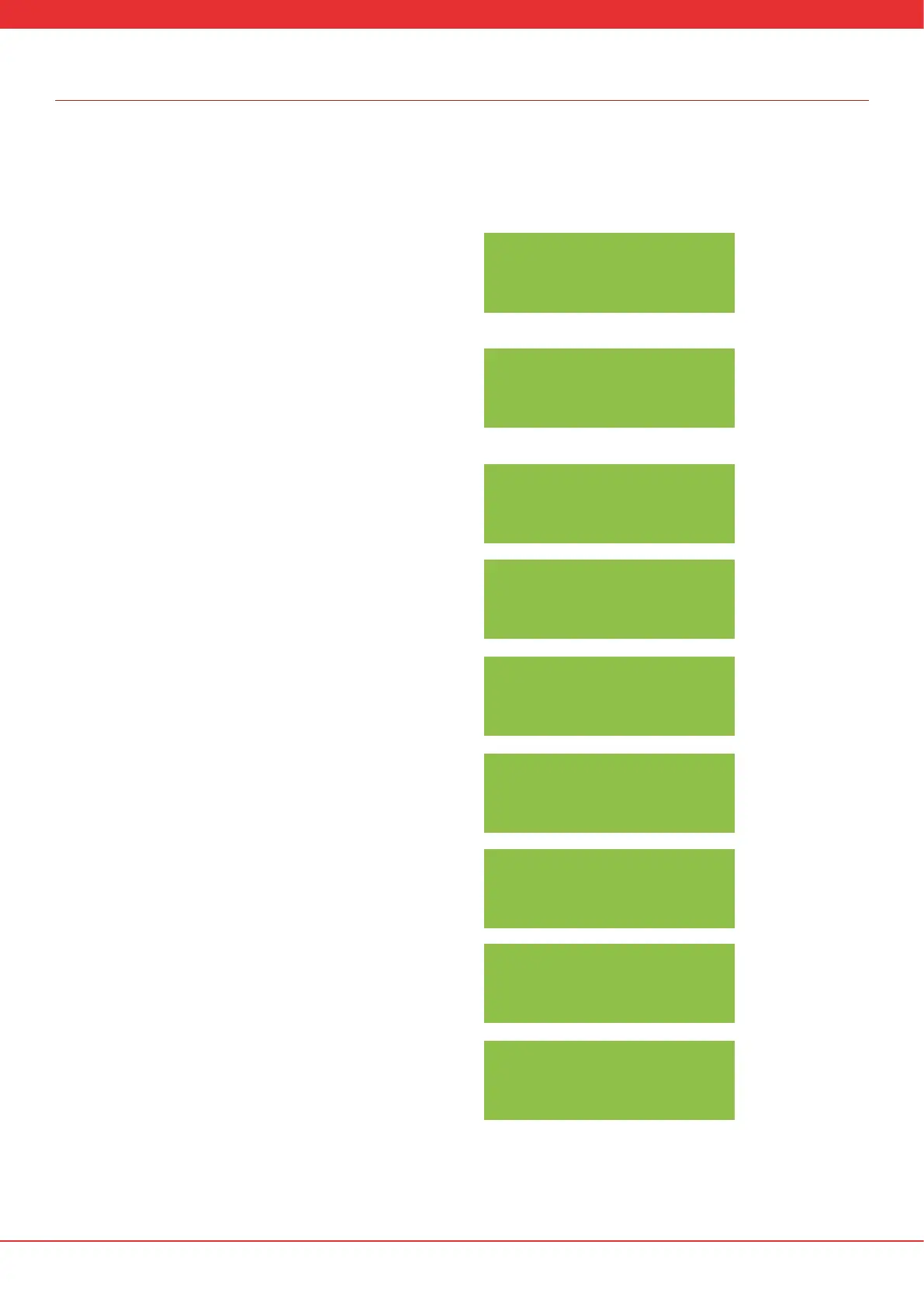
1. If the control unit is being commissioned for the rst time the screen
will prompt whether the control unit is to be programmed using the
built-in display and SET and SELECT buttons. (Alternatively, selecting ‘No’
will continue and the screen will show “FAULT: NO SETUP”. The control
unit may be programmed with a laptop in this instance).
2. If “Yes” was selected in the previous step, enter the calibration
resistance. (See “Typical System Wiring” for how to measure the
calibration resistance). The value can be changed by pressing the SELECT
button to cycle through 0-9. Press SET to move to the next column in the
resistance reading.
3. After the values have been entered the control unit will prompt you
to double check the value. Press SELECT to change to “Yes” if the value
shown is correct and press SET to continue. Otherwise select “No” and
press SET to return to step 2.
4. The control unit will prompt to double check the zone length based
upon the entered calibration resistance. Press SELECT to change to “Yes”
and then press SET to continue. Otherwise select “No” and press SET to
return to step 2.
5. Enter the three letter code corresponding to the sensor cable.
The three letter code is printed on the reel label and once per metre on
the sensor cable. You should record the three letter code on the label
axed to the reverse of the control unit lid during commissioning
(see page 10).
6. Conrm the entered three letter code is correct. Press SELECT to
change to “Yes” and press SET to continue. Otherwise select “No” and
press SET to return to step 5.
7. If the installation is in a hazardous area, press SELECT to change to
“Yes” and press SET to continue. Otherwise select “No” and press SET to
continue to step 10.
8. Enter the I.S. barrier resistance in ohms. This value is the series
resistance introduced by the barrier connecting the red core of the sensor
cable to the control unit.
9. Conrm the I.S barrier resistance is correct. Select “Yes” and press SET
to continue.
SELF PROGRAM?
CORRECT? NO
CORRECT? NO
0.84 KOHMS
ZONE LGTH: 50M
CORRECT? NO
ENTER 3-LTR CODE
ABC
CORRECT? NO
ABC
HAZARDOUS AREA:
NO
ENTER BARRIER R:
000 OHM
CORRECT? NO
000 OHM
ENTER CAL RES:
0.84 KOHMS


 To Next Page