© Adolf Thies GmbH & Co. KG · Hauptstraße 76 · 37083 Göttingen · Germany 021408/04/21
Phone +49 551 79001-0 · Fax +49 551 79001-65 · info@thiesclima.com ·www.thiesclima.com Page 23 of 24
7 Settings
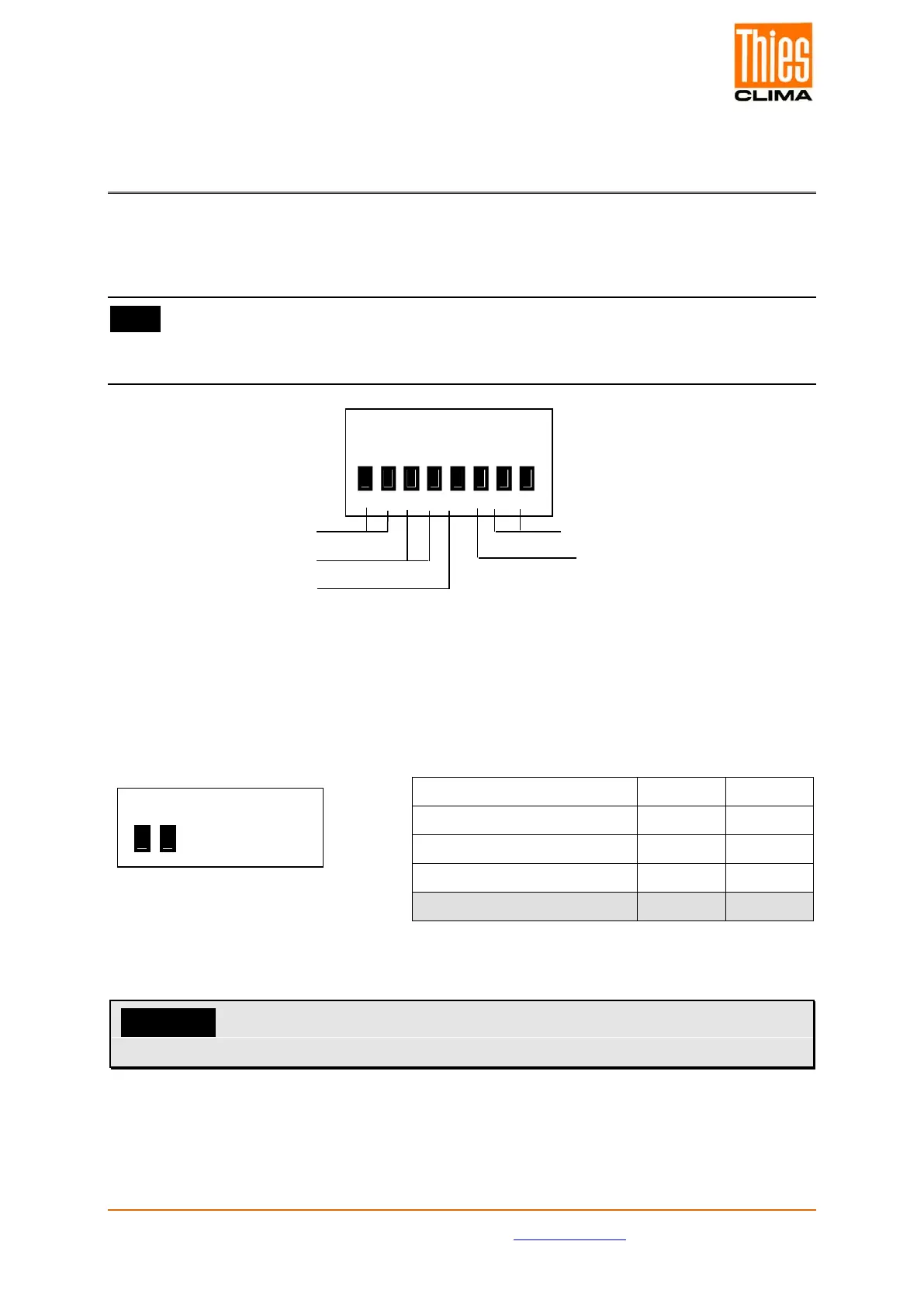
An 8-fold DIP switch (settings) S1…S8 is located on the rear panel of the device (refer to
Figure 2: Rear panel 4.3251.0x.001) for basic setting of different parameters.
Note:
A restart, which is effected via actuation of the key „Info Reset“ or via interruption of the
power supply, must be carried out upon change of switch setting.
COM4
Figure 5: DIP switch
7.1 Setting Operating Mode
* = Delivery status
Attention:
The setting is only accepted after a restart!
WD instantaneous on on
WD inst. & variation on off
ON
1 2 3 4 5 6 7 8
ON
1 2 3 4 5 6 7 8
Wind reference
Wind transmitter type
Baud rate


 To Next Page