© Adolf Thies GmbH & Co. KG · Hauptstraße 76 · 37083 Göttingen · Germany 021408/04/21
Phone +49 551 79001-0 · Fax +49 551 79001-65 · info@thiesclima.com ·www.thiesclima.com Page 31 of 32
9 Operation
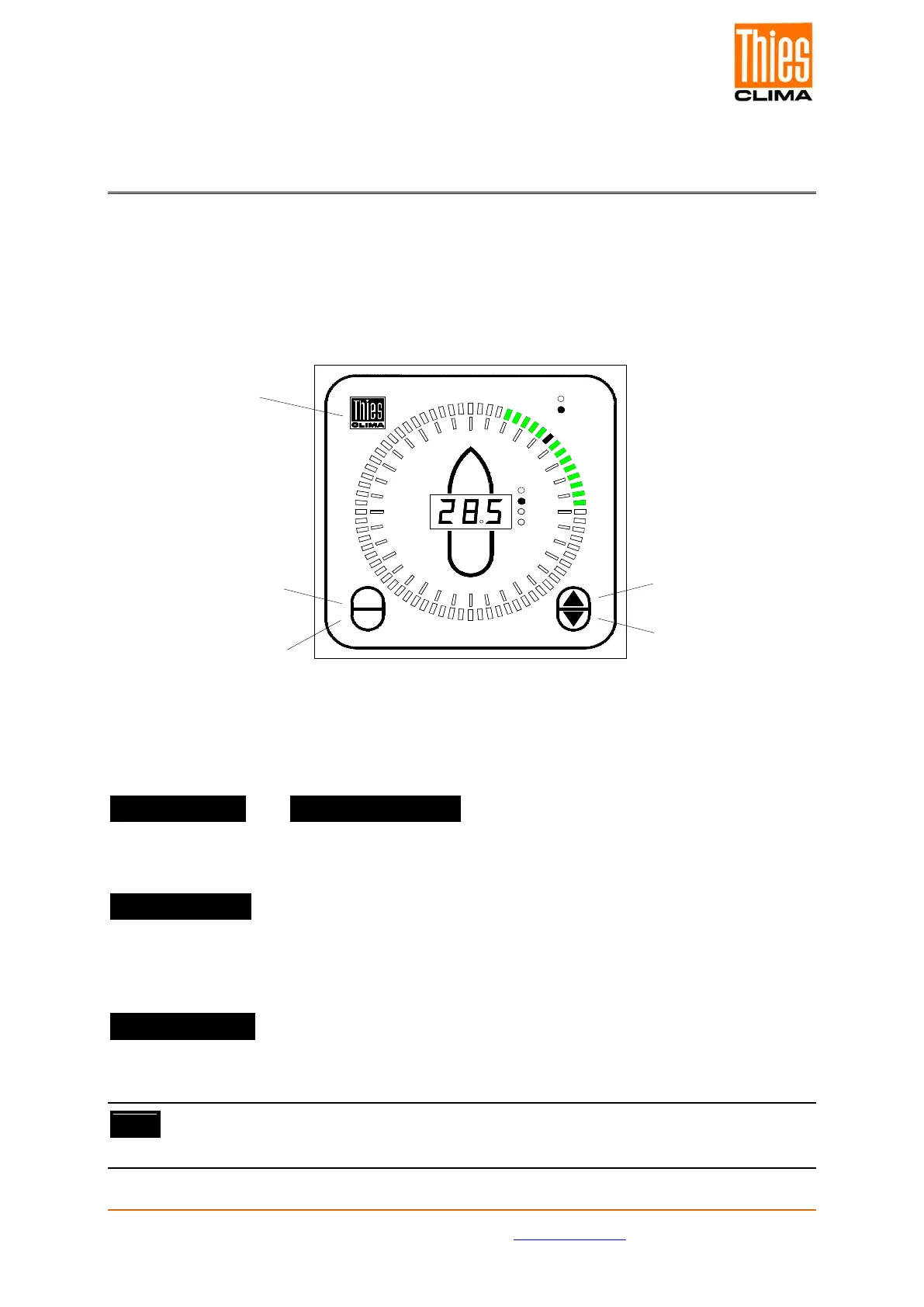
The Winddisplay LED is operated from the front by means of 5 buttons, as shown in the
diagram below. A short beep acknowledges the actuation of any button.
The Winddisplay LED can additionally be operated via the clamp connector „Remote“ located
on the rear panel of the device, as well as via external buttons. The remote control buttons
are not included in delivery.
Figure 6: Operation
Button Functions:
Button “▲”(UP) and Button “▼” (DOWN) :
The select functions in all MODES are selected via buttons ▲ and ▼.
Button „ENTER“ :
The respective setting is accepted in the current MODE via the ENTER button. The display is
subsequently reset to MODE 0.
Button „ MODE“:
The MODE button effects onward switching to the next MODE set function. The
corresponding status LED or the „-“ sign in the WT-display flashes.
Note:
The display is automatically reset to MODE 0 after a restart.
MODE
ENTER
0
90
120
150
180
150
120
90
60
30
kn
Bft
True
Rel.
m /s
km /h
30
60
Button " UP "
Button " DOWN "
Button " MODE "
Button "ENTER "
Button
" INFO & RESET


 To Next Page