EasyManua.ls Logo

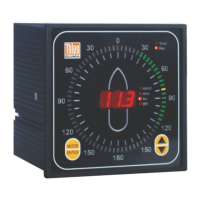
Thies CLIMA Winddisplay LED - Table 3: Device Parameters

Thies CLIMA Winddisplay LED
42 pages
Print Icon
To Next Page IconTo Next Page
To Previous Page IconTo Previous Page
Loading...
© Adolf Thies GmbH & Co. KG · Hauptstraße 76 · 37083 Göttingen · Germany 021408/04/21
Phone +49 551 79001-0 · Fax +49 551 79001-65 · info@thiesclima.com ·www.thiesclima.com Page 34 of 35
Button „INFO & RESET“:
An LED test is started by pressing the button INFO & RESET.
All LED’s illuminate
Display of device parameters (refer to table 3)
Restart of the Winddisplay LED.
Device parameters
Display
Software
Version No. (e.g.)
r 1.1
Input type
Wind transmitter input
An0
COM- interface
An1
Hardware options
UART-interface
Au-
UART & ANALOG-IF
AuA
Wind transmitter type
Classic
CL1
Classic
CL2
Compact
CoP
First Class
F-C
NACOS telegram
Wind reference North
C4E
Wind reference ship
C4S
CUSTOMER telegram
Wind reference North
C5E
Wind reference ship
C5S
Winddisplay(s)
Wind reference North
C1E
Wind reference ship
C1S
Remote Ext. Winddisp.
Remote Enable
rLE
Remote disable
rLd
Remote Clamp C. Res.
RESET- Function
rrE
Course Function
rFA
Display only when rFA
Course forward
r-F
Course backward
r-b
Baud rate
1200
b12
2400
b24
4800
b48
9600
b96
Table 3: Device parameters
Example

Related product manuals