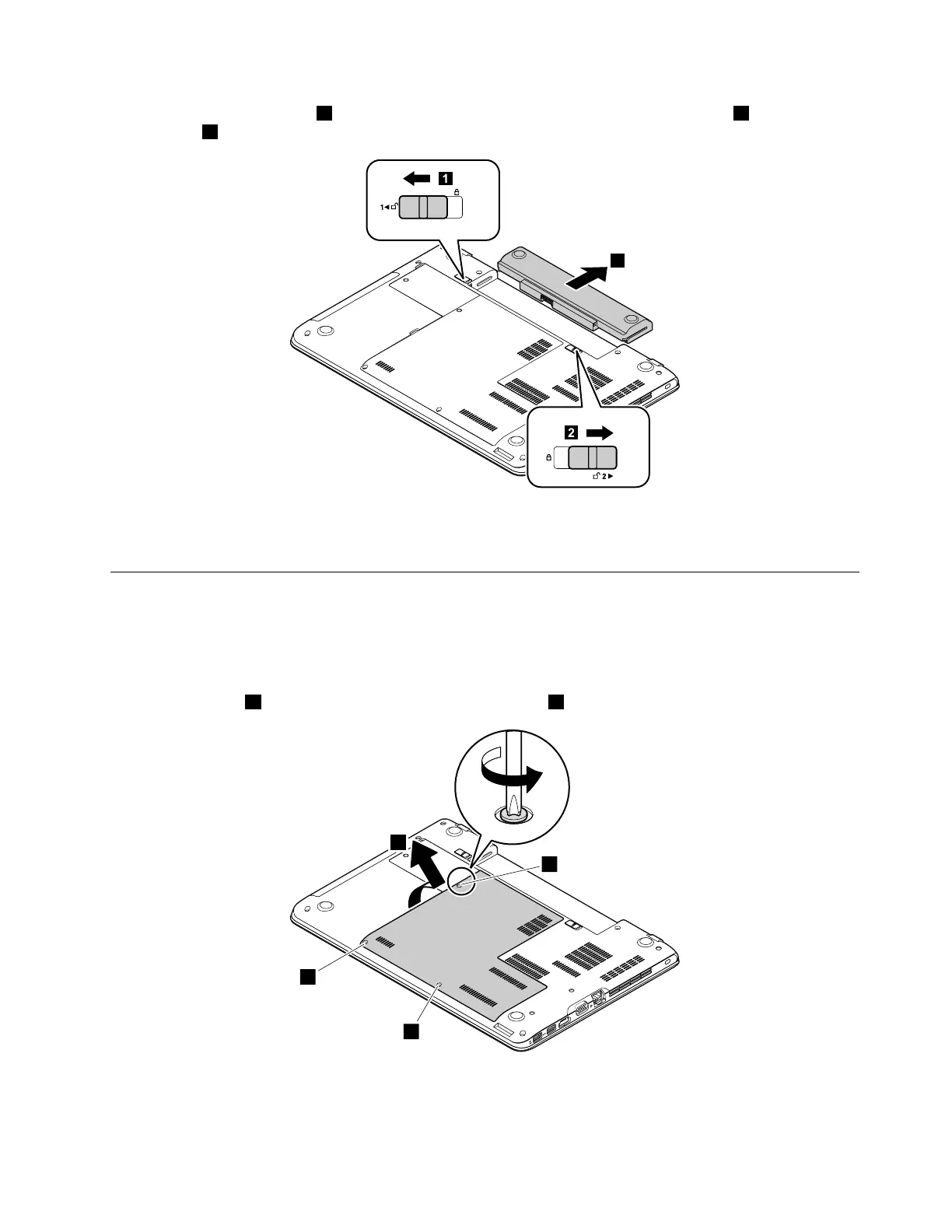
Unlockthebatterypacklatch1.Holdthebatterypacklockleverintheunlockedposition2andremovethe
batterypack
3.
Wheninstalling:Installthebatterypackintotheslot.Ensurethatthebatterypacklatchisinthelocked
position.
1030Largebottomcover
Foraccess,removethisFRU:
•“1020Batterypack”onpage66
Removalstepsofthelargebottomcover
Loosenthescrews1andthenremovethelargebottomcover2.
Chapter9.RemovingorreplacingaFRU67



 To Next Page