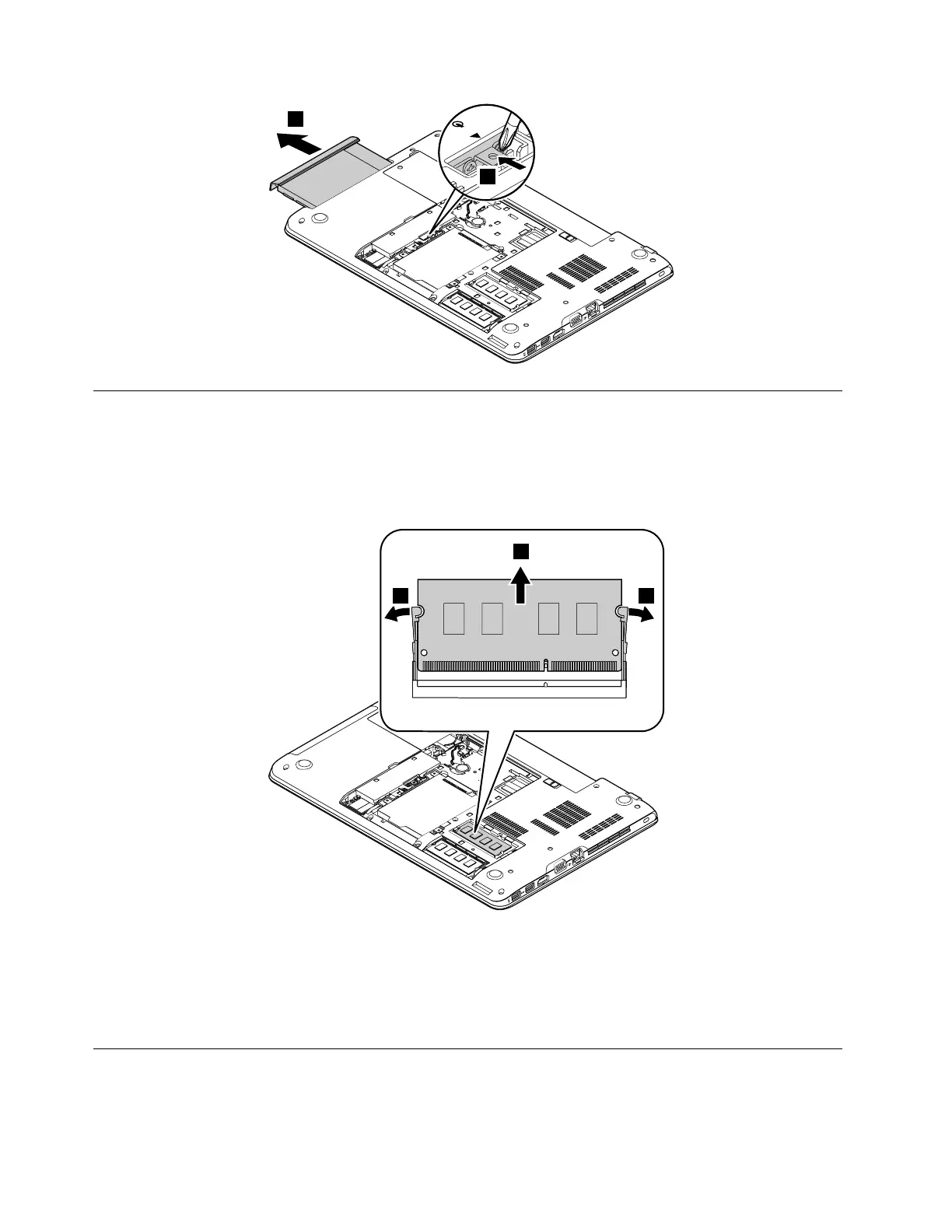
1060Memorymodule
Foraccess,removetheseFRUsinorder:
•“1020Batterypack”onpage66
•“1030Largebottomcover”onpage67
Removalstepsofthememorymodule
Wheninstalling:
Insertthenotchedendofthememorymoduleintotheslotatanangleofabout20degrees.Pressthe
memorymodulefirmly,andpivotitdownwardsuntilitsnapsintoplace.Ensurethatthememorymoduleis
firmlyinstalledintheslotanddoesnotmoveeasily.
1070Harddiskdriveassemblyorsolid-statedriveassembly
Foraccess,removetheseFRUsinorder:
•“1020Batterypack”onpage66
70HardwareMaintenanceManual



 To Next Page