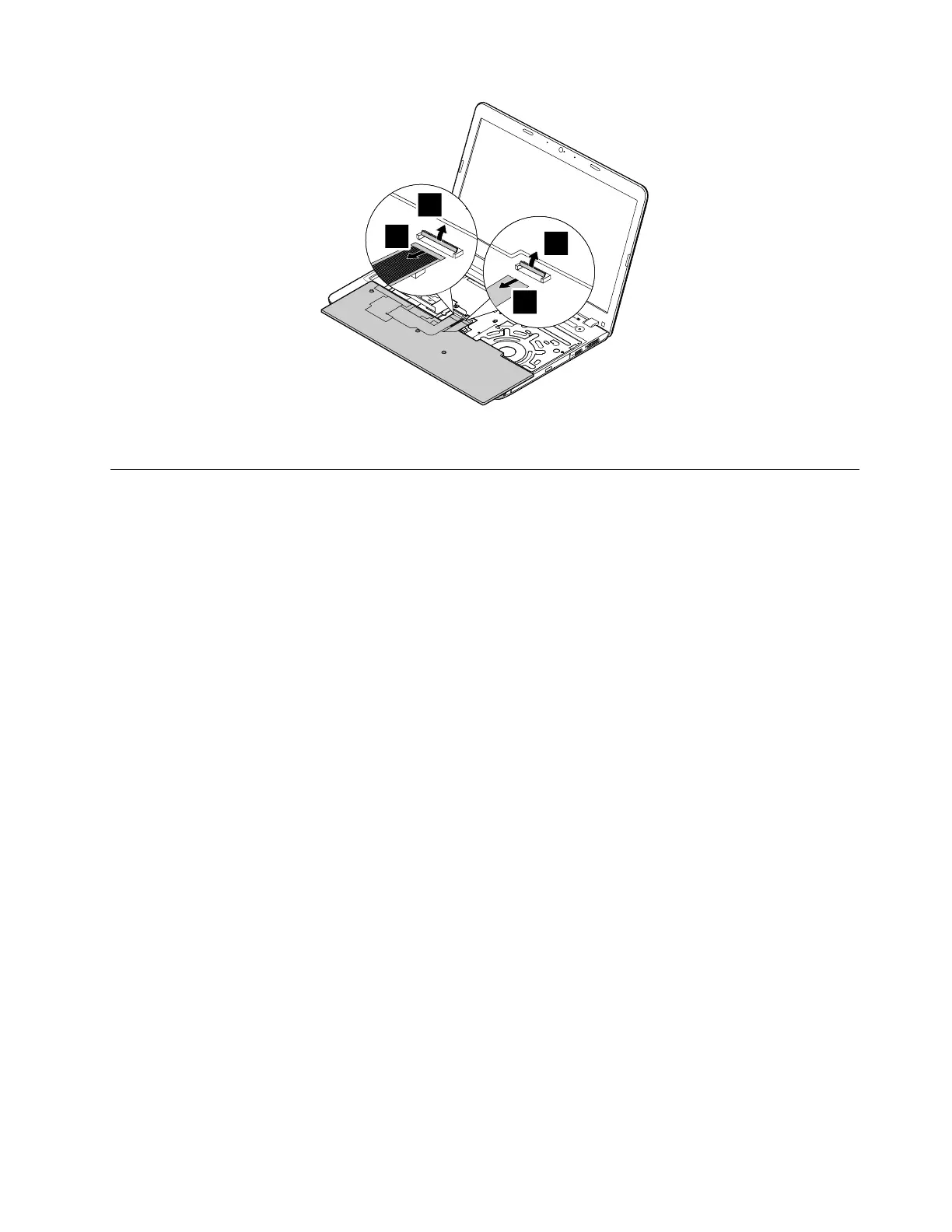
Wheninstalling:Ensurethattheconnectorisattachedfirmly.
1120Keyboardbezelassembly
Foraccess,removetheseFRUsinorder:
•“1020Batterypack”onpage66
•“1030Largebottomcover”onpage67
•“1050Opticaldriveoroptical-drivebaybezel”onpage69
•“1070Harddiskdriveassemblyorsolid-statedriveassembly”onpage70
•“1110Keyboard”onpage73
Removalstepsofthekeyboardbezelassembly
Note:Dependingonthemodel,yourcomputermightlookdifferentfromtheillustrationsinthistopic.
Chapter9.RemovingorreplacingaFRU75



 To Next Page