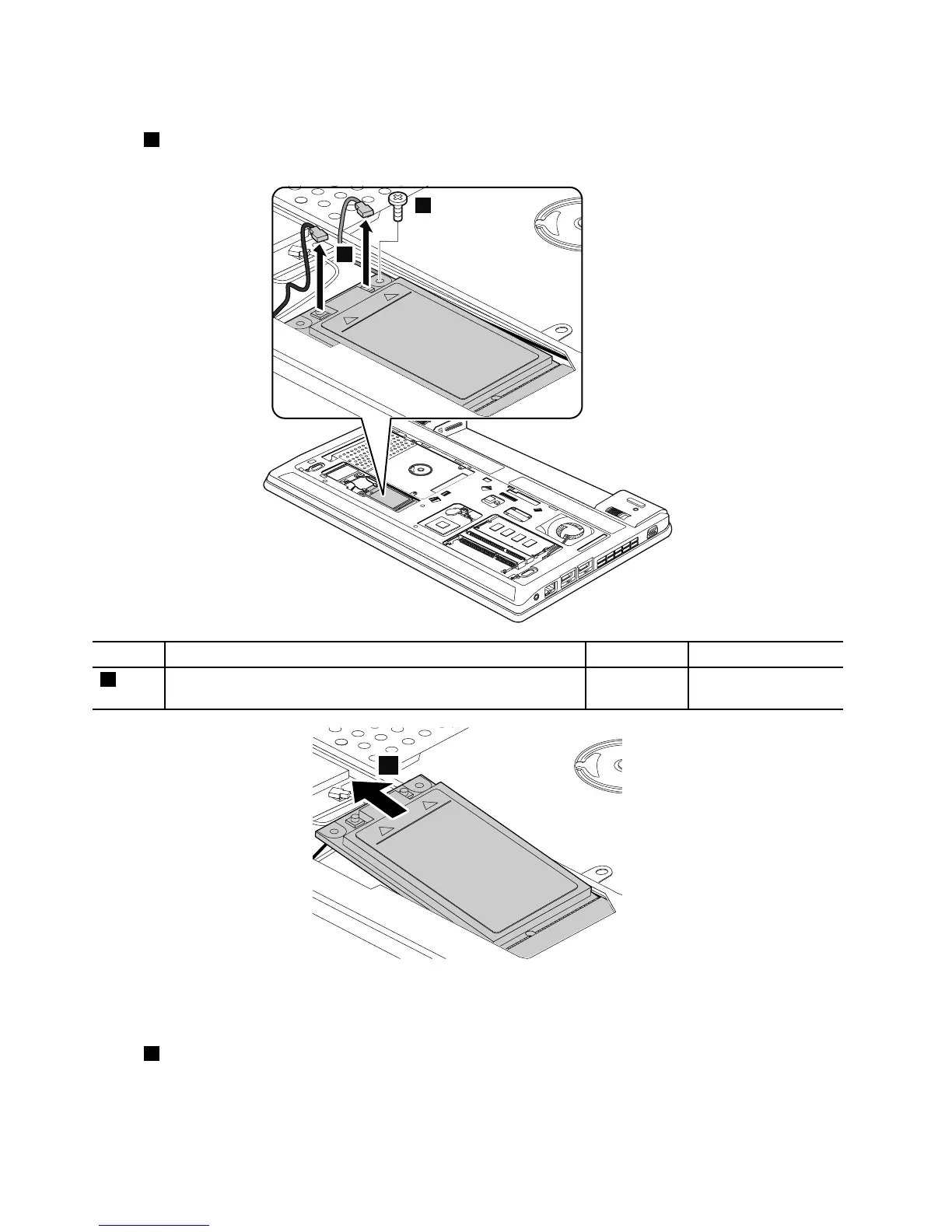
RemovalstepsofPCIExpressMiniCardforwirelessWAN(full-sizeWWANcard)
Instep1,unplugtheconnectorsbyusingtheremovaltoolantennaRFconnectororpicktheconnectors
withyourngersandgentlyunplugtheminthedirectionofthearrows.
Wheninstalling:Plugtheredcableintothemainconnector,andthebluecableintotheauxiliaryconnector.
RemovalstepsofPCIExpressMiniCardforwirelessWAN(half-sizeWWANcard)
Instep1,unplugtheconnectorsbyusingtheremovaltoolantennaRFconnectororpicktheconnectors
withyourngersandgentlyunplugtheminthedirectionofthearrows.
62HardwareMaintenanceManual



 To Next Page