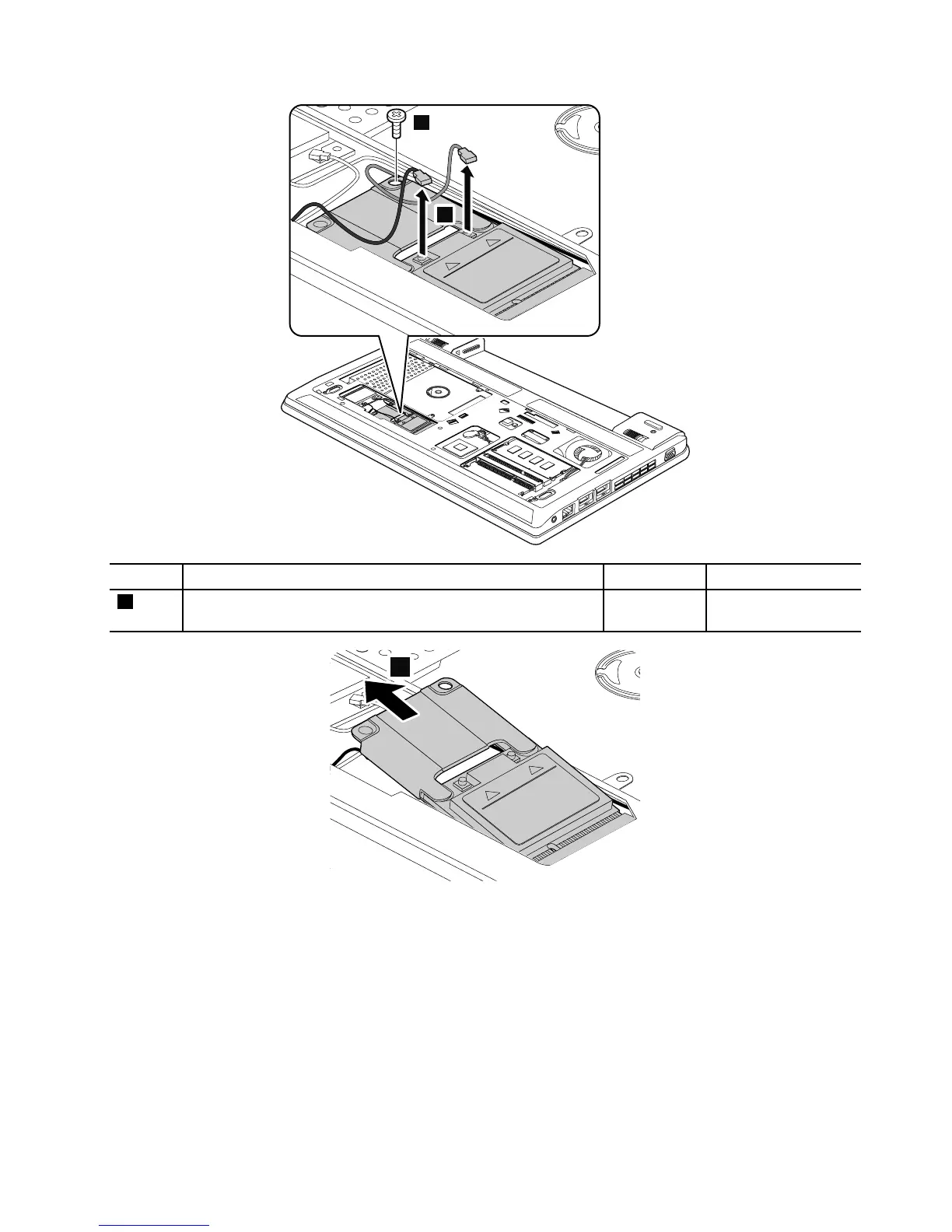
Wheninstalling:Plugtheredcableintothemainconnector,andthebluecableintotheauxiliaryconnector.
RemovalstepsofmSATAsolid-statedrive
ThecomputercomeswitheitheraPCIExpressMiniCardforwirelessWANoranmSATAsolid-statedrive.If
thecomputerisequippedwithanmSATAsolid-statedrive,itisinstalledinthewirelessWANcardslot.
Attention:
•Donotdropthedriveorapplyanyphysicalshocktoit.Thedriveissensitivetophysicalshock.Improper
handlingcancausedamageandpermanentlossofdata.
•Beforeremovingthedrive,havetheusermakeabackupcopyofalltheinformationonitifpossible.
•Neverremovethedrivewhilethesystemisoperatingorisinsuspendmode.
Chapter9.RemovingorreplacingaFRU63



 To Next Page