EasyManua.ls Logo

Thinkware U3000 - User Manual

Thinkware U3000
39 pages
Print Icon
To Next Page IconTo Next Page
Loading...
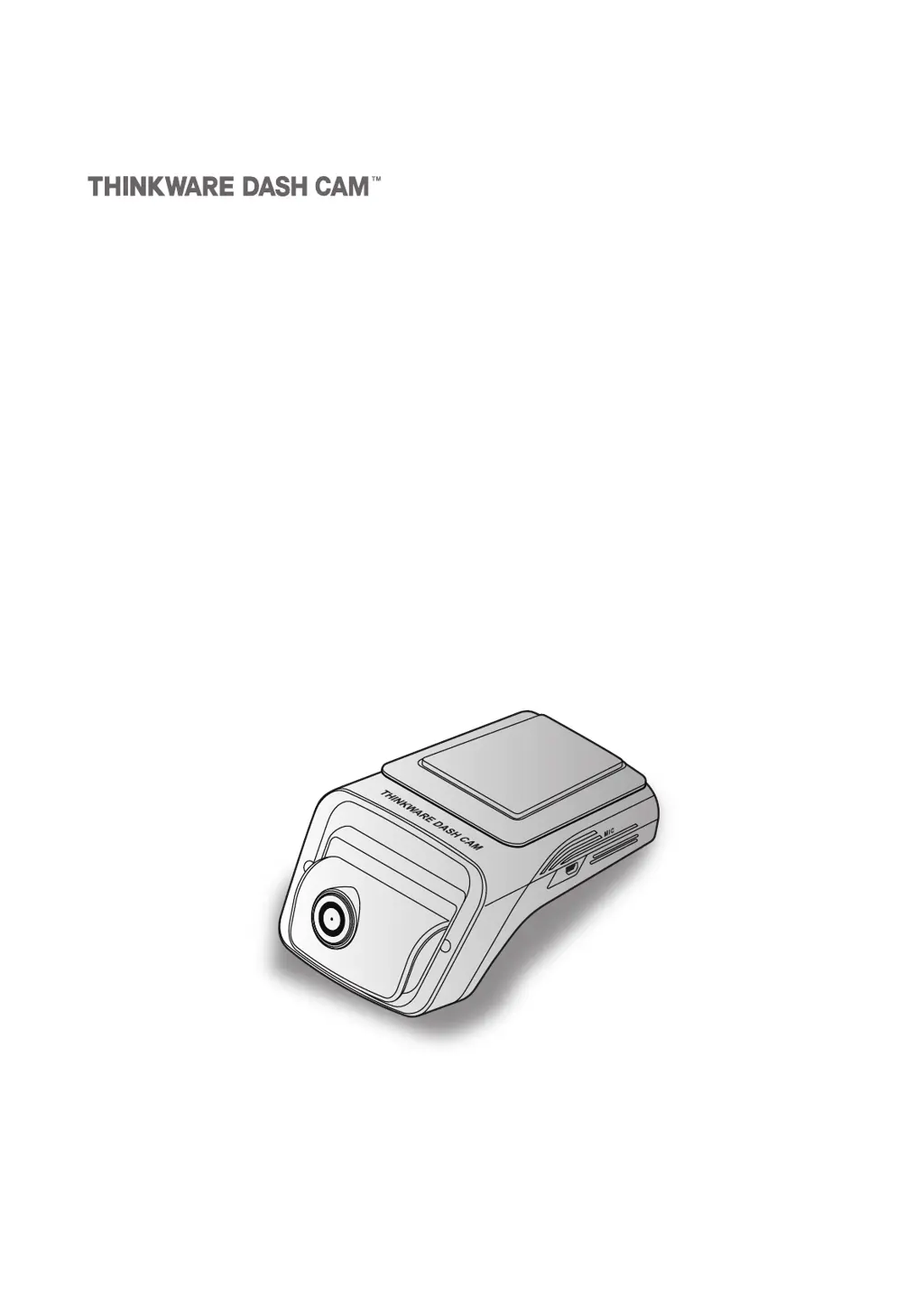
This product records videos while the vehicle is operating.
Read and follow the instructions in this guide to properly use and maintain the product.
User Guide
U3000

Table of Contents

Questions and Answers

Summary

Before using the product

About the product

Provides an overview of the dashcam's function and limitations.

About the user guide

Explains the purpose and potential inaccuracies of the guide.

Copyrights

Outlines intellectual property rights and usage restrictions for the guide.

Registered trademarks

Lists trademarks of THINKWARE and other companies.

Information to user: RSS-247

Safety information

Safety symbols in this guide

Explains the meaning of warning, caution, and note symbols used in the manual.

Safety information for proper use

Details crucial safety advice for driving and product installation.

Power supply

Provides essential safety guidelines for handling power cables and connections.

Children and pets

Warns about keeping the product away from children and pets for safety.

Other information about the product

Product management and operation

Covers operational precautions, temperature limits, cleaning, and handling advice.

Product overview

Included items

Lists all standard and optional accessories included with the product.

Standard items

Details the items included in the standard product package.

Accessories (sold separately)

Lists additional accessories available for purchase.

Part names

Identifies and labels components of the front and rear cameras.

Front camera (main unit) - front view

Details the components visible on the front of the main camera unit.

Front camera (main unit) - rear view

Details the components visible on the rear of the main camera unit.

Rear camera (optional)

Details the components of the optional rear camera.

Removing and inserting the memory card

Provides instructions on how to safely manage the memory card.

Installing the product

Installing the front camera (main unit)

Guides on how to properly install the main front camera unit.

Selecting an installation location

Advises on choosing the optimal position for the front camera.

Securing the product

Provides steps to securely mount the front camera using adhesive and film.

Connecting the power cable

Details how to connect the power source for the dashcam.

Connecting the continuous hardwiring cable

Explains the process of wiring the dashcam directly to the vehicle's power.

Installing the rear camera (optional)

Guides on how to properly install the optional rear camera.

Selecting an installation location

Advises on choosing the optimal position for the rear camera.

Securing the rear camera

Provides steps to securely mount the rear camera.

Connecting the rear camera cable

Details how to connect the rear camera to the main unit.

Using recording features

Turning the product on or off

Explains how to power the dashcam on and off.

Learning about the file storage locations

Details where recorded videos are stored on the memory card.

Using the continuous recording feature

Describes how the dashcam records video continuously while driving.

Recording manually

Explains how to manually initiate video recording.

Using the SOS recording feature

Describes how to activate emergency recording in case of an accident.

Using parking mode

Explains how the dashcam records during parking using various detection methods.

Using the Super night vision feature

Details how to enhance video brightness in low-light conditions.

Using the road safety features

Introduces various driver assistance systems like LDWS and FCWS.

Using the mobile viewer

Connect the product to a smartphone

Guides on pairing the dashcam with a smartphone via the app.

Viewing the mobile viewer screen layout

Provides an overview of the mobile application's user interface.

Using THINKWARE CONNECTED

Connecting the product to THINKWARE CONNECTED

Explains the process of connecting the dashcam to the THINKWARE CONNECTED service.

Using the PC viewer

System requirements

Lists the necessary hardware and software for the PC viewer.

Learning about the PC viewer

Introduces the PC viewer software and its functionalities.

Installing the PC viewer

Provides instructions for installing the PC viewer software.

PC viewer screen layout (for Windows)

Details the interface elements of the PC viewer on Windows.

Playing recorded videos on the PC viewer (for Windows)

Guides on how to play back recorded videos using the PC viewer.

PC viewer screen layout (for Mac)

Details the interface elements of the PC viewer on macOS.

Playing recorded videos on the PC viewer (for Mac)

Guides on how to play back recorded videos using the PC viewer on macOS.

Settings

Managing the memory card

Explains options for partitioning and formatting the memory card.

Setting the Camera

Covers configuration of resolution, brightness, and night vision settings.

Setting recording features

Details settings for voice recording, privacy, sensitivity, and battery protection.

Setting road safety features

Explains how to configure lane departure and collision warning systems.

Configuring the system settings

Covers general system configurations like language, volume, and LEDs.

Accessing the product information

Viewing the product information

Shows how to access basic product details like model and firmware version.

Accessing and configuring the GPS

Guides on viewing and initializing GPS data for location tracking.

Upgrading the firmware

Troubleshooting

Specifications

FCC Statement

Thinkware U3000 Specifications

General IconGeneral
Video Resolution4K UHD (3840x2160)
Frame Rate30 fps
BluetoothNo
GPSBuilt-in
Super Night VisionYes
Field of View150 degrees
Wi-FiBuilt-in
Parking ModeYes
Cloud ConnectivityYes
Memory CardMicroSD
Power SupplyDC 12/24V
Image SensorSony STARVIS
Viewing Angle150°

Related product manuals