7.12 Demo pieces
The demo songs incorporated in the digital piano show the sound and the pitch
range of the instrument.
1. Enabling demo pieces
To enable demo piece playback, press [MODE] repeatedly until the [SONG] LED
lights up.
2.
Press to start playing demo pieces.
ð
The LED of the
button ashes.
3. Selecting demo pieces
These presets can be adjusted at any time in various ways.
n Press [<] or [>] to select a desired demo in steps of 1 (see
Ä
Chapter 9 ‘Prac‐
tise and demo pieces’ on page 32).
n Hold down [<] or [>] to set the tenth next demo piece.
For example, if the current demo track # 1 is set, press and hold [>] to
set demo track # 11.
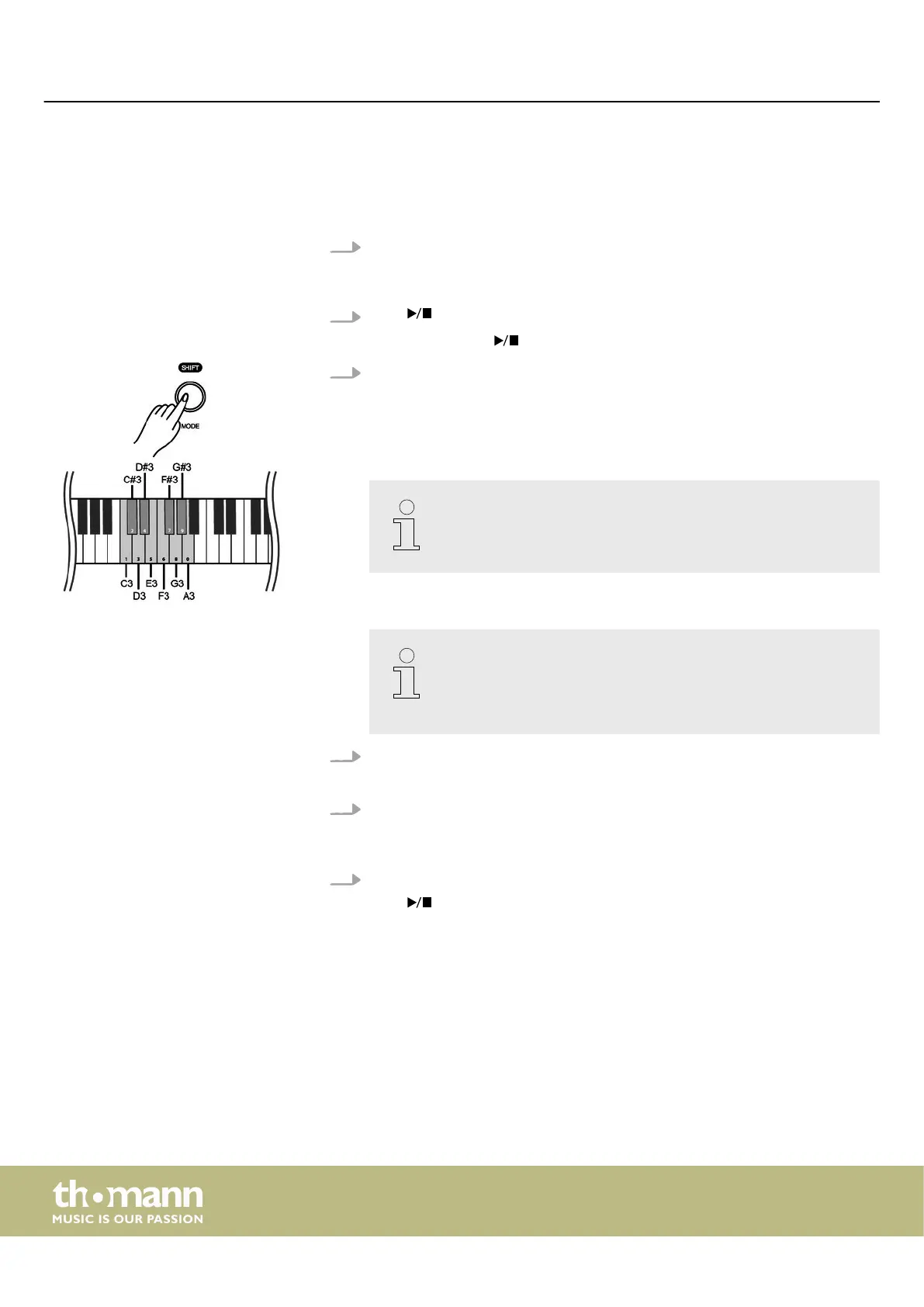
n Hold down [SHIFT] and use the piano keys [C3] … [A3] to enter a three-digit
value to set the desired demo piece directly.
– If you want to change the desired demo piece using one of the
piano keys [C3] to [A3], always enter it in three-digit format. For
example, to set the demo track 26, press the piano keys [A3],
[C#3] and [F3] in succession.
4. Adjusting the volume
Hold down [SHIFT] and use the piano keys [D6] or [E6] to adjust the volume.
5. Setting the tempo
All preprogrammed demo pieces contain certain tempo information. You can
set the tempo as described here
Ä
Chapter 7.13 ‘Tempo’ on page 23.
6. Disabling demo pieces
Press to stop playing demo pieces.
Alternatively, press [MODE] to switch to another mode.
ð
The [SONG] LED turns o.
Switching on / o and basic operation
digital piano
22



 To Next Page