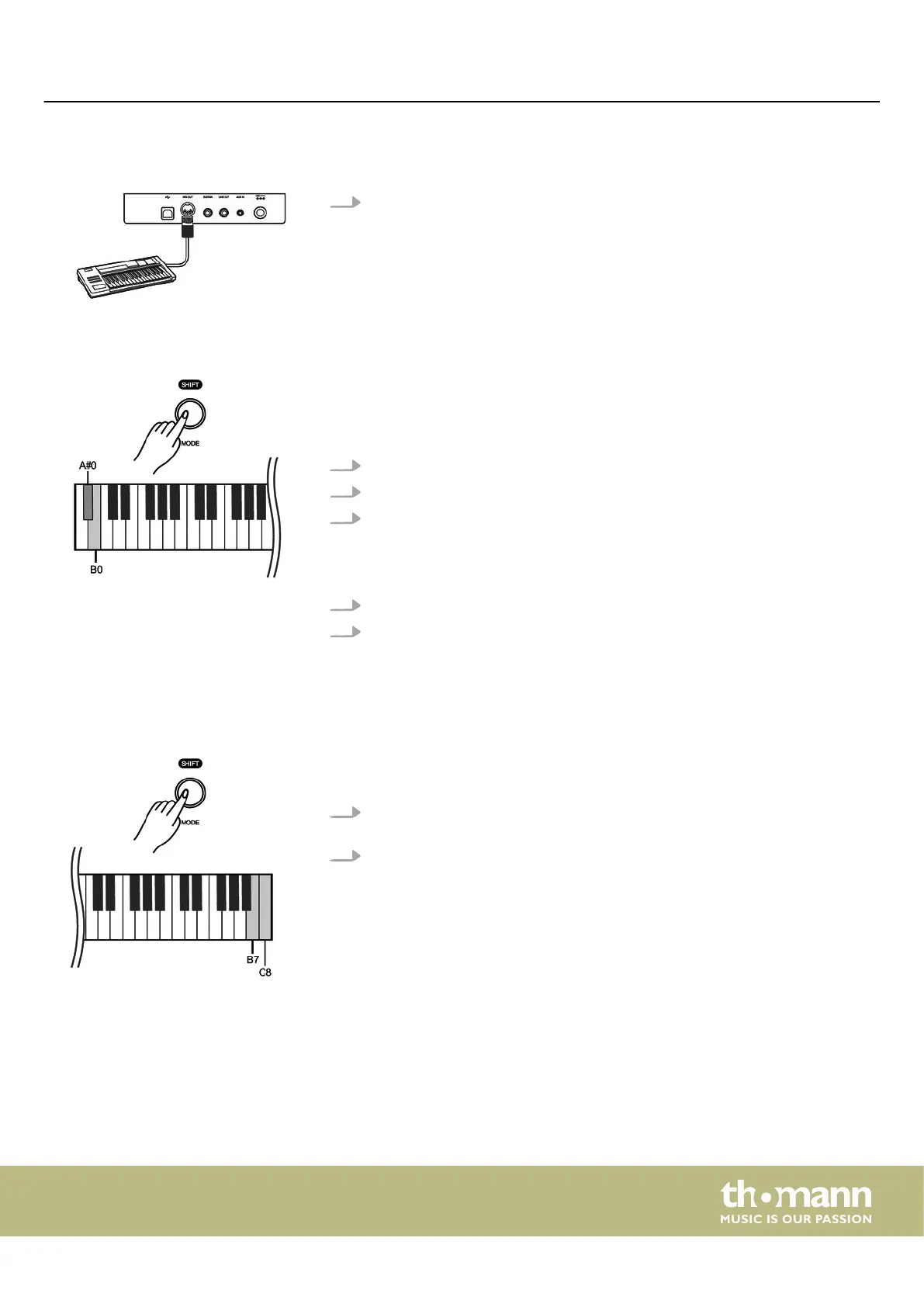
7.18.3 MIDI connection
At MIDI connections, the device that controls other devices, is referred to as
the Master. A device that is controlled via MIDI is called Slave. Connect the MIDI
OUT of the master to the MIDI IN of the slave.
7.18.4 Bluetooth®-MIDI connection
With the Bluetooth® connection, the digital piano can be paired with smartphones,
tablets or other mobile devices to enable a wireless MIDI connection. You will nd
suitable apps (e.g. PianoToolBox) for controlling the digital piano for your mobile
device in the App Store® or on Google Play.
1. Switch on the digital piano and the mobile device.
2. Activate the Bluetooth® connection on your mobile device.
3. Open the app on your mobile device and pair it to the digital piano ‘Piano BT
MIDI xxxx’ .
ð
When the connection between digital piano and mobile device is estab‐
lished, the LED of the [POWER] button lights up blue.
4. You can now control the digital piano from your mobile device.
5. To disconnect the Bluetooth® connection, hold down [SHIFT] and simultane‐
ously press the piano keys [A#0] and [B0].
7.19 Operating tone
If a setting is made using key combinations, an operating tone sounds which can be
switched on or o as required. By default, the operating tone is activated.
1. Hold down [SHIFT] and then simultaneously press the piano keys [B7] and [C8]
to deactivate the operating tone.
2. To reactivate the operating tone, hold down [SHIFT] and then simultaneously
press the piano keys [B7] and [C8].
Switching on / o and basic operation
DP-28 Plus
29



 To Next Page