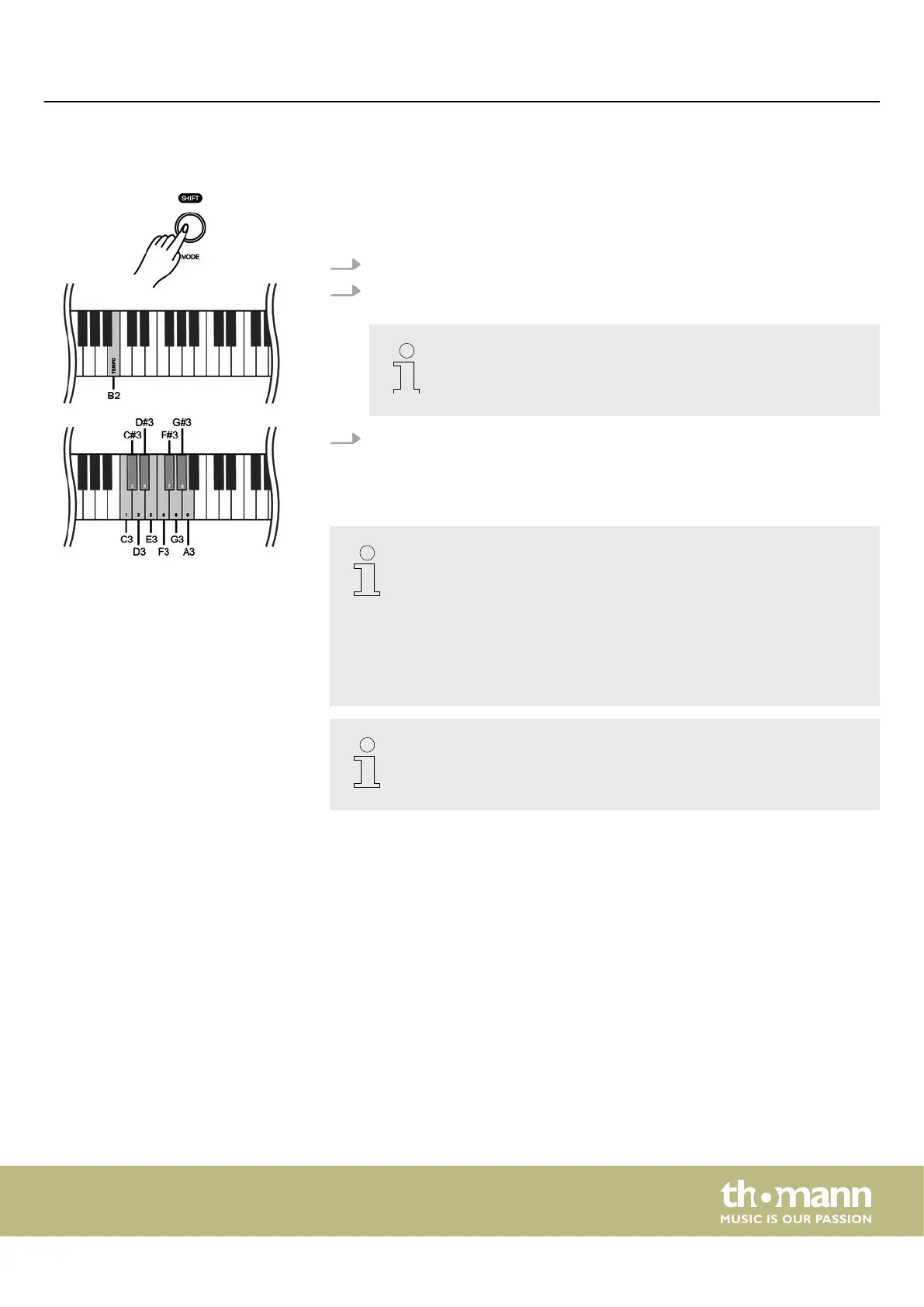
7.13 Tempo
All preprogrammed songs and the metronome function are stored with certain
tempo information. You can adjust the tempo in a range from ‘20’ … ‘280’ . These
presets can be adjusted at any time in various ways.
1. Hold down [SHIFT] and quickly press [<] or [>] to adjust the tempo in steps of 1.
2. To set the tempo to the next tens digits, hold down [SHIFT] and press and hold
[<] or [>] until the LED of the [<] or [>] button lights up.
If the current tempo is 126 bpm, hold down [SHIFT] and press and
hold [>]. The tempo jumps immediately to 130 bpm.
3. Hold down [SHIFT] and press the piano key [B2].
Keep holding down [SHIFT] and use the piano keys [C3] … [A3] to enter a three-
digit value to set the tempo directly.
– Hold down [SHIFT] and simultaneously press [<] and [>] to reset the
tempo to the default value.
– If you want to change the tempo with the piano keys [C3] to [A3],
always enter it in three-digit format. For example, to set Tempo 214,
hold down [SHIFT], press [B2] and then press the piano keys [C#3], [C3]
and [D#4] in succession.
– When playback is ended in metronome mode, the tempo is reset by
changing the time signature of the metronome.
Many of the functions can be easily controlled from a mobile device using
suitable apps (e.g. PianoToolBox), which can be downloaded from the App
Store® or Google Play.
Switching on / o and basic operation
DP-28 Plus
23



 To Next Page