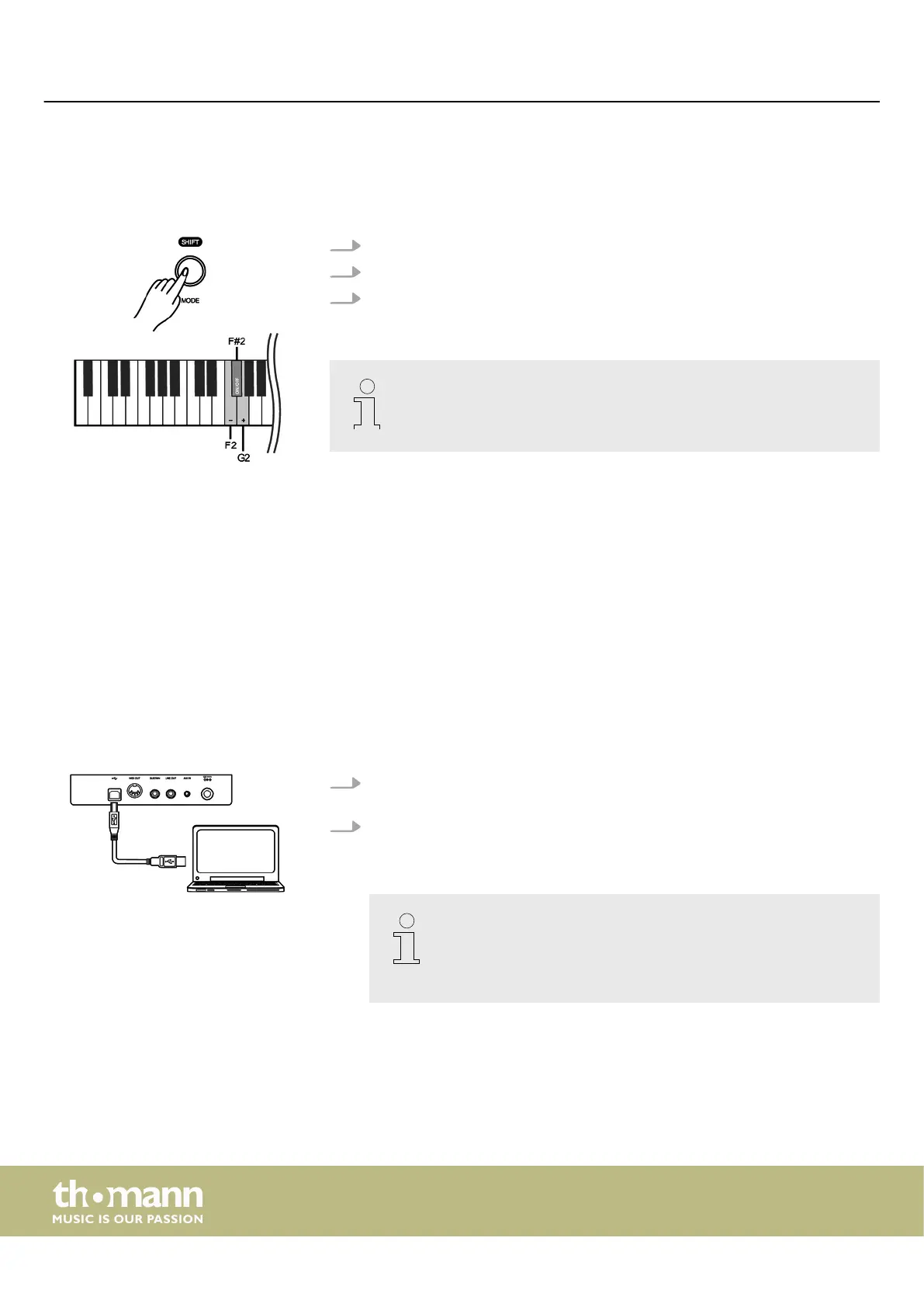
7.17.5 LID simulation
This function simulates the lid position of a piano or grand piano (open, half-open,
closed).
1. Hold down [SHIFT] and press piano key [F2] or [G2] to adjust the lid simulation.
2. Hold down [SHIFT] and press piano key [F#2] to disable the lid simulation.
3. Hold down [SHIFT] and press piano key [F#2] again to enable the lid simulation
again.
This setting is only available for sounds no. 1 … no. 4.
7.18 MIDI functions
7.18.1 What is MIDI?
MIDI stands for ‘Musical Instrument Digital Interface’ and represents the standard
interface between a computer and electronic instruments. You can use the USB port
or the MIDI output socket of the digital piano for transferring MIDI data to a com‐
puter or other USB device.
7.18.2 USB connection
1. Connect the USB port of the digital piano using a standard USB cable (not
included) to the USB port on your computer.
2. Observe the following instructions when connecting USB instruments to com‐
puters. Otherwise, the instrument or the computer may ‘crash’, which can
result in data loss. If a ‘crash’ should occur, turn o computer and instrument
and restart both after a few seconds.
– If the computer is in standby or hibernation, wake the computer
before connecting the USB cable.
– Establish the USB connection between computer and instrument
before turning on the instrument.
Switching on / o and basic operation
digital piano
28



 To Next Page