46
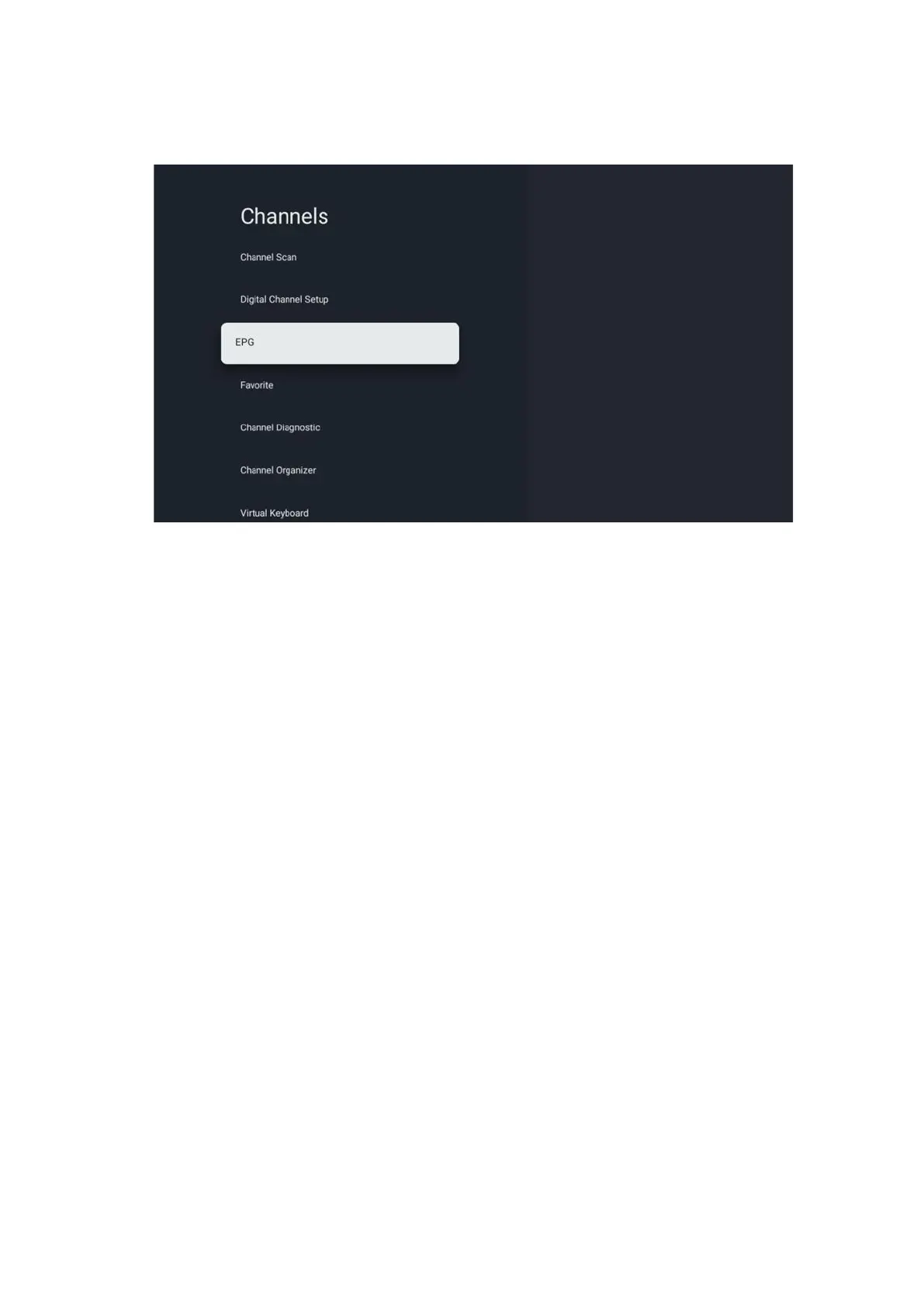
10.2.1.3 Electronic Program Guide (EPG)
By pressing OK on your remote control the TV redirects you to the Live TV app and opens the
EPG. Experience the convenience of the Electronic Program Guide (EPG) feature on your TV,
enabling you to effortlessly browse the schedule of channels currently available in your channel
list. Please note, the availability of this function depends on the program.
Alternatively, you can access the electronic program guide while in Live TV mode, by simply
pressing the OK button and then selecting Program guide. To return to Live TV, press the Back
button on your remote control.
Navigate through the program guide using the directional buttons on your remote control.
Utilize the Up/Down directional buttons or the Program +/- buttons to browse through
channels, and the Right/Left directional buttons to select a desired event on the highlighted
channel. Detailed information such as the full event name, start and end time, date, genre, and a
brief description will be displayed at the bottom of the screen if available.
For more information about a highlighted event, press the OK button. Select View if the
program is currently on air.
To view events from the previous or next day, simply press the red or green buttons respectively.
To add or remove channels to/from favorites, simply press the yellow or blue buttons
respectively. These functions are assigned to the colored buttons on your remote control if
available. Refer to the on-screen instructions for the specific functions of each button.


 To Next Page