Operating your Receiver
You can connect up to 3 audio/video sources to this
amplifier:
Source button Corresponding connector
(remote control) (receiver back panel)
- DVD/CD built-in
- FM/AM built-in
- SAT SAT IN (audio / video)
- VCR VCR IN (audio / video)
- TV SCART (audio / video)
When a source is selected, the source name will be shown
on the display.
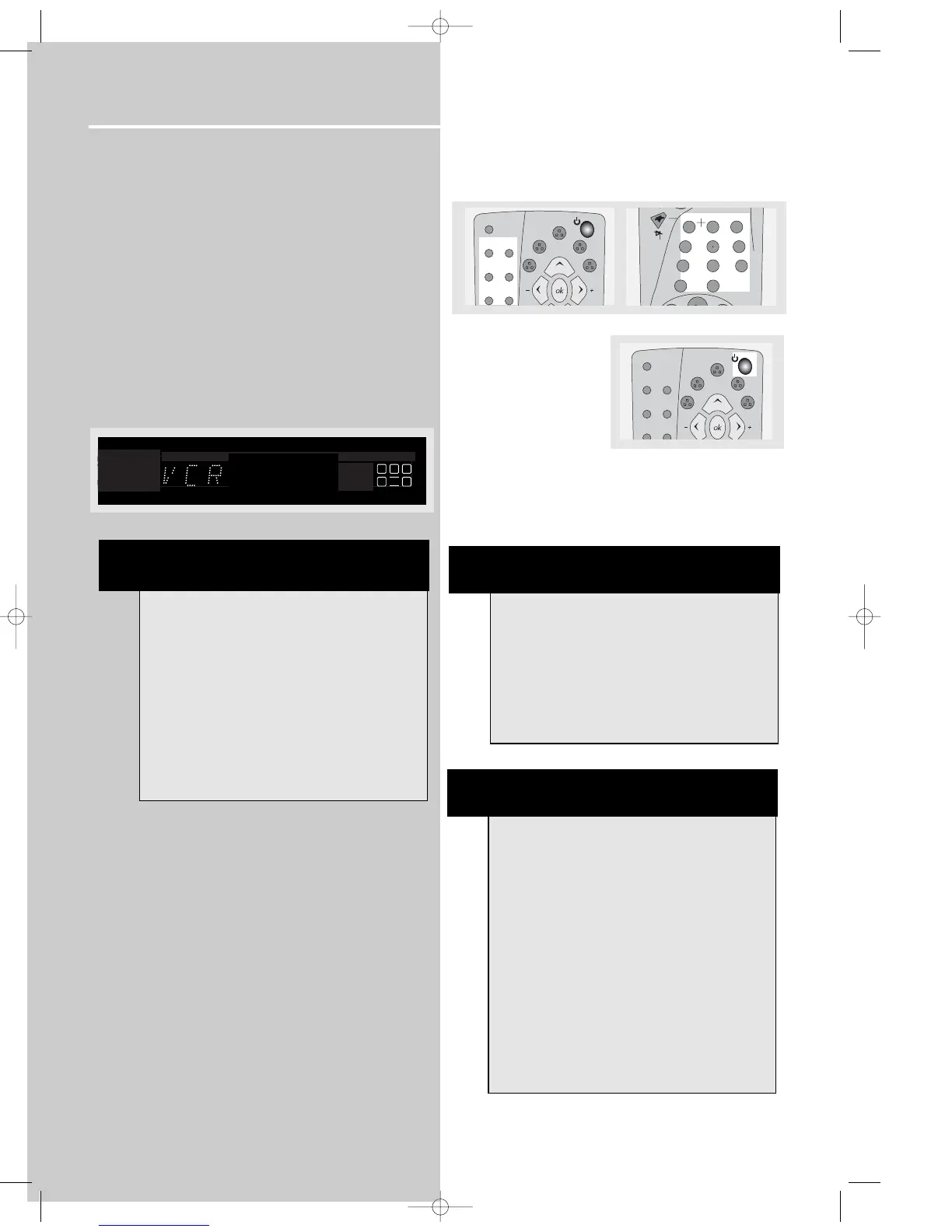
Example: Press VCR to select VCR as the source to the
amplifier.
Using the Remote to Control Additional
Components
You can set your remote to control other components (like
TV, VCR, etc.). What you need is to encode them in
advance (not necessary for recent RCA & Proscan models).
1. Turn on the component to be programmed.
2. Look up the brand and corresponding code number in
the code list.
3. Press and hold the corresponding Source Button (like
VCR, SAT/CABLE, TV) on the remote while entering the
code from the code list using the Number Buttons.
4. Release the component
button, then press ON•OFF
to see if the component
will turn off.
5. If this does not work, repeat steps 3 and 4 by trying to
use the next code (if available) listed for the brand of your
component until the component responds to the remote
command.
memo
2
3
654
78
9
1
PLAY
FWD
REV
0
clear
tape
OPEN/CLOSE
tv
sat/cab
dvd
theater
modes
delay
tuner
video
/ vcr
stereo
level
digital
info
tuner up
DIGITAL
PRO.LOGIC
INTRORANDOM
LCR
LS
LFE
RS
NOTE
1. Your receiver has a built in tuner. Just connect
the appropriate antenna on the back of the receiv-
er and you will be able to listen to radio stations.
(See details in Tuner section)
2. The receiver is also equipped with DVD/CD
player. Press the SOURCE button on the main unit
or DVD button on the remote to activate the fea-
ture.
3. Other sources (TV,tapes,etc) can be connected to
this unit provided that the connections are compat-
able.
4. Refer to the "Connecting To Audio-Visual
Components" section for details on connection.
tape
OPEN/CLOSE
tv
sat/cab
dvd
theater
modes
delay
tuner
video
/ vcr
stereo
level
digital
info
tuner up
NOTE
Once your remote is encoded, you can press
ON/OFF on the remote once to turn off the com-
ponent and then followed by the second time
quickly to turn off the receiver (i.e. this unit). If you
only want the receiver to be turned off, select FM/
AM or DVD/CD while the unit is ON before pressing
ON/OFF.
HINT
This remote may not operate all models of the
brands shown.
If batteries are removed from the battery compart-
ment of the remote control, all memory will be
lost. You need to re-enter all previously pro-
grammed codes again.
The buttons on the remote may not work
correspondingly with those on other brand compo-
nents. Experiment with the remote and your com-
ponents to see which buttons work. If only a few
functions operate, check to see if another code set
will work with more buttons.
DPL950-EN receiver new 5/7/03 10:36 AM Page 18















 To Next Page