33
Selectaspecicmovie/show
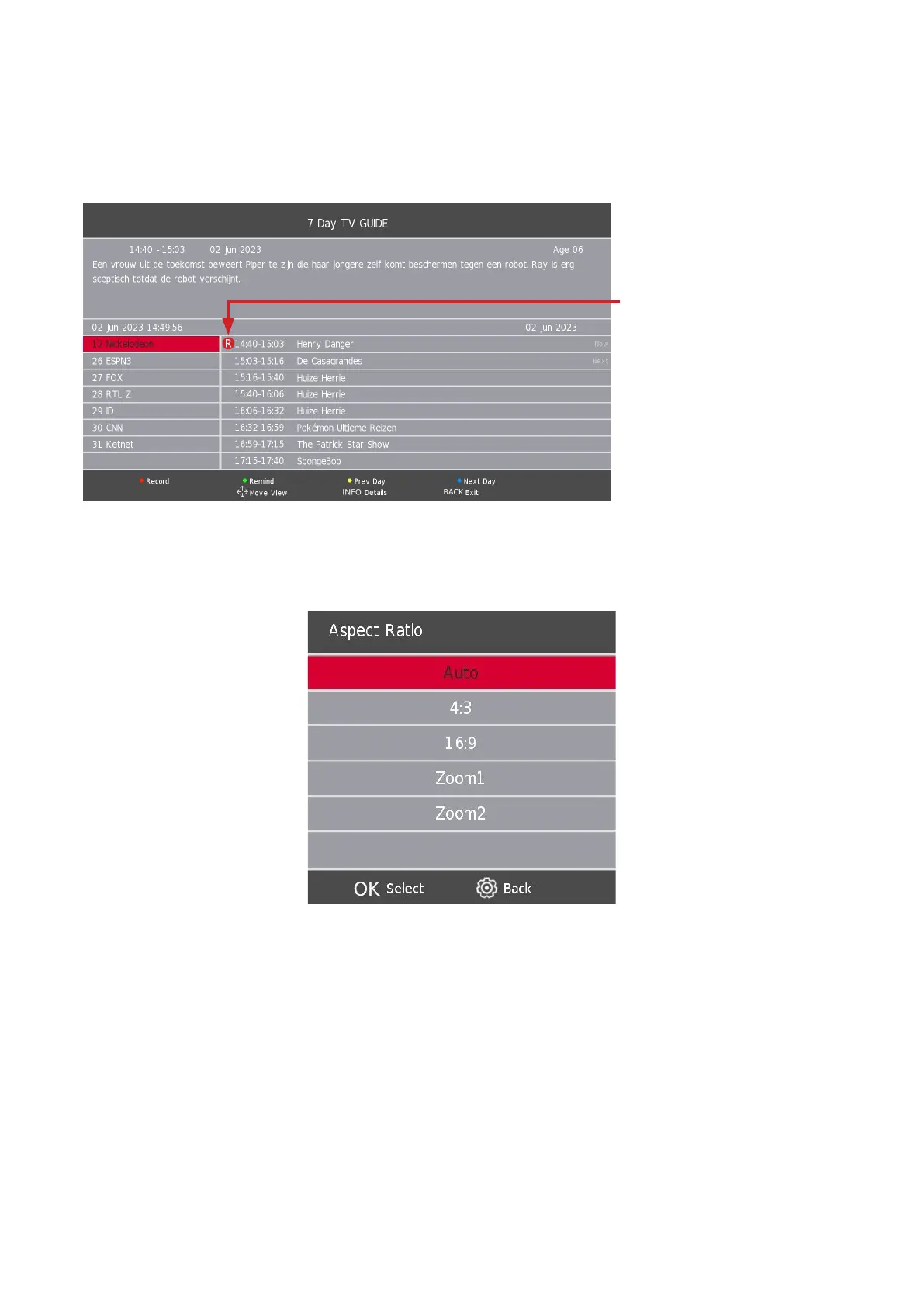
1. Click on the GUIDE button of your remote control. This opens the electronic program guide, an extensive list
of available channels and movies.
2. Select the movie or show you want to record. Click on the red button of your remote control to schedule a
recording. Click on the green button of your remote control to get a reminder.
3. By repeatedly clicking on the red button, you can select the mode of the recording.
• R = record once
• D = record daily
• W = record weekly
• A = record automatically
11.7. Aspect Ratio
Press the s / w button to select Aspect Ratio, then press the Enter/OK button to enter sub-menu.
Press the s / w button to select aspect ratio. (Available options are: Auto, 4:3, 16:9, Zoom1, Zoom2).
11.8. Blue Screen
Press the s / w button to select Blue Screen, then press the Enter/OK button to select On or O.
11.9. First Time Installation
Press the s / w button to select First time installation, then press the Enter/OK button to proceed.
11.10. Factory Reset
Press the s / w button to select Reset, then press the Enter/OK button to enter sub-menu.





 To Next Page