1 SpeedTouch™ Installation
E-SIT-CTC-20030306-0003 v3.0
14
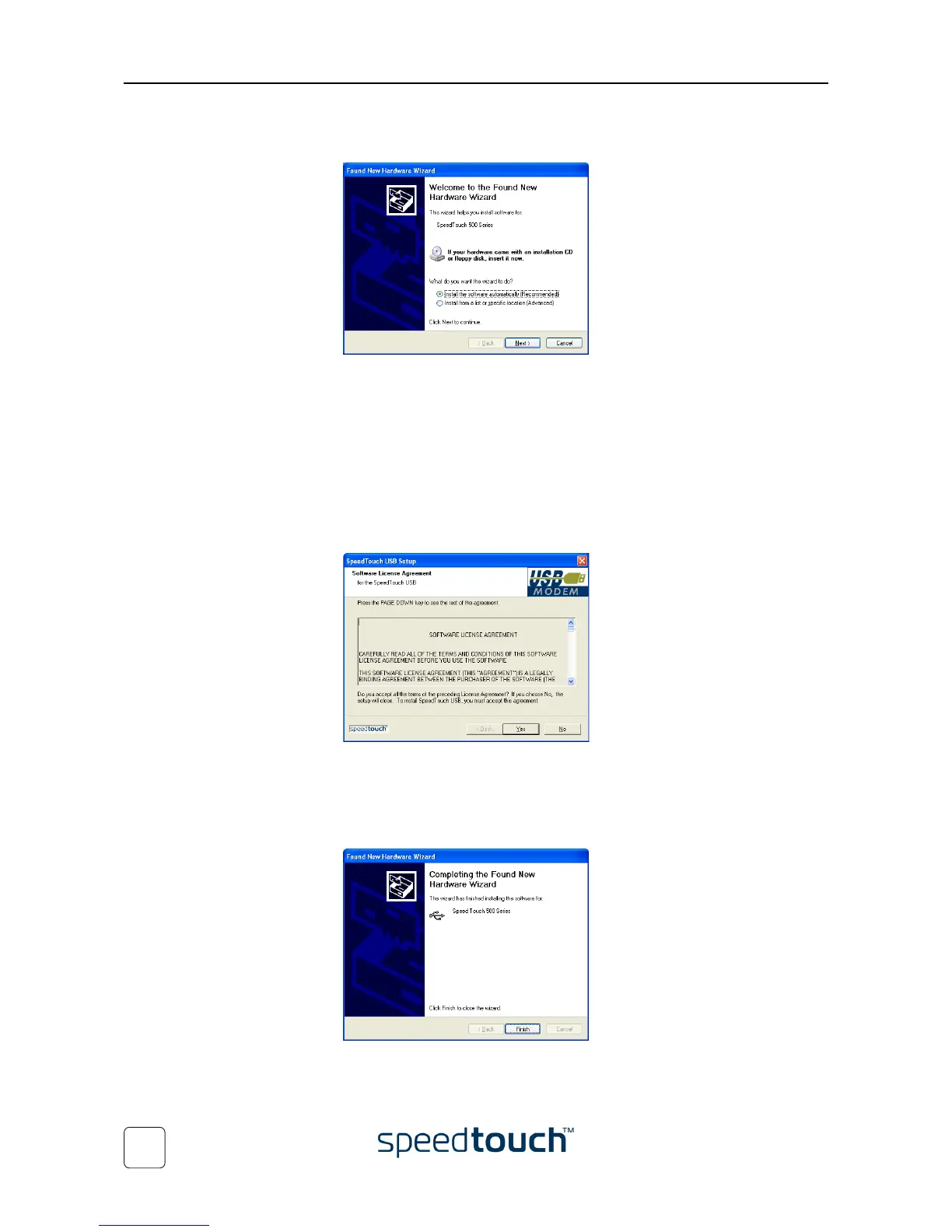
5 The following windows of the Found New Hardware Wizard allow you to select
locations where it should search for drivers:
Insert the SpeedTouch™ Setup CD-ROM, make sure that the wizard looks for the
drivers on the CD-ROM drive and click Next to continue.
6 The wizard will notify that it found drivers for the SpeedTouch™ on the
CD-ROM.
Click Next to continue.
7 The installation procedure continues with the installation of the SpeedTouch™
USB drivers. The installation wizard will further refer to SpeedTouch™USB to
indicate the SpeedTouch™ USB connection.
8 The Software Licence Agreement window appears:
You must accept before continuing. Therefor click Yes to accept.
9 In the following windows you can follow the installation procedure. Click Next
whenever requested to continue the installation.
10 At the end of the procedure, the following window appears:
Click Finish to complete the installation.















 To Next Page