3 SpeedTouch™ Web Interface
E-SIT-CTC-20030306-0003 v3.0
43
3 SpeedTouch™ Web Interface
Introduction The SpeedTouch™ comes with integrated local configuration capabilities.
The local configuration, via the SpeedTouch™ web interface, is based on the HTTP
server/web browser concept.
It allows you to configure your SpeedTouch™ via a web browser using HTML pages
from any local computer attached to the Ethernet interface(s) and/or from the PC
connected via the USB interface (in case of a SpeedTouch™ with USB connectivity).
Requirements Before you access the SpeedTouch™ pages, make sure that your browser is configured
to directly connect to the SpeedTouch™, i.e. that it is not using a proxy server.
If required, you can disable the proxy server for the time you want to access the Speed-
Touch™ web pages.
For more information on how to disable your web browser's proxying, please consult
the web browser's user's guide.
Use of the
SpeedTouch™ web
interface
In most cases, the SpeedTouch™ is correctly configured for your Internet connectivity
via the appropriate configuration profile/file and no further configuration on the web
interface is needed.
Access to the web pages is only required for some advanced configurations and
upgrading/updating or backing up the SpeedTouch™ configuration.
Access to the
SpeedTouch™ web
interface
To access the SpeedTouch™ web pages:
1 Start the web browser on your computer.
2 Browse to the SpeedTouch™ at the SpeedTouch™’s IP address (in most cases
10.0.0.138).
3 If a system password has been set, an authentication window will be displayed.
Enter user name and system password in the appropriate fields.
Access to the
SpeedTouch™ web
interface via UPnP
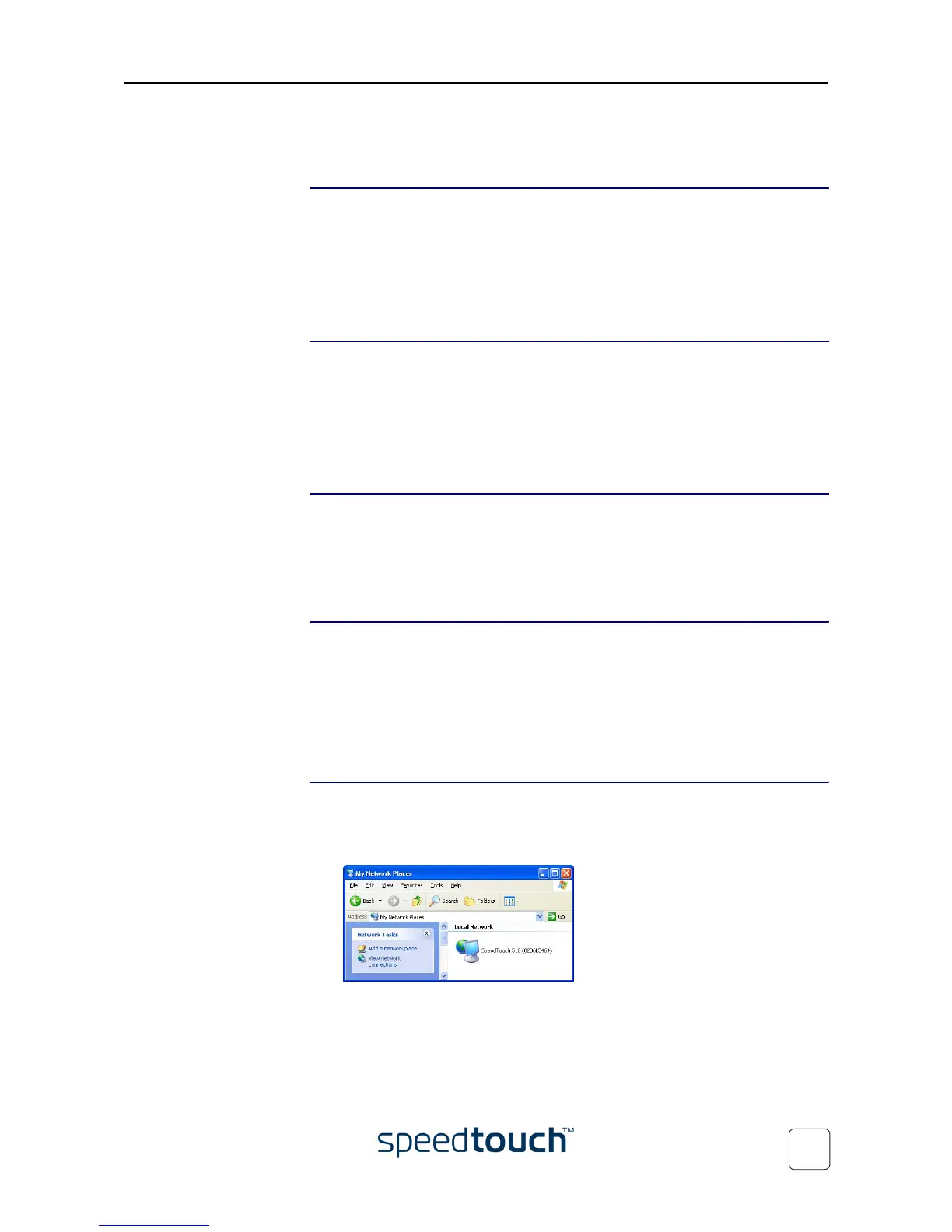
If your computer is UPnP enabled you can access the pages as follows:
1 Double-click My Network Places on your desktop.
2 The following window appears:
Double-click the SpeedTouch™ icon.
3 If a system password has been set, an authentication window will be displayed.
Enter user name and system password in the appropriate fields.















 To Next Page