3 SpeedTouch™ Web Interface
E-SIT-CTC-20030306-0003 v3.0
44
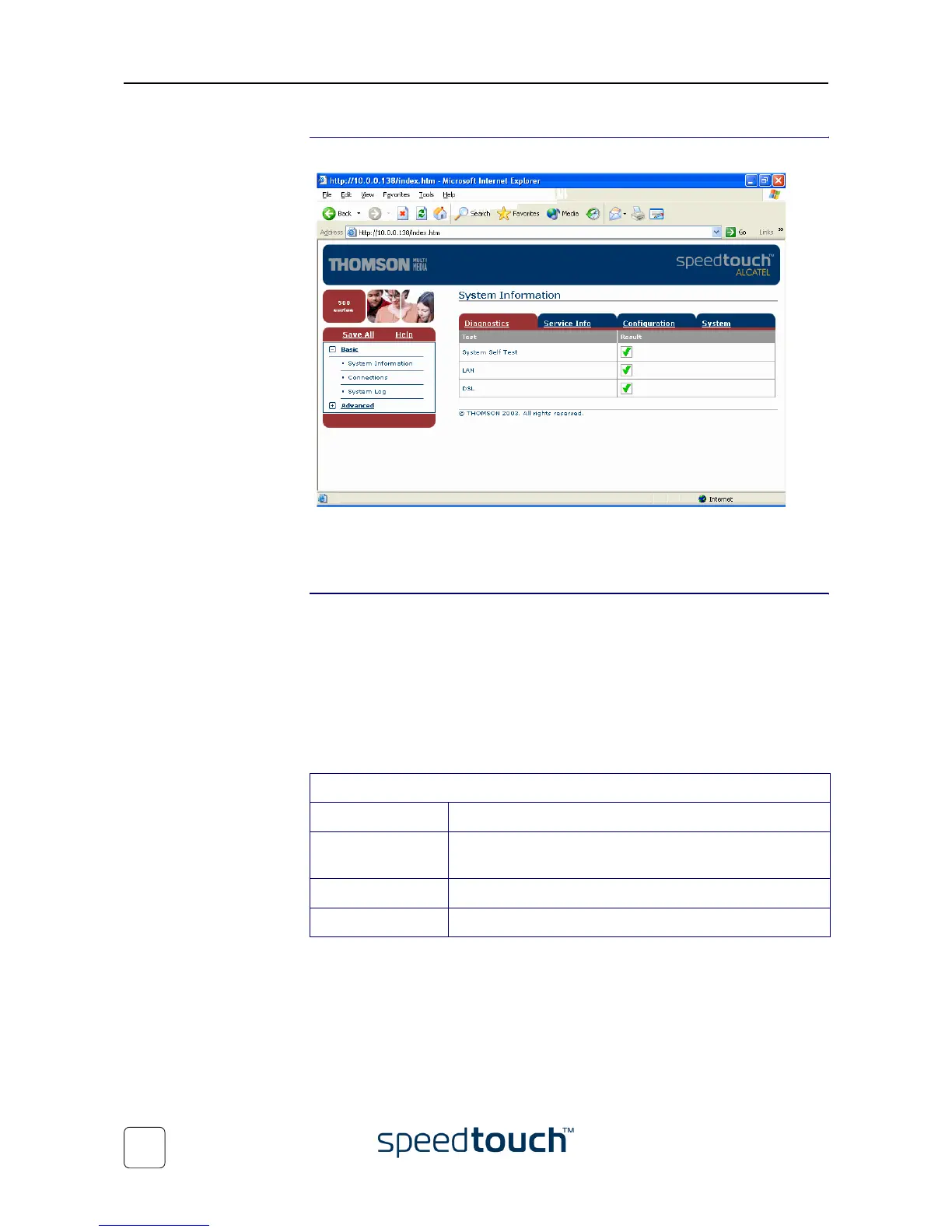
Result As a result the System Information page appears:
From now on, the SpeedTouch™ acts as a web server, sending HTML pages/forms at
your request. You can fill out these pages/forms and submit them to the SpeedTouch™.
The latter scans the pages and performs the appropriate configurations.
Topic menu and links On the left of each of the SpeedTouch™ web pages a topics menu is provided. This
menu navigates you via links through all configurational aspects of the SpeedTouch™.
For your convenience the links are sorted in two expandable topics menus: Basic and
Advanced. The links in the Basic topic menu lead you to pages for basic SpeedTouch™
configuration and maintenance, i.e. the pages for every-day use. The Advanced topic
menu, contains the links which allow advanced configuration of the SpeedTouch™.
These pages need only to be accessed for some specific operations.
The following table lists all Basic topic links:
BASIC topic menu
Click ... To ...
System Information View the current configuration profile.
View the current ADSL line status.
Connections Establish dial-in connections.
System Log View the activity on the SpeedTouch™ since power on.















 To Next Page