2 SpeedTouch™ Internet Connectivity
E-SIT-CTC-20030306-0003 v3.0
33
2 SpeedTouch™ Internet Connectivity
Introduction This chapter provides information on how to access the Internet and how to configure
your SpeedTouch™ according to your preferences.
Adding UPnP to a
Microsoft Windows XP
system
If you are running Microsoft Windows XP, we strongly recommend to add the Universal
Plug and Play (UPnP) component to your system. To add the UPnP component proceed
as follows:
1 On the start menu, click Control Panel.
2 The Control Panel window appears. Double-click the Add or Remove Programs
icon.
3 The Add or Remove Programs window appears. Click Add/Remove Windows
Components.
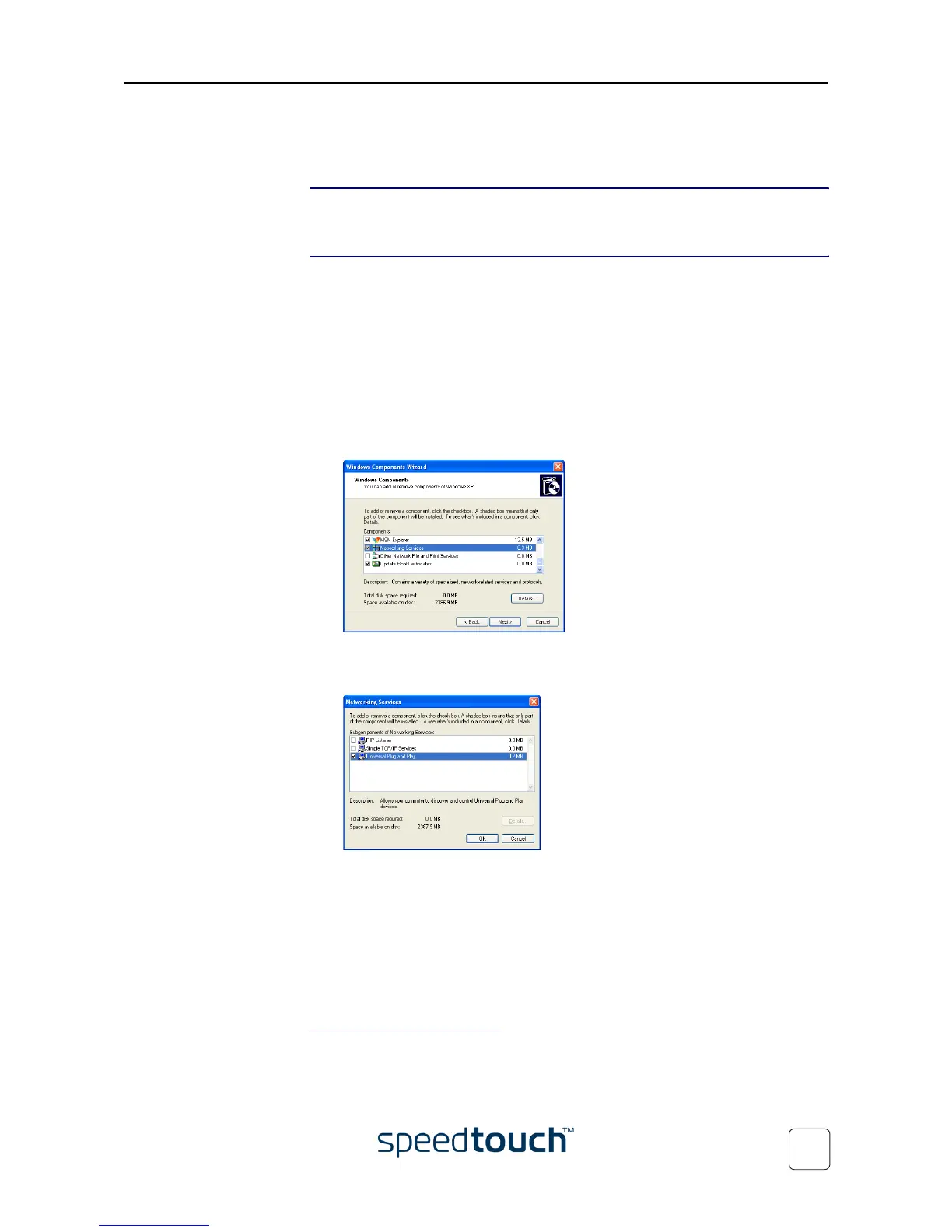
4 The Windows Components wizard appears:
Select Networking Services in the Components list and click Details.
5 The Networking Services window appears:
Select the Universal Plug and Play check box and click OK.
6 Click Next to start the installation and follow the instructions in the Windows
Components wizard.
7 At the end of the procedure the wizard prompts you that the installation was suc-
cesfull. Click Finish to quit the installation.
For more information on UPnP and SpeedTouch™ UPnP features go to the UPnP pages
at the SpeedTouch™ web site:
www.speedtouch.com/upnp.htm















 To Next Page