Chapter 3
Internet Connectivity Dial-In Clients
E-DOC-CTC-20050429-0103 v1.0
40
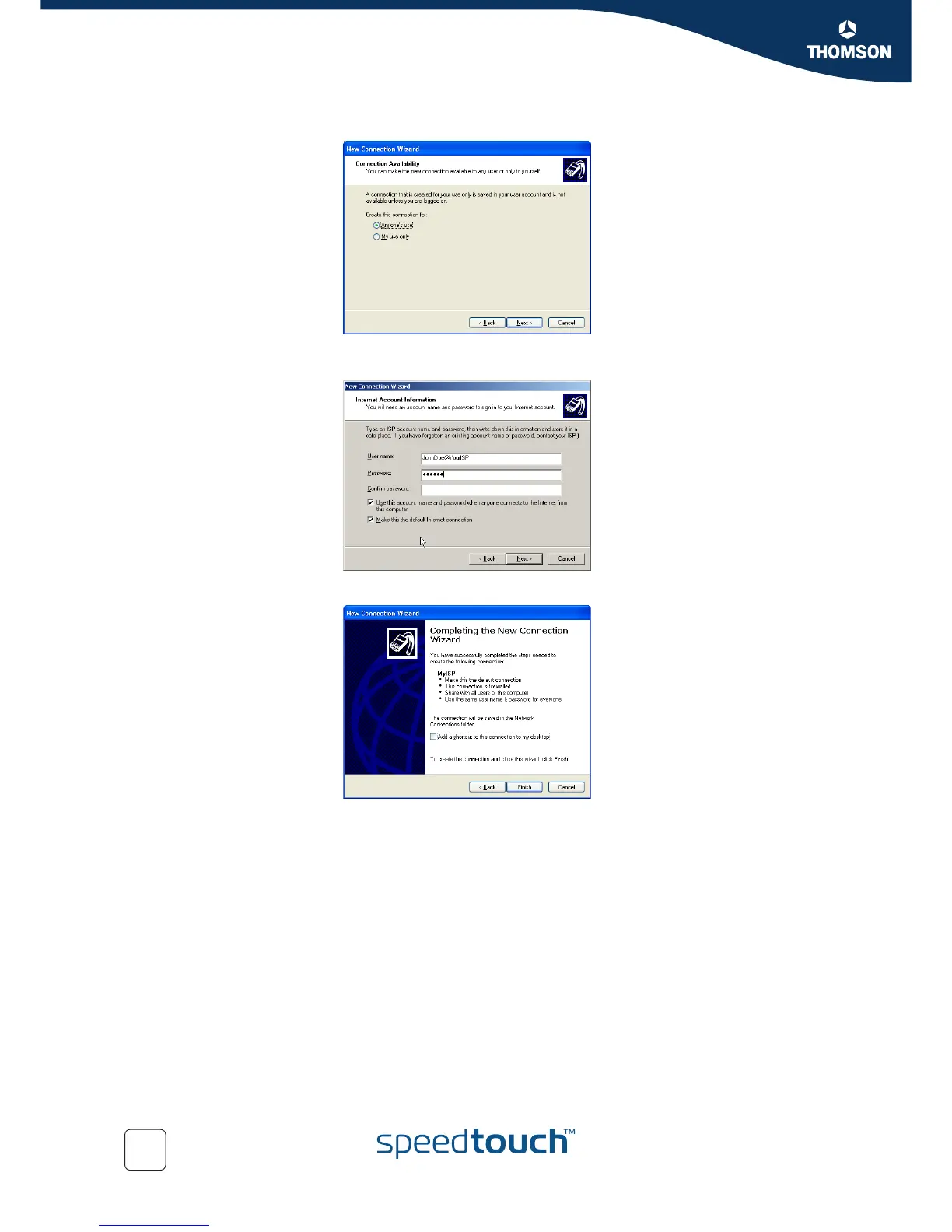
8 Select whether the connection will be available to any user or only to yourself:
9 Fill in the Internet account information. This information should be provided by
your service provider:
10 At the end of the configuration the following window appears:
Click Finish to complete the configuration.
The Connect YourISP window (see below) appears.















 To Next Page