Rev E TR-220 90 008 088-1
2-40
15. It is possible to adjust the scenario parameters without changing the stored
parameters within the Setup Menu. With the UUT FUNCTION switch in the TCAS
position and with the TCAS scenario window displayed, proceed as follows:
15a. Ensure that pressing the TO/STAR-FROM/STOP switch up twice and the
display stop the scenario shows STP. (This is the only position, which
allows temporary modification of the scenario parameters)
15b. By switching the CHN/ALT-DIST-SPEED switch to the relative positions,
the altitude, distance and speed of the intruder can be adjusted with the
UP-DOWN switch. Intruder velocity can be changed with the
INCREASE-DECREASE VELOCITY switch. The scenario can now be
run again with the modified parameters.
NOTE
END OF TCAS TESTS
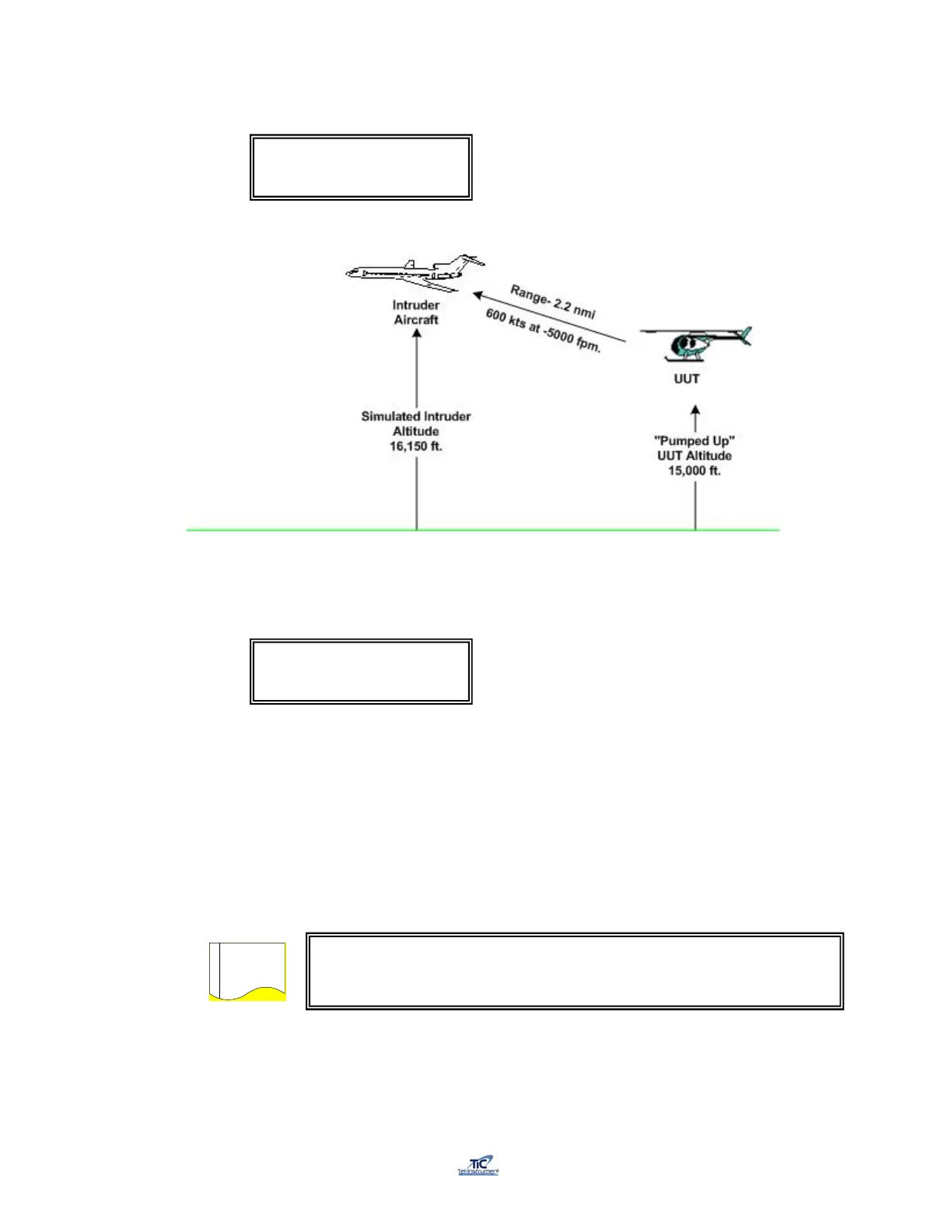
TRK 600Kts 16150’ /
2.1 nm -5000fpm FRM
TRK 600Kts 16150’ /
2.1 nm -5000fpm STP
Pressing AUTO to measure TCAS power and frequency or restarting the
TCAS testing by moving the UUT Function switch will revert to the
selected scenario parameters



 To Next Page