1
15
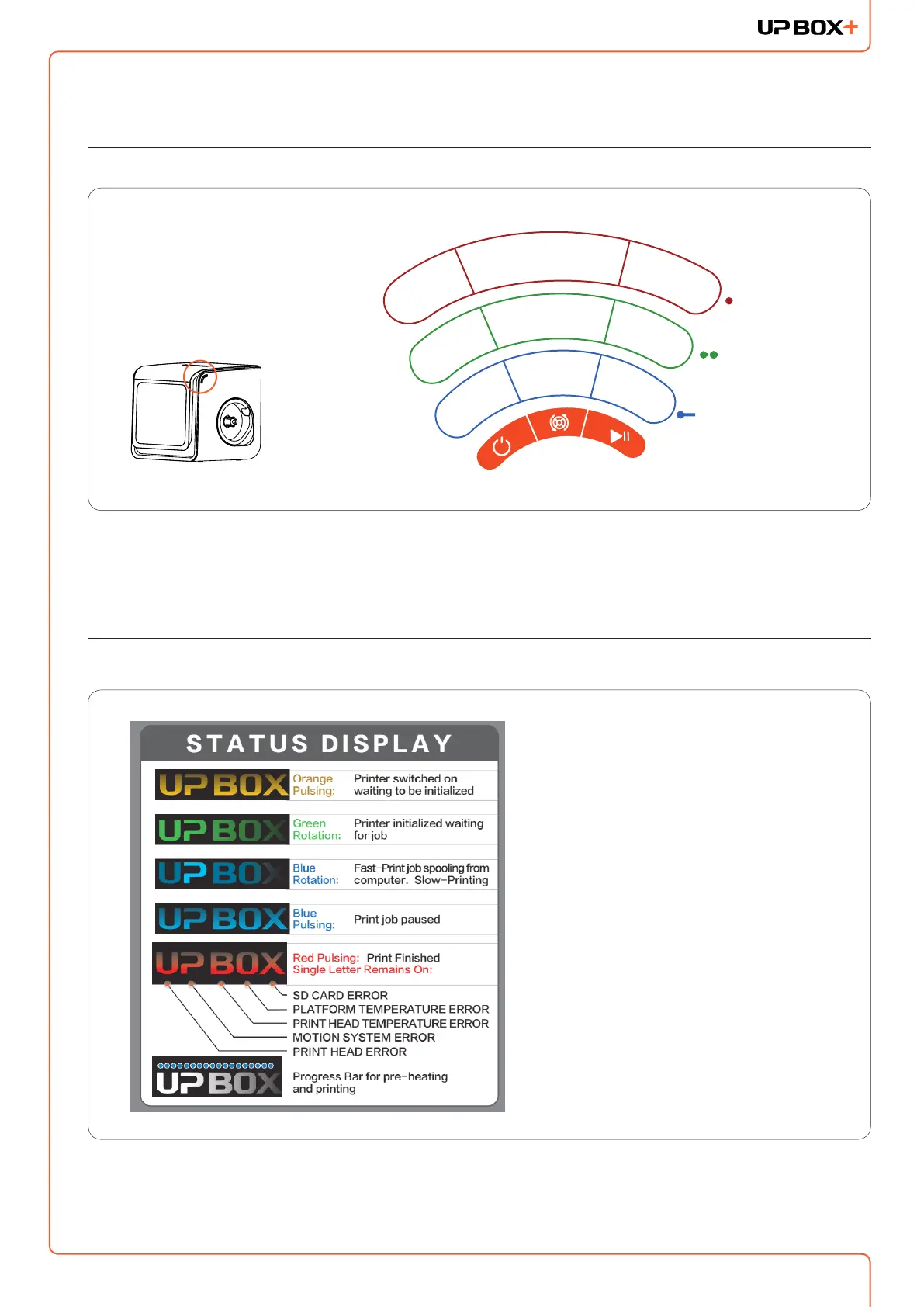
Printer Control Buttons
Printer Control Buttons
Long Press
Double Press
Single Pres
s
INITIALIZE
LIGHTS
ON/OFF
EXTRUDE
FILAMENT
RE-PRINT
LAST JOB
LIGHTS ON
(2 mins)
WITHDRAW
FILAMENT
PLATFO
RM
PREHEAT
15 M
IN
PAUSE/
RESUME
STOP
LED Light Bar and Front Door Check
When a print job is nished,
the LED light bar will be in RED
color. Under such condition, the
machine will not respond to any
command and print jobs. This is
to prevent unwanted actions that
may crash the print head into the
printed object.
To resume to normal, the front
door must be opened once after
a print job is nished.



 To Next Page