1
29
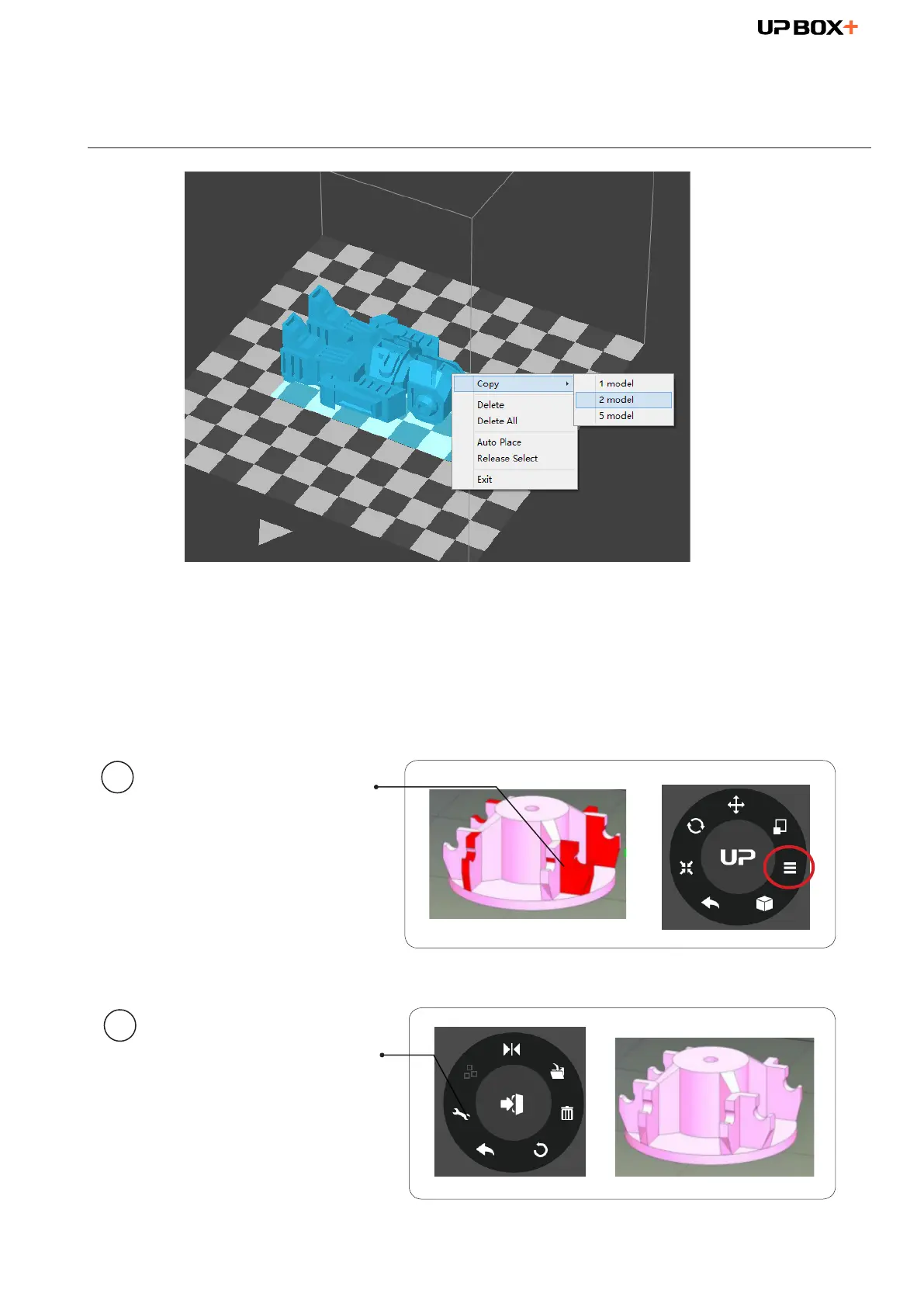
Making Copies
Choose the model by clicking it (hight lighted), then right-click to
bring up the menu and select the number of copies.
Repairing a Model
If the model contains
defective surfaces, the
software will highlight the
defective surfaces in red.
Click the "More" button
to reach the second level
menu.
Click the "Fix" button to
repair the model.
The red defective surfaces
will be changed to the
normal color if the defects
can be repaired.
1
2



 To Next Page