1
9
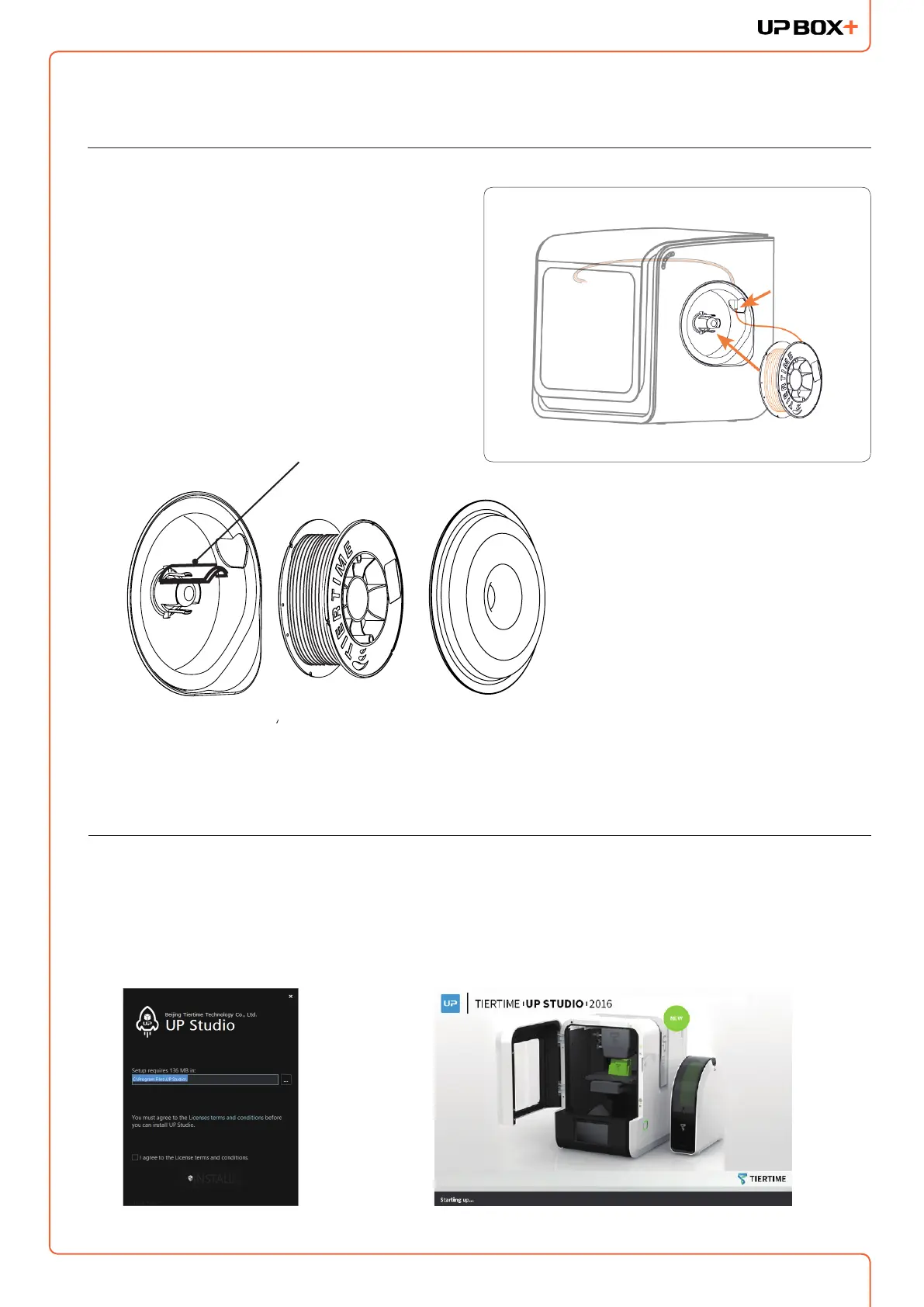
Installing Filament
1. To install the lament spool, open the magnetic
cover and insert the lament into the guiding tube
at the spool holder.
2. Push the lament into the guiding tube until it
comes out from the other end. Put the spool
onto the spool holder and cover the spool with
the magnetic cover.
Installing UP Studio Software
1. Go to the Support Section of www.up3d.com to download the latest version of the UP Studio. The Mac
version of the UP Studio can only be obtained through Apple App Store.
2. Double-click the setup.exe le to install the software. (The default installation path is C:\Program Files\UP
Studio\). A pop-up window will appear. Select "Install" and follow the instructions to nish. The printer’s driver
will be installed in the system.
1KG Spool
Rack Add-on
To use 1KG spool, put the
Spool Rack Add-on onto
the orignal spool rack. A
protruding magnetic cover
is also provided with the
machine to accommadate
thicker spools.



 To Next Page