1
24
After sending the data, the program will
show the amount of material and the
time needed for the print job in a pop-
up window. At the same time, the nozzle
will start to heat up. The print will start
automatically.
Now your are safe to disconnect the
printer from computer.
5
6
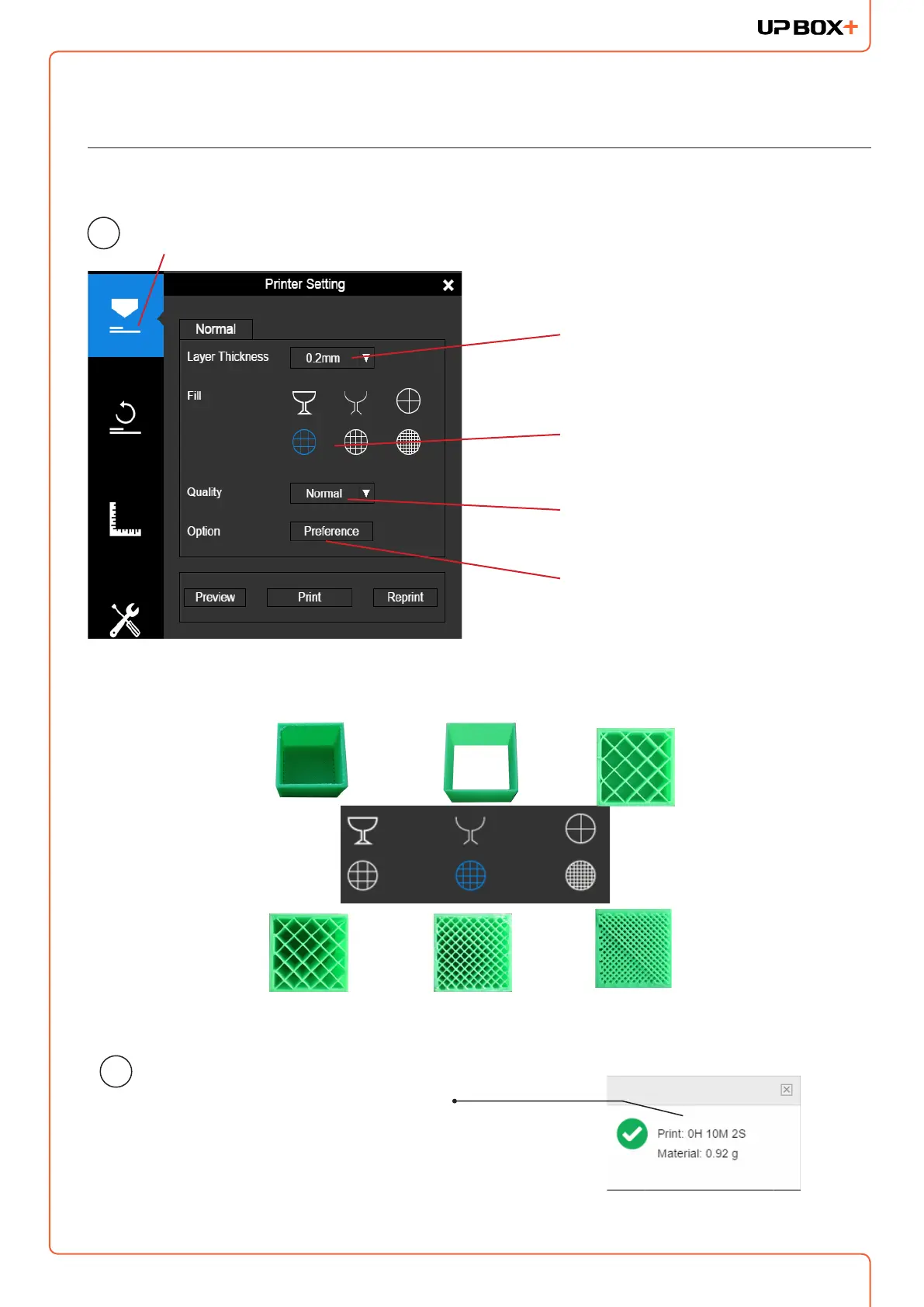
Set Layer Thickness
Select Inll Type
Select Print Quality/Speed
Shell: No inll,
normal wall.
Printing a Model
Make sure the printer is connected to a computer throug USB or Wi-Fi ( go to page 19
for details about Wi-Fi setting), and loaded a model.
Advanced Options
Surface: No top and bottom layers,
no inll, single perimeter.
Hollow
Big Hole
Loose Inll
Solid Inll
Click the print button to open the print interface



 To Next Page