1
22
Product Activation
2
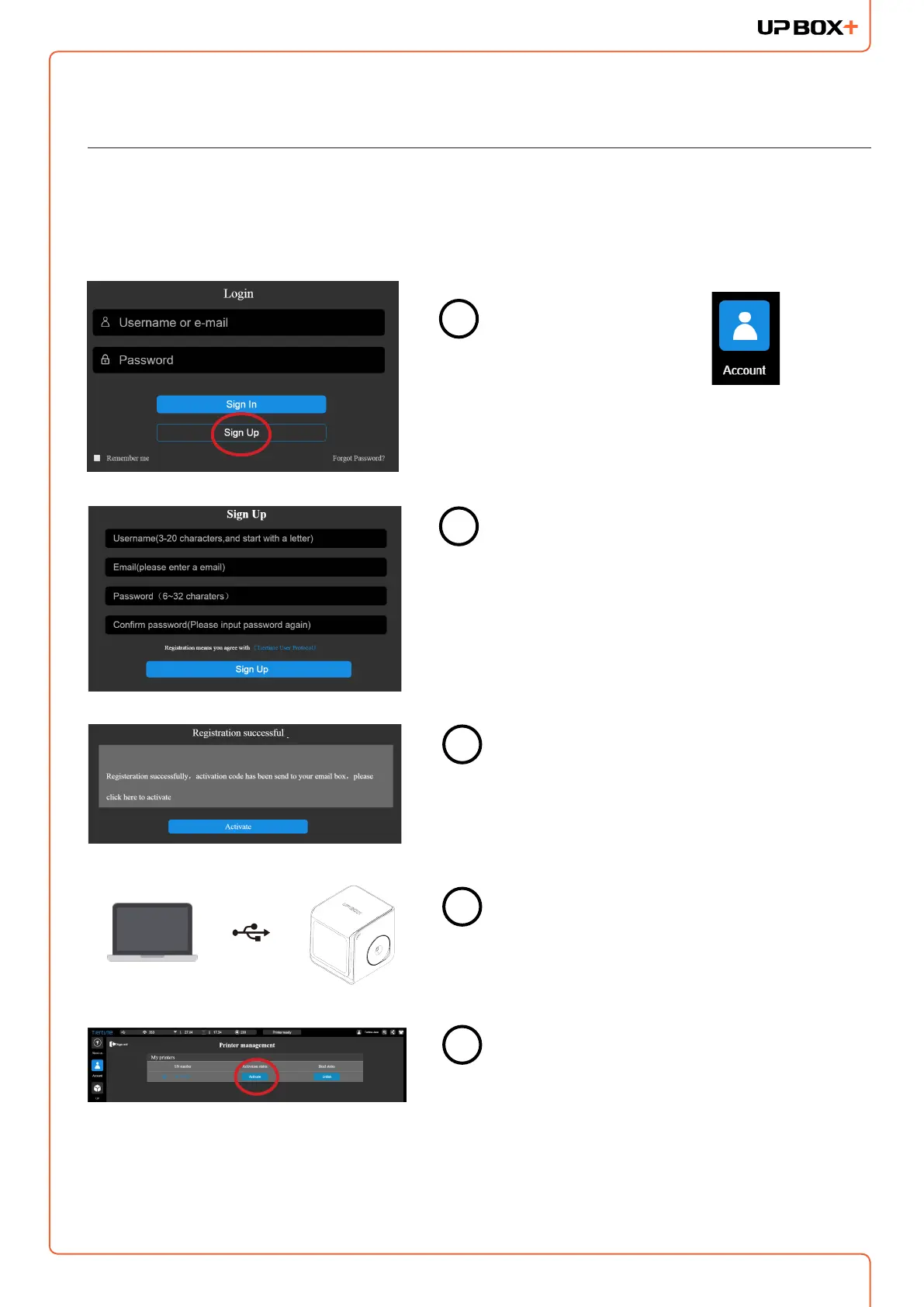
Press the "Account" button
at the main menu
Click the "Sign UP" button.
Register an UP account. If a user account is
already available, skip to step 5.
When nished the registration, go the
registered mail box, activate the account
through the activation email.
Connect the printer to a computer.
Go to the account section and Sign In. User
will see a printer management list. Find your
printer in the list, and click the “Activate”
button to activate your printer.
1
3
4
5
It is highly recommended to activate UP BOX+ as soon as possible to be able to access its
unlimited printing power and the cloud based web functionality. The inactivated machine has
limited printing times before the activation is done.
Congratulations!



 To Next Page