16
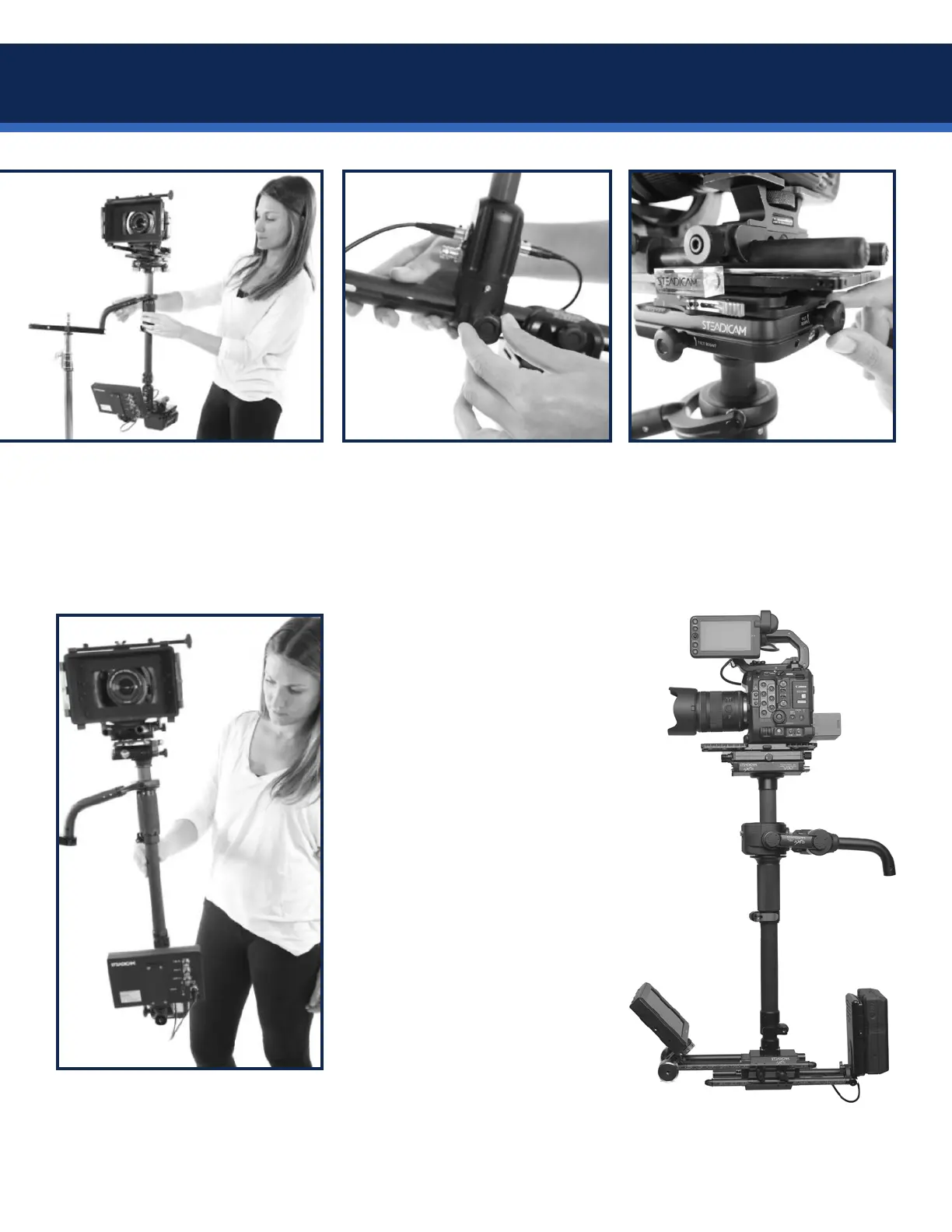
Now actively set the post vertical,
and lighten your grip on the post
to observe the rigs behavior.
If the post tilts fore or aft
signicantly,slidethebattery
“uphill” on the rods until it’s
roughly level, and re-tighten.
Set the post vertical again.
Use the fore-aft adjuster knob to
netunethecamerapositionso
the post stays in place.
If the camera rolls to one side
or the other, use the side-to-
side adjuster knobs to move the
camera c.g. slightly.
Then re-set the post to vertical to
see if it stays.
If the side-to-side adjuster reaches
the end of its travel and the roll
axis will not remain level, you’ll
need to remove and re-mount the
camera dovetail plate one slot
over, re-center the side-to-side
adjuster and re-balance.
NOTE: If the battery mount contacts the monitor rods while balancing, you may need to rotate the battery
lower and re-balance, or move the monitor forward to make room.
Balance: static


 To Next Page