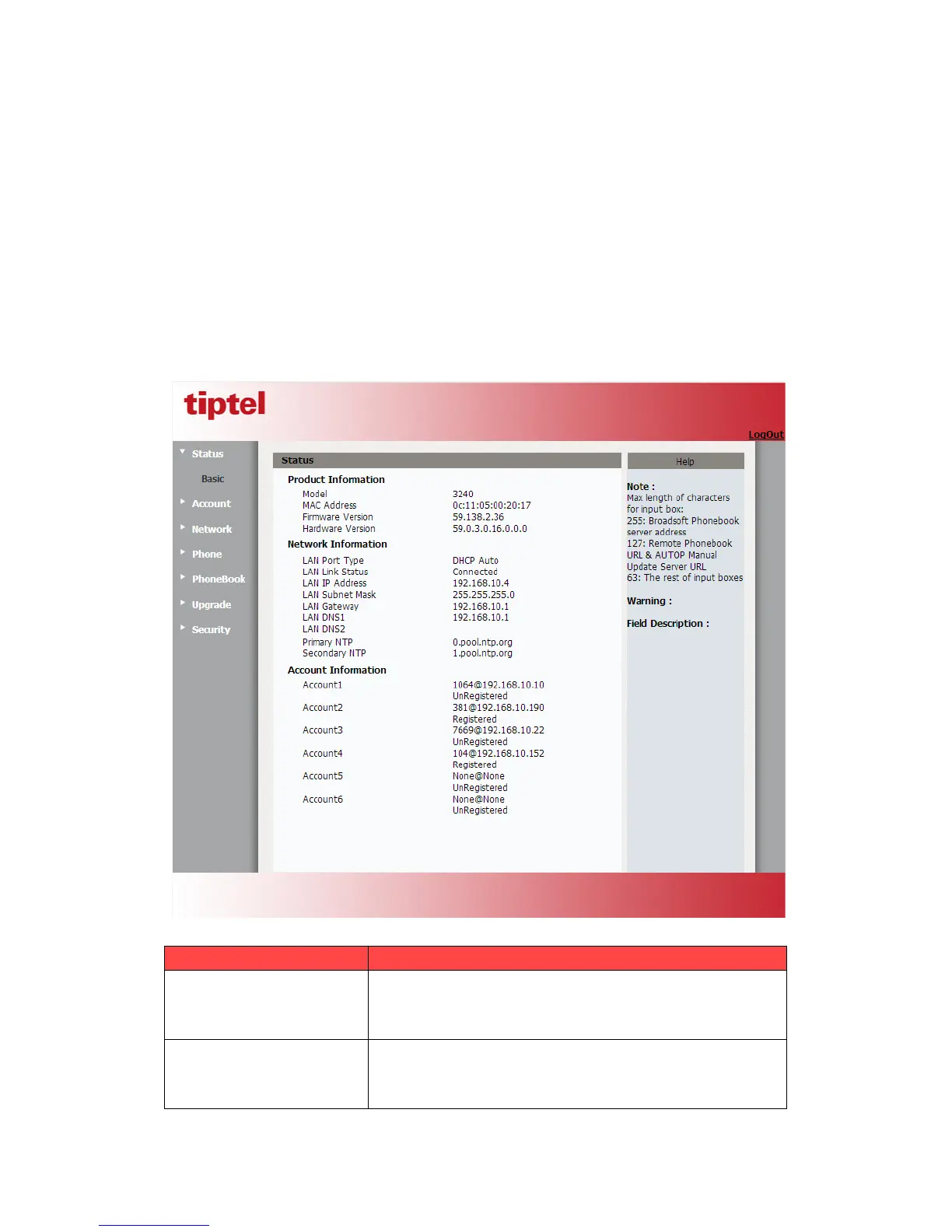
5.1.Sta tus->Basic
1. First you need to open a browser(for example IE)
2. Input the IP address in the browser’s address bar and then press the Enter key
3. If successfully connected to IP phone, it will prompt a login page. In the page, please
input the username and password accordingly. by default, username and password is as
below:
User Name: admin
Password: admin
4. After successfully logged in, it will automatically locate to Status->Basic Page, as figure
below shown:
To display the device’s information such as Model name, MAC
addres s ( I P de v ice’s physical address), Firmware version and
Hardware firmware.
To display the device’s Networking status(LAN Port),such as
Port Type(which could be DHCP/Static/PPPoE), Link Status,
IP Address, Subnet Mask, Gateway, Primary DNS



 To Next Page