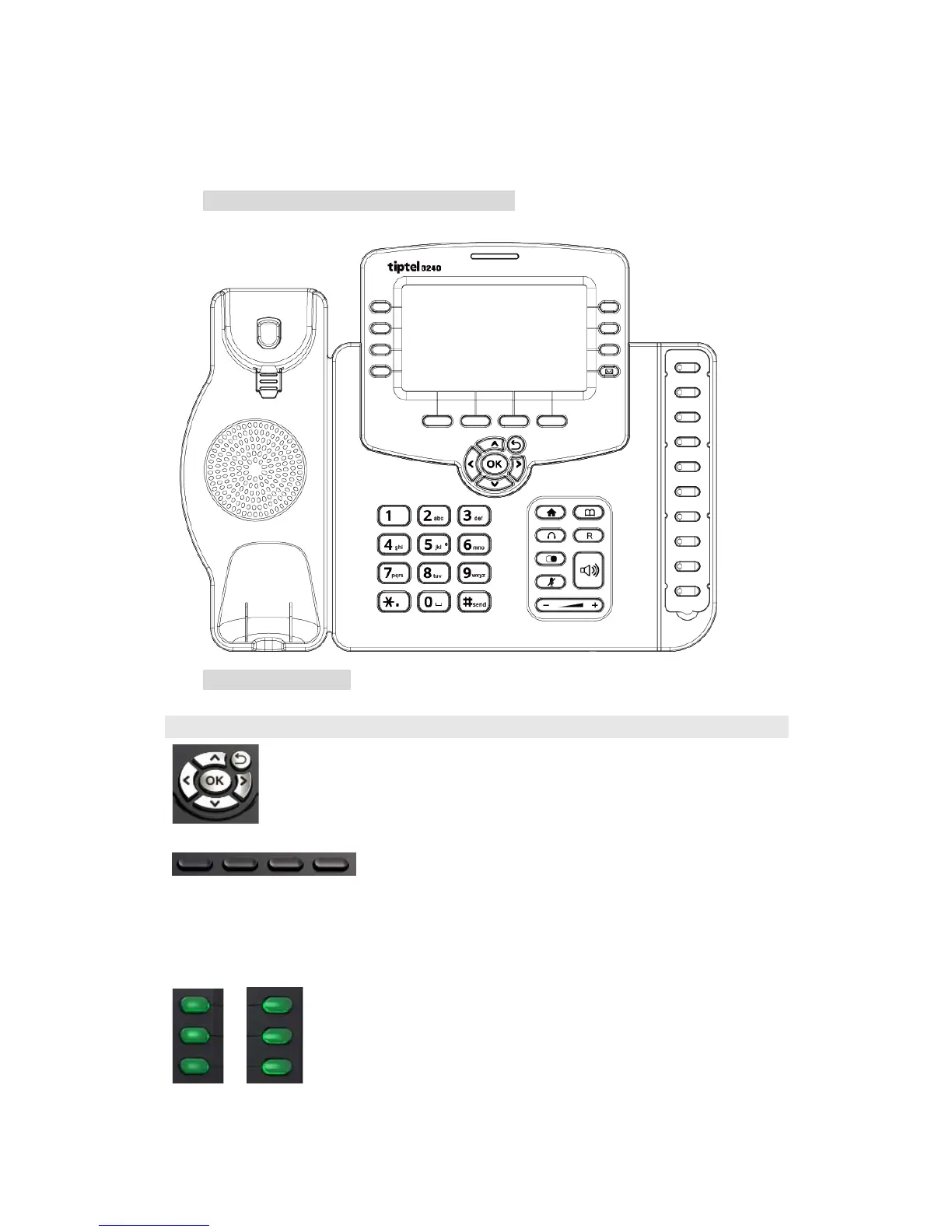
1.3.Keypad
Keypad, LED, and function key definitions
Keypad Description
Assists you in selecting an item that you want to process
under the menu by pressing the Up, Down, Right or Left
key. Press the center key to save.
Key combination includes functions such as
History/Favorites/Redial/CallReturn/HotDesking/XML
Browser/DND/Menu/MSG/Status/Book/FWD/PickUp/G
roup PickUp/Intercom/Speed Dial/and so on.
Key combination includes functions such as
History/Favorites/Redial/Account/ACD/BLF/BLFList/C
allReturn/HotDesking/Record/XML



 To Next Page