into outgoing SIP message for designated account.
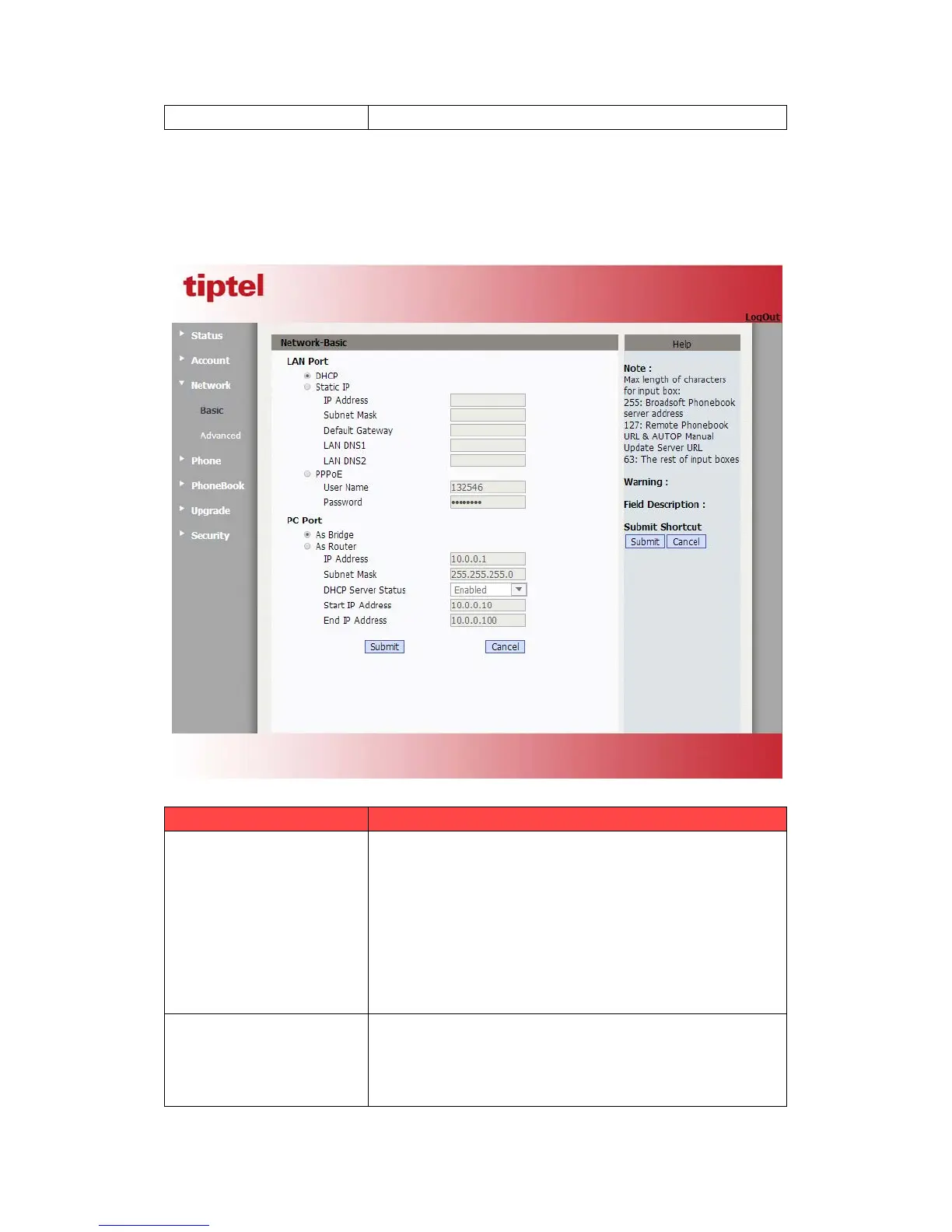
5.4.Network->Basic
Path: Web UI->Network->Basic
Sections Description
To display and configure LAN Port settings.
DHCP: If selected, IP phone will get IP address, Subnet
Mask, Default Gateway and DNS server address from
DHCP server automatically.
Static IP: If selected, you have to set IP address, Subnet
Mask, Default Gateway and DNS server manually.
PPPoE: Use PPPoE username/password to connect to
PPPoE server.
To display and configure PC Port settings.
As Bridge: If selected, IP phone will act as a switch to
route all incoming and outgoing packets from PC port.
As Router: If selected, IP phone will act as a router to



 To Next Page