TR7 GNSS System User Manual
12
www.titanposition.com
2.1.3 Control panel
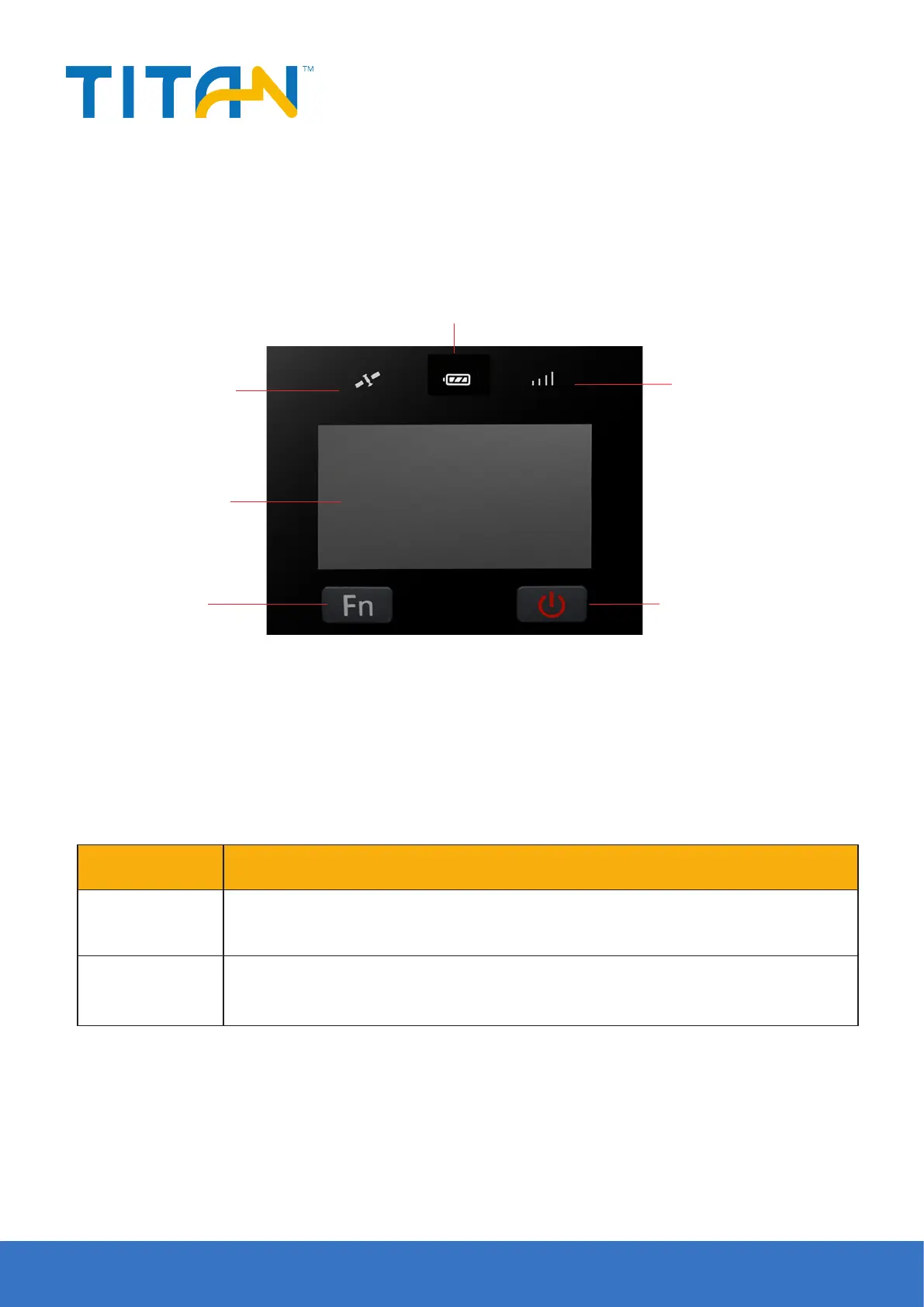
The control panel includes Fn button, power button and LED screen. The 3 status LEDs correspond to satellite
LED, power LED and data LED. Only 2 buttons totally deal the basic functions of the TR7.
1-Satellite LED
2-Data LED
4-Power button5-Fn button
6-LED screen
3-Power LED
Figure 2-1
2.2 Button & LED
2.2.1 Button
Table 2.2.1 Fn button function description
Function Description
Setting Click the Fn button at the rst time to change the interface from status to setting.
Cutover/Select Click the Fn button again to make a choice along the setting and its sub-interface.


 To Next Page