TR7 GNSS System User Manual
22
www.titanposition.com
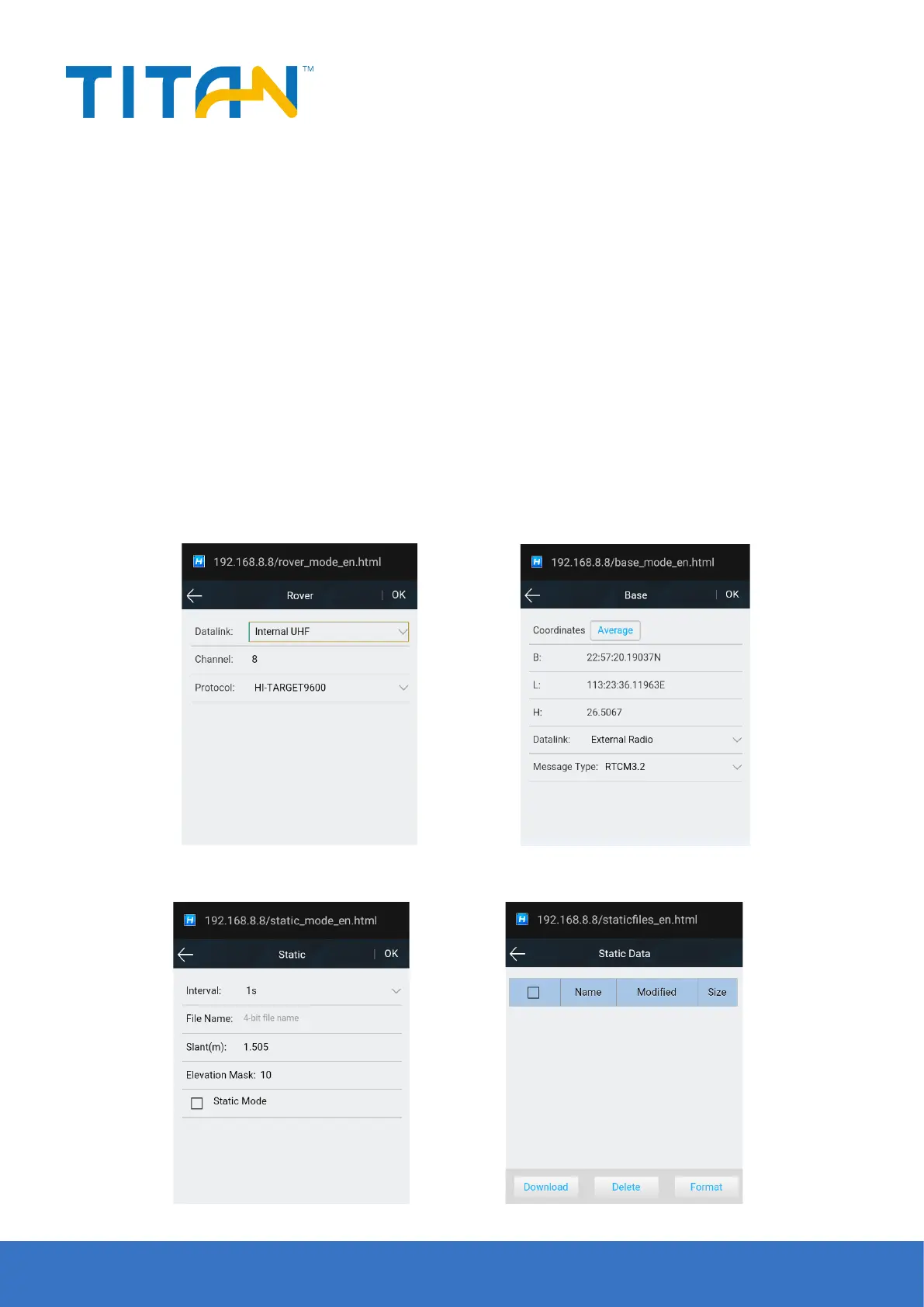
Figure 2-18 Figure 2-19 Base station setting
Figure 2-21Figure 2-20
2.3.3 Working mode
- Rover
Set the data link of the mobile station and the conguration parameters corresponding to the data link. The
mobile station data link mode includes:Internal UHF, internal GSM and external radio.
- Base station
Set the data link of the base station and the conguration parameters corresponding to the data link to smooth
the base station coordinates. The base data link mode includes: built-in radio, built-in network, and external
radio.
- Static
Set the le name and conguration parameters of the static acquisition.
Note: After checking Static Mode acquisition, you can uncheck Static Mode in the base station or mobile station
mode.
2.3.4 File management
Static le:To show static data les and supports Download and Delete and Format options.


 To Next Page