TR7 GNSS System User Manual
14
www.titanposition.com
Table 2.3 Status Interface Function Description
2.2.3 OLED screen display function
The host has a built-in OLED display. The OLED screen displays the state by double-clicking the power button to
turn o the OLED screen display. Double-click the power button in the OLED screen to turn o the display.
2.2.4 Status interface
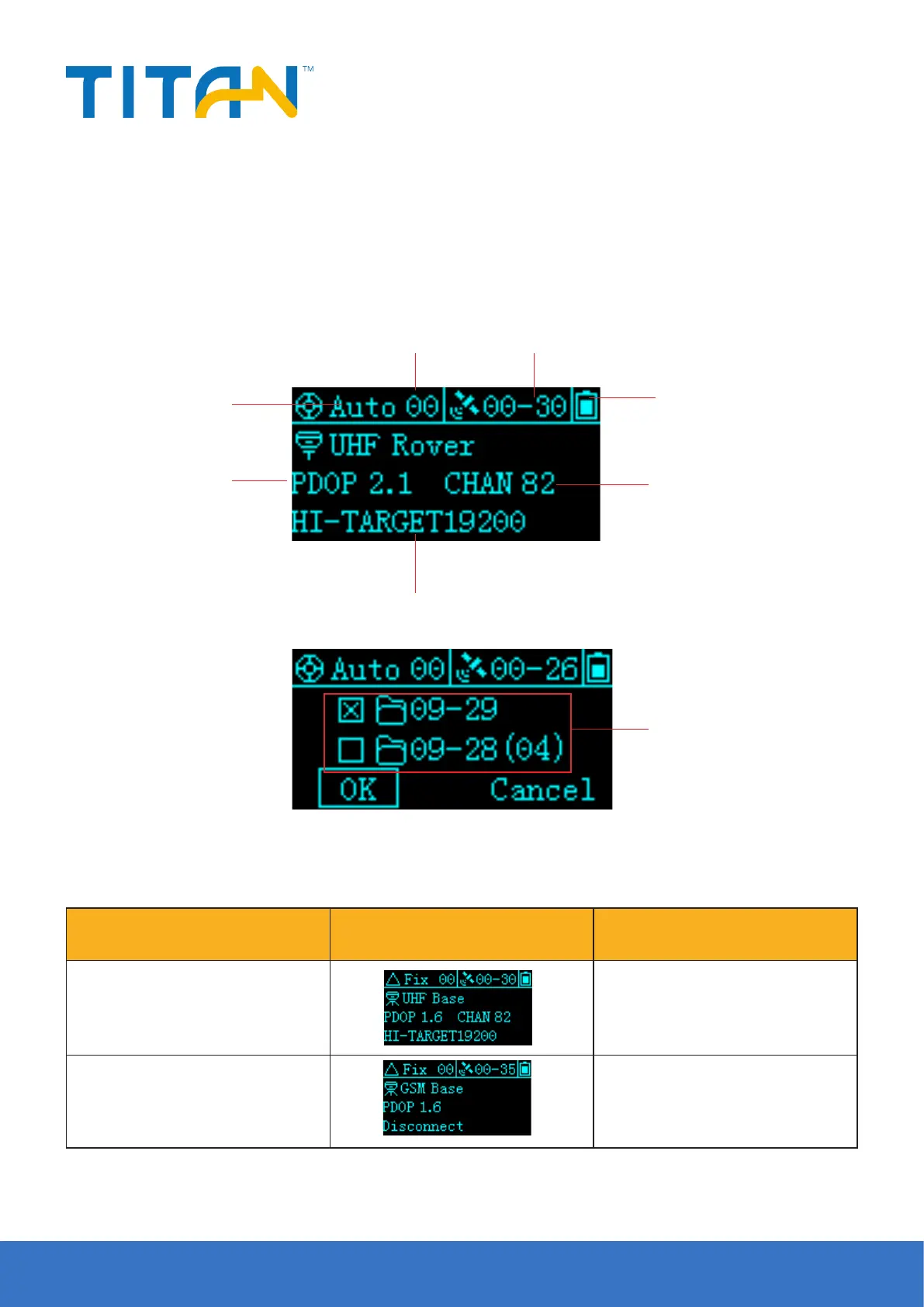
When the host is powered on, the current working status is displayed. The status interface consists of icons and
text.
1-Solution status
7-PDOP value
2-Dierential age 3-Satellite number
4-Remaining power
5-Radio channel
6-Radio protocol
8-The last two days of static files,
the number of static files that are
not downloaded are displayed in
parentheses in the folder name.
Working Status Icon contents
UHF Base
Display current receiver operating
mode, satellite information, solution
status, PDOP, radio protocol
GSM Base
Display current receiver operating
mode, satellite information, solution
status, PDOP, networking status


 To Next Page